













































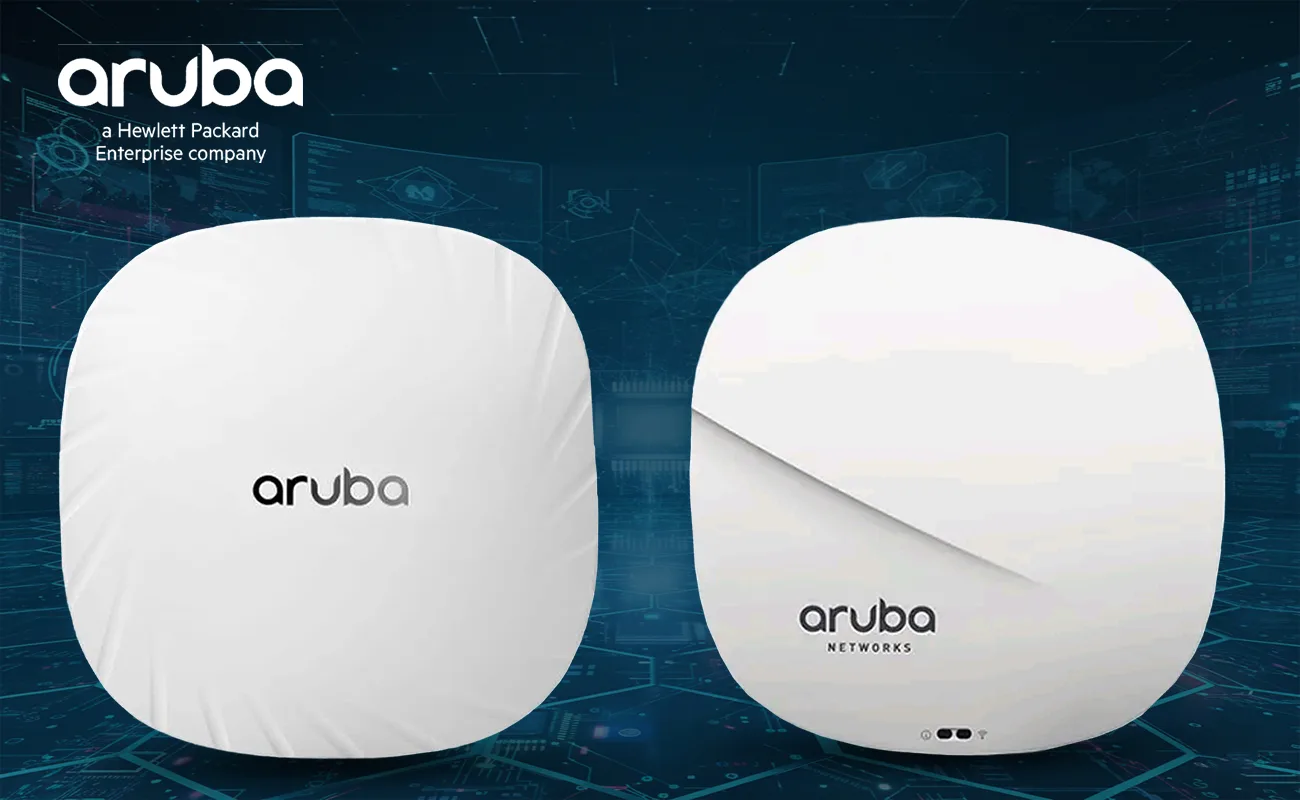
In today’s connected world, choosing the right wireless access point (AP) is critical for delivering fast, reliable Wi-Fi. Two popular models from Aruba — the AP315 and AP515 — are often compared by network professionals when designing enterprise and mid-size wireless networks.
This article provides a comprehensive, SEO-ready, and trustworthy comparison between them, focused on key technological differences and real-world implications.
We’ll explore:
✔ Architecture and Wi-Fi generation
✔ Performance and throughput
✔ Feature sets and advanced capabilities
✔ Deployment scenarios
✔ Cost and value
✔ Practical recommendations
2. Overview: AP315 vs AP515
Aruba AP315 — Wi-Fi 5 (802.11ac Wave 2)
-
Part of the Aruba 310 Series — dual-radio access point
-
Supports Wi-Fi 5 (802.11ac Wave 2) with MU-MIMO
-
Designed for indoor enterprise environments
-
Includes Bluetooth Low-Energy (BLE) support for location services
-
Offers integrated ClientMatch technology for optimized client distribution
-
Peak data rates in the 5 GHz band ~1,733 Mbps and ~300 Mbps in 2.4 GHz, with a total aggregated capability around ~2 Gbps range arubanetworks.com+1
The AP315 is a solid mid-generation access point suitable for legacy enterprise deployments or networks where Wi-Fi 6 isn’t yet required.
Aruba AP515 — Wi-Fi 6 (802.11ax)
-
Part of the Aruba 510 Series — dual-radio, next-generation access point
-
Supports Wi-Fi 6 (802.11ax) with OFDMA, MU-MIMO, and advanced spectrum efficiency
-
Integrated Bluetooth 5 and Zigbee radios for IoT and location services
-
Delivers higher throughput, better multi-client performance, and improved efficiency
-
Ideal for mid-density to high-density environments like offices, campuses, and retail spaces

The AP515 represents a step up in both technology and network capability, designed to handle modern IoT devices and Wi-Fi 6 clients.
3. Wi-Fi Generations Explained
Wi-Fi 5 (802.11ac) – AP315
Wi-Fi 5, also known as 802.11ac, marked a major improvement over previous standards by introducing broader channel widths and MU-MIMO for better throughput and client management.
However:
✔ It doesn’t support OFDMA (Orthogonal Frequency Division Multiple Access).
✔ Client efficiency in crowded environments is limited.
✔ Maximum real-world performance depends heavily on client capabilities.
Wi-Fi 6 (802.11ax) – AP515
Wi-Fi 6 is the current mainstream high-performance standard:
✔ Supports OFDMA → divides channels into multiple resource units
✔ Enhanced uplink/downlink MU-MIMO
✔ Target Wake Time (TWT) for enhanced battery life in IoT devices
✔ 1024-QAM for improved spectral efficiency
✔ Better performance in dense client environments
Result: AP515 can deliver significantly better network performance in both speed and user experience — especially when many devices are active simultaneously.
4. Technical Specifications Comparison
Here’s how both APs stack up technically:
Wi-Fi Technology
| Feature | AP315 | AP515 |
|---|---|---|
| Wi-Fi Generation | Wi-Fi 5 (802.11ac) | Wi-Fi 6 (802.11ax) |
| MU-MIMO | Yes (Wi-Fi 5) | Yes (Wi-Fi 6) |
| OFDMA | ❌ | ✔️ |
| Peak Throughput | ~2 Gbps aggregate | ~4.8 Gbps (5GHz) + ~0.575 Gbps (2.4GHz) |
| Multi-Client Efficiency | Moderate | High |
| BLE Support | Yes | Yes (Bluetooth 5 + Zigbee) |
5. Performance & Throughput
AP315 Performance
Because the AP315 uses Wi-Fi 5:
✔ Good for devices that don’t support Wi-Fi 6
✔ MU-MIMO helps with multiple simultaneous streams
However:
❌ Throughput cannot match modern Wi-Fi 6 APs
❌ Less efficient handling of dense client environments arubanetworks.com
AP515 Performance
The AP515’s Wi-Fi 6 design delivers:
✔ Better spectral efficiency → more usable throughput per client
✔ Faster aggregate speeds (~5.4 Gbps combined)
✔ More intelligent client distribution via Aruba ClientMatch
✔ Better handling of mixed client device populations
These capabilities translate to significantly better network performance, especially in enterprise and dense environments.
6. Features & Capabilities
ClientMatch Technology
Both models support Aruba’s ClientMatch feature, which intelligently steers client devices to the best radio and AP — optimizing performance and reducing user interference.
-
In AP315, this is within the limitations of Wi-Fi 5
-
In AP515, ClientMatch benefits from Wi-Fi 6’s enhanced telemetry and efficiency
IoT & BLE Support
Both APs include integrated BLE radios, but the AP515 goes further with Bluetooth 5 and Zigbee support — enabling broader IoT and asset tracking use cases without additional infrastructure.
Security Features
Modern enterprise APs require robust security.
Both AP315 and AP515 can support advanced security measures:
✔ WPA3
✔ Enhanced Open
✔ Enterprise authentication
✔ Centralized policy enforcement (when deployed with controllers)
However, because Wi-Fi 6 includes advanced encryption features optimized for modern traffic, AP515 has a slight advantage in efficiency with secure connections.
7. Deployment & Management
Controller vs Instant Modes
Both devices can be deployed:
✔ In a controller-based system (centralized management)
✔ In Instant mode (controllerless) — useful for smaller deployments
Density & Client Counts
Because of Wi-Fi 6’s improved architecture:
✔ AP515 supports more simultaneous active clients — making it a better choice for offices, retail, campuses, and hotels. arubanetworks.com
✔ AP315 is suitable for small-to-medium deployments with fewer devices.
8. Practical Use Cases
When to Choose AP315
Best fit if:
✔ Budget constraints exist
✔ Deployment is small — like local offices or branch sites
✔ Mostly Wi-Fi 5 devices are used
✔ Lower throughput and capacity needs
Note: AP315 may become outdated quickly as more clients migrate to Wi-Fi 6.
When to Choose AP515
Ideal for:
✔ Modern enterprises with Wi-Fi 6 client devices
✔ Environments with many users/devices
✔ IoT use cases involving BLE or Zigbee
✔ Future-proofed deployments
AP515 is future-ready and generally delivers better long-term value.
9. Pros & Cons Summary
AP315 (Wi-Fi 5)
Pros
✔ Mature, proven technology
✔ Lower cost
✔ Simple deployment
Cons
❌ Limited throughput vs Wi-Fi 6
❌ Not optimized for high client density
❌ Older Wi-Fi standard
AP515 (Wi-Fi 6)
Pros
✔ Faster data rates
✔ Superior multi-client handling
✔ Enhanced efficiency and IoT support
✔ Better futureproofing
Cons
❌ Higher price
❌ Requires Wi-Fi 6 capable clients to fully benefit
10. Conclusion: Which Should You Choose?
Both APs are solid enterprise-grade access points, but they serve different eras of Wi-Fi technology:
🔹 AP315 — Great for legacy Wi-Fi 5 support and smaller deployments.
🔹 AP515 — Best choice for modern environments, heavy usage, IoT deployments, and future readiness.
If you’re planning a new network or upgrading existing infrastructure, AP515 almost always delivers better performance and long-term value.
11. Final Thoughts
Choosing between Aruba AP315 and AP515 means understanding not just raw specs but how networks behave in the real world. Wi-Fi 6 isn’t just about speed — it’s about efficiency, capacity, multi-client fairness, and future ecosystem growth.
Aruba AP515 clearly outpaces AP315 across key metrics and is the better option for most modern enterprise deployments.
Shop now
Sold out

Sold out

-70%
CompNet QSFP-40G-LR4S-X Transceiver
Original price was: EGP200.00.EGP60.00Current price is: EGP60.00. Tax excluded
-27%
Dell EMC PowerEdge R640 8×2.5″
Original price was: EGP31,500.00.EGP22,999.00Current price is: EGP22,999.00. Tax excluded

Sold out

Related posts

How to Choose the Right Business Router in 8 Simple Steps

Choosing the right router is one of the most important decisions when building or upgrading a business network. A router does far ...
How to Choose the Right Network Switch in 8 Simple Steps
Choosing the right networking equipment is an important decision for every modern business. Whether you are building a new office ...

7 Essential Network Switch Installation Tips for Better Performance
A high-quality network switch is only as effective as the way it is installed. Even the most advanced networking equipment can exp...
PoE vs Non-PoE Switches: 8 Powerful Key Differences Explained
If you're planning to upgrade your business network, one of the most important decisions you'll face is choosing between PoE vs No...

11 Scalable Servers for Growing Businesses

11 Scalable Servers for Growing Businesses
As businesses expand, their IT infrastructure must grow alongside them. Increasing wor...

6 Advanced Tower Servers to Improve Network Performance
6 Advanced Tower Servers to Improve Network Performance
As businesses continue to expand their digital operations, having a relia...

10 Smart Server Solutions for Secure Data Management
10 Smart Server Solutions for Secure Data Management
Data has become one of the most valuable assets for modern businesses. From ...
10 Top Switch Solutions to Enhance Performance
Modern businesses depend on fast, secure, and reliable networks to keep daily operations running smoothly. From transferring large...

6 Powerful Advanced Managed Switches for Business Networks
Modern businesses rely on fast, secure, and highly available networks to support daily operations, cloud applications, VoIP commun...

11 Powerful & Reliable Switches to Improve Network Efficiency
Every modern business depends on a reliable network to keep employees connected, support cloud applications, enable coll...

9 High Performance Servers to Maximize Efficiency
9 High Performance Servers to Maximize Efficiency
In today's digital economy, businesses need powerful and reliable infrastructur...

9 Powerful Switches for Modern Business Networks
Introduction
Modern businesses rely on stable, high-performance networks to support cloud applications, cybersecurity solutions, ...
