

























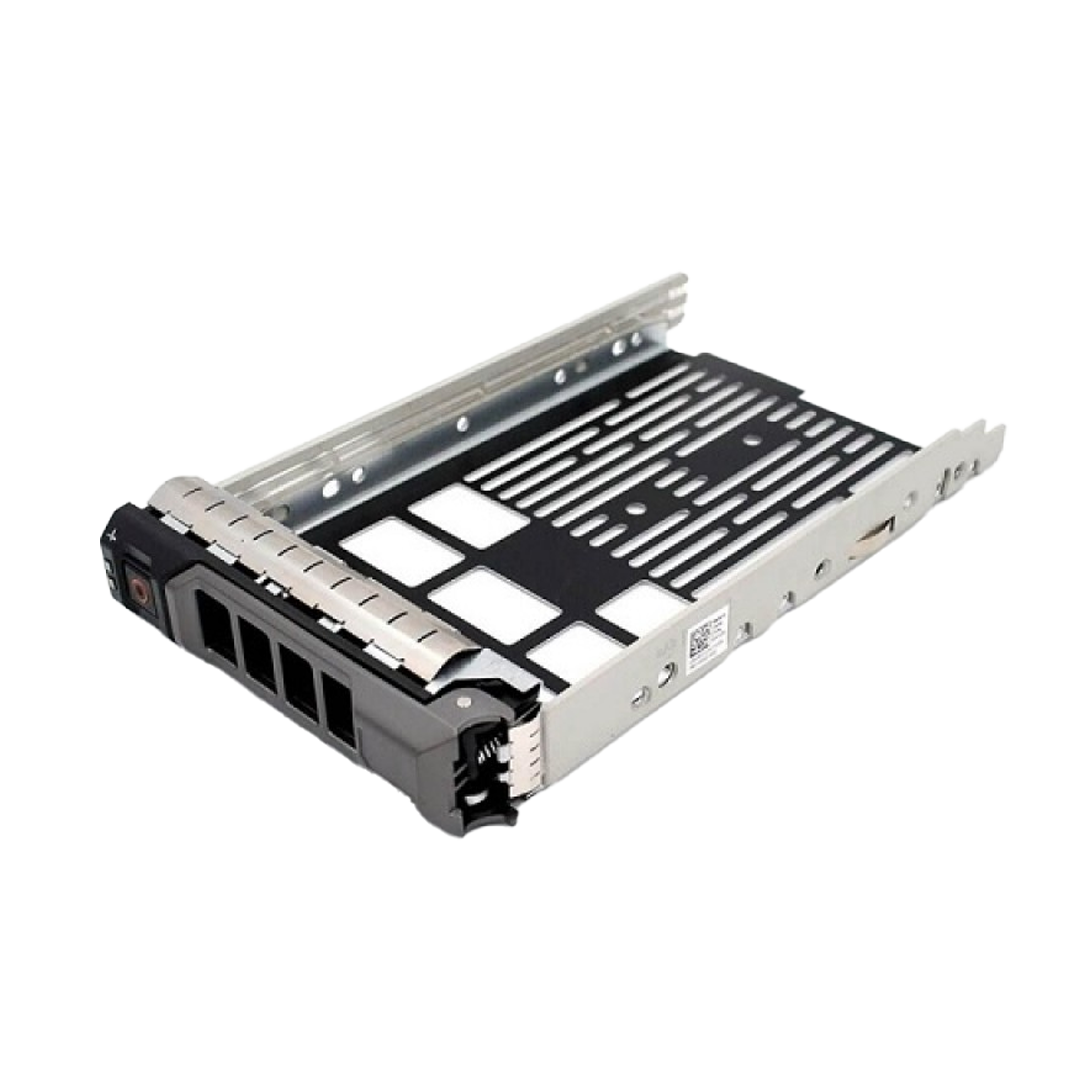















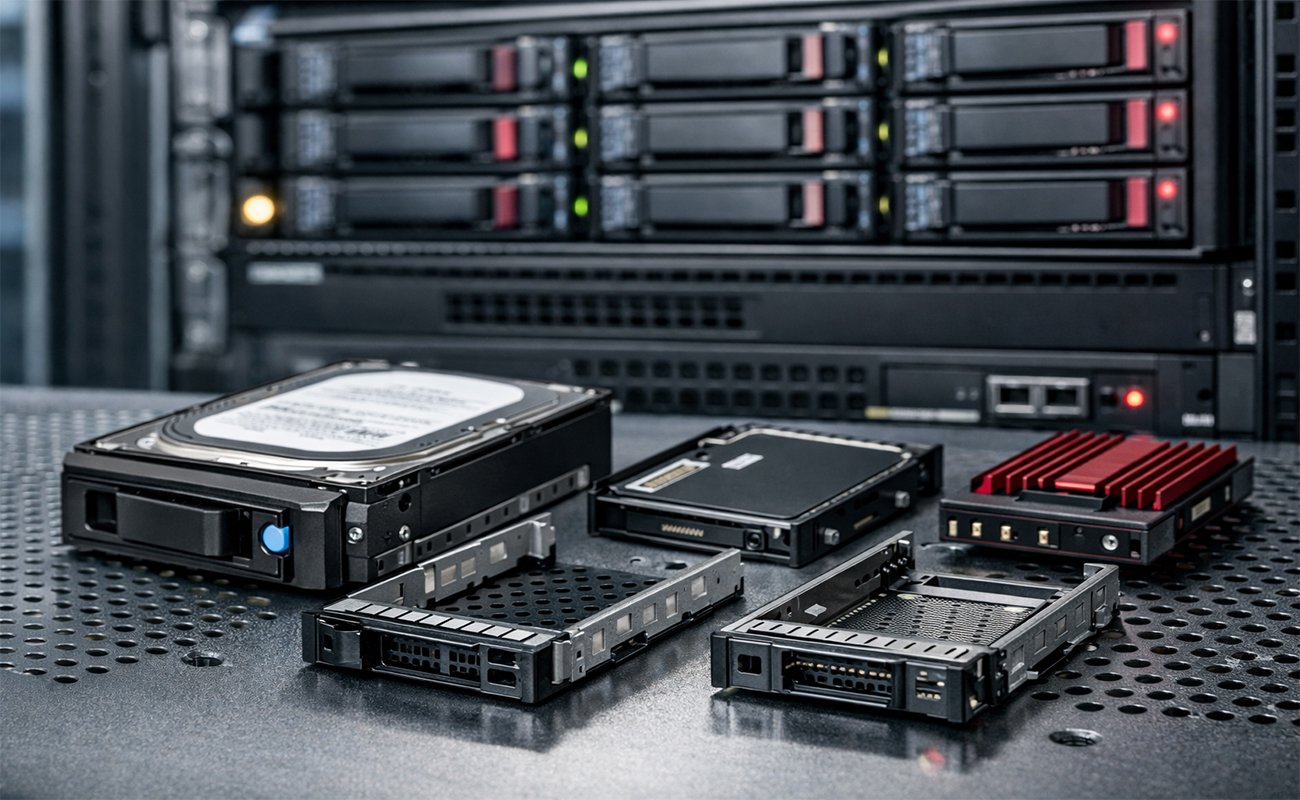
In the modern enterprise landscape, storage systems are the backbone of nearly every mission-critical operation. From virtualization clusters and cloud platforms to high-performance computing, databases, and backup environments—your storage hardware must be dependable, scalable, and easy to maintain.
But while most discussions focus on drives, RAID configurations, and storage protocols, there is an often-overlooked component that dramatically impacts system reliability, cooling, hot-swap capability, and overall infrastructure efficiency:
Caddies and Drive Trays
These small, often inexpensive components play a foundational role in server stability and data center operations. Whether you’re using 1U, 2U, or 4U rack-mount servers, understanding why caddies and drive trays matter is essential for proper enterprise design.
This comprehensive guide—over 3000 words—explores:
-
What caddies and drive trays are
-
Their role in rack servers
-
Why enterprises cannot ignore them
-
Mechanical and thermal engineering factors
-
Hot-swap mechanics
-
Material quality and its impact
-
Compatibility challenges across server brands
-
SSD vs HDD considerations in trays
-
Common mistakes when choosing or installing caddies
-
Best practices for large-scale data centers
-
Future trends in drive mounting technology
Let’s begin by defining the essentials.
1. What Are Caddies and Drive Trays?
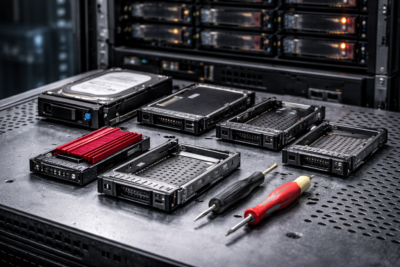
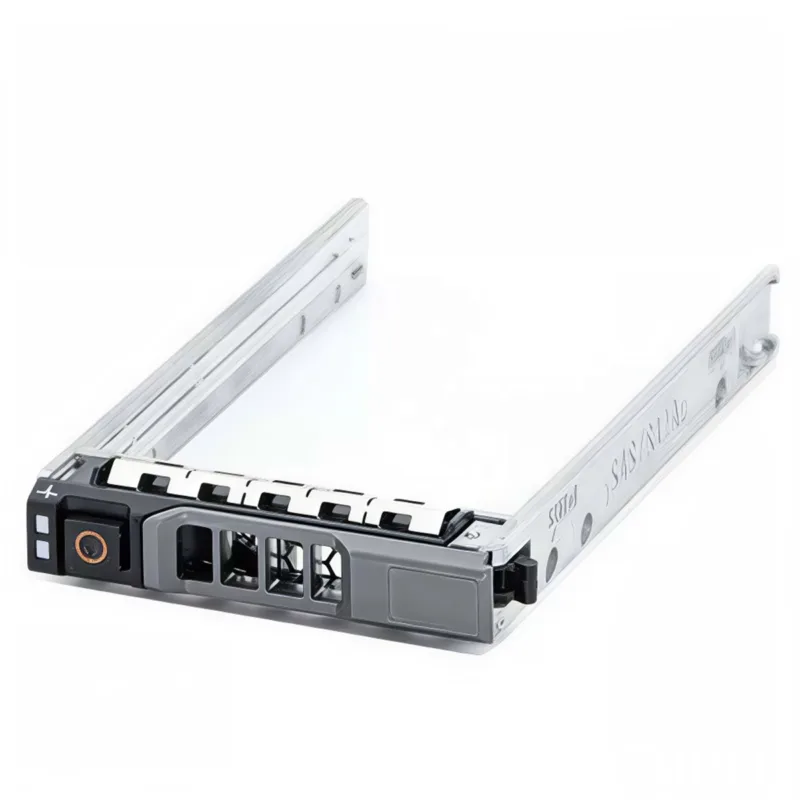
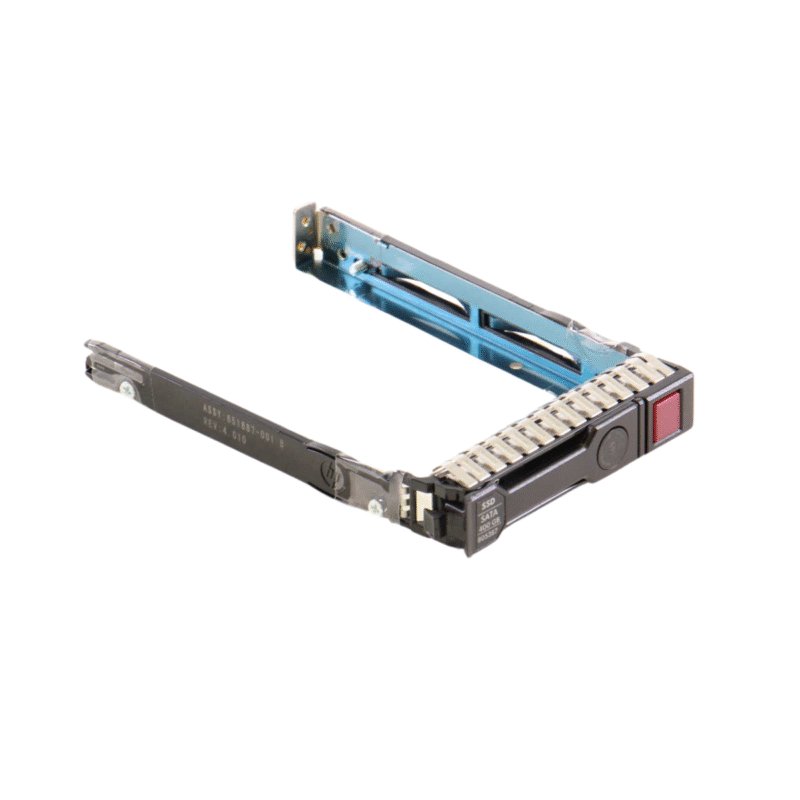
A caddy or drive tray is a mechanical enclosure or frame used to mount a storage drive—HDD, SSD, or NVMe—into a server or storage array.
Its purpose is simple on the surface:
Secure the drive so it can be inserted into a hot-swap bay.
But behind that simplicity lies a lot more:
-
Ensuring physical stability
-
Aligning drive connectors to the server backplane
-
Maintaining proper airflow
-
Supporting hot-swap operations
-
Preventing vibration damage
-
Maintaining chassis integrity
-
Enabling tool-less maintenance
-
Ensuring electrical consistency
-
Standardizing fleet-wide serviceability
Without the right caddy, the best enterprise drives in the world simply cannot be used safely.
2. Why Rack-Mount Servers Depend on Caddies
Rack servers—whether 1U or 2U—are engineered with precision. Every slot, latch, vent, and connector is measured with millimeter-level accuracy.
Caddies ensure that drives:
-
Fit securely
-
Align perfectly with the backplane
-
Maintain structural integrity under vibration
-
Can be inserted/removed without tools
-
Stay cool under continuous load
2.1. Alignment with the Backplane
One of the most critical functions of a drive tray is ensuring correct alignment with the server’s SAS/SATA/NVMe backplane. A misaligned drive can:
-
Damage the connector
-
Break the backplane
-
Cause intermittent disconnections
-
Create RAID rebuild events
-
Cause total storage failure
A high-quality caddy ensures a perfect fit—especially important when the server will handle dozens of drive insertions per year.
3. Mechanical Design: More Important Than It Seems
A good caddy is not just a piece of metal or plastic. It is a precisely engineered component designed to:
-
Absorb vibration
-
Maintain structural rigidity
-
Provide consistent pressure for connector engagement
-
Protect the drive during insertion and removal
-
Support airflow around the drive chassis
3.1. Vibration Control
Enterprise HDDs run at:
-
7,200 RPM
-
10,000 RPM
-
15,000 RPM
At these speeds, even minor vibration or misalignment can lead to:
-
Increased read/write errors
-
Reduced lifespan
-
Performance degradation
-
RAID degradation
-
Drive failure
Caddies distribute mechanical stress and reduce vibration transmission.
3.2. Supporting SSDs
SSDs don’t have moving parts—but they still require stability and cooling.
NVMe SSDs especially run hotter and can throttle at 70–85°C.
Caddies ensure proper thermal contact and airflow management.
4. Hot-Swap Capability: The Core Reason Caddies Exist
One of the main advantages of enterprise servers is hot-swapping—the ability to replace drives without powering down the server.
Caddies enable hot-swapping by:
-
Standardizing physical size and connector alignment
-
Providing a locking mechanism
-
Ensuring drive-to-backplane pressure
-
Protecting the drive during insertion
-
Offering latch handles for quick removal
A mismatched or poorly engineered caddy can compromise:
-
Power delivery
-
Connector integrity
-
RAID stability
-
Uptime guarantees
This alone makes caddies a mission-critical piece of hardware.
5. Material Engineering: Metal, Plastic, and Hybrid Designs
Drive trays are usually made from one of the following:
5.1. Full Metal (Aluminum or Steel)
Pros:
-
Best durability
-
Superior heat dissipation
-
Strong rigidity
-
Best for heavy vibration environments
Cons:
-
Slightly heavier
-
More expensive
5.2. Plastic (ABS, Polycarbonate)
Pros:
-
Lightweight
-
Cheaper to manufacture
-
Non-conductive
Cons:
-
Weaker under stress
-
Poor heat dissipation
-
Easier to break
5.3. Metal-Plastic Hybrids
Often seen in modern servers:
-
Metal frame for strength
-
Plastic rails or latches for flexibility
This design balances cost and performance.
6. Server Brand Compatibility: Not All Caddies Are Equal
Every server manufacturer builds its own tray design.
Caddies are not universal.
Different brands use different:
-
Mounting hole patterns
-
Latch mechanisms
-
LED connectors
-
Backplane alignment pins
-
Screw positions
-
Tool-less designs
Common Enterprise Examples:
-
Some trays fit 2.5-inch drives, some 3.5-inch
-
Dell, HP, Lenovo, Supermicro, and Cisco each use their own caddy designs
-
Some caddies include LED wiring for status lights
-
Others require screws; some have tool-less pins
Why this matters?
Using the wrong caddy can result in:
-
No LED drive status
-
Improper airflow
-
Mechanical gaps
-
Drive disconnection
-
Warranty issues
When deploying large-scale storage, always standardize caddy types across your fleet.
7. 2.5” vs 3.5” Caddies — Does Size Matter?
Absolutely.

Enterprise drive bays support:
-
2.5-inch drives → typically SSDs + 10K/15K HDDs
-
3.5-inch drives → typically high-capacity HDDs
Caddies ensure that drive dimensions are standardized so all drives fit properly within:
-
Backplanes
-
SAS/SATA ports
-
Cooling channels
When upgrading storage, choosing the wrong tray size completely prevents drive installation.
8. Airflow and Thermal Engineering: A Critical Function
Cooling is essential in rack servers. Drive trays directly influence airflow patterns.
How caddies improve cooling:
-
Perforated metal openings allow directed airflow
-
Correct spacing ensures optimal ventilation
-
Metal frames dissipate heat into the server chassis
-
Some trays include integrated heatsinks for NVMe drives
Consequences of poor airflow:
-
SSD thermal throttling
-
HDD temperature spikes
-
Shortened lifespan
-
Unexpected server shutdown
-
RAID array degradation
Data centers carefully design airflow, and caddies are part of that equation.
9. Tool-Less vs Screw-Mounted Trays
Tool-less Caddies
Pros:
-
Fast installation
-
Ideal for large-scale deployments
-
Better for frequently swapped drives
Cons:
-
Sometimes less secure
-
Plastic parts may wear out
Screw-Mounted Caddies
Pros:
-
Maximum stability
-
Better for heavy 3.5-inch HDDs
-
Less vibration
Cons:
-
Slower installation
-
More downtime during maintenance
Enterprises must choose based on the environment—performance clusters vs archival storage may need different mounting systems.
10. SSD and NVMe Considerations
Modern data centers rely heavily on SSDs and NVMe drives.
SSD-Specific Tray Requirements
-
Good heat dissipation
-
Tight mechanical fit
-
LED pass-through functionality
NVMe-Specific Requirements
-
Integrated cooling fins
-
Extra thermal padding
-
Strong structural rigidity
-
Advanced airflow channels
Due to the extreme speed of NVMe drives, proper cooling is essential.
11. Common Mistakes When Choosing or Installing Caddies
These mistakes cost enterprises money, downtime, and damage.
1. Buying the wrong tray model
Even if it physically fits, misalignment and LED issues can occur.
2. Forgetting about airflow design
Blocked vents cause SSDs to throttle or fail.
3. Using low-quality aftermarket caddies
Thin metal deforms, causing vibration issues.
4. Over-tightening screws
This can distort the shape of trays, causing connector misalignment.
5. Mixing tool-less and screw-mounted trays in the same rack
This creates inconsistency in maintenance workflows.
6. Assuming all 2.5” trays are identical
Different vendors use different hole positions and latch mechanisms.
12. Best Practices for Enterprise Data Centers
1. Standardize Tray Types Across the Organization
Avoid mixing different tray models—this streamlines:
-
Replacement
-
Repairs
-
Procurement
-
Training
2. Keep Spare Caddies in Stock
Drive replacements should never wait for caddy shipments.
3. Label Caddies by Server Model
This helps technicians work quickly in high-pressure scenarios.
4. Inspect Caddies During Maintenance
Look for:
-
Bent frames
-
Loose latches
-
Damaged LEDs
-
Airflow blockages
5. Choose Metal or Hybrid Caddies Whenever Possible
They support better cooling and durability.
6. Always Test After Installation
A misaligned drive can pass initial boot but fail under load.
13. When Should You Replace a Caddy or Drive Tray?
Replace caddies if you notice:
-
Cracks or broken latches
-
Drives intermittently disconnecting
-
Excessive vibration noise
-
LED indicators not working
-
Tray does not lock securely
-
Misalignment during insertion
In enterprise environments, caddies are cheap compared to the cost of data loss or downtime.
14. Caddies for High-Density Servers (All-Flash Arrays)
All-flash storage arrays and dense NVMe platforms use trays engineered for:
-
Maximum airflow
-
Lower vibration
-
Quick removal
-
Higher thermal stability
-
Backplane pressure consistency
These trays often include:
-
Locking metal brackets
-
Enhanced airflow holes
-
Anti-vibration rubber
-
Controller-to-LED wiring
The higher the storage density, the more important the caddy becomes.
15. Future Trends in Caddies and Drive Mounting Systems
The role of drive trays is evolving with storage technologies.
1. Tool-less drive ecosystems
Future servers may eliminate screws entirely.
2. Enhanced thermals for PCIe Gen5/6 NVMe SSDs
Higher bandwidth = more heat = better cooling designs.
3. Modular hot-swap NVMe connectors
Less mechanical stress during removal.
4. AI-optimized airflow systems
Sensors + intelligent vents will improve cooling.
5. Universal drive carriers for mixed drive types
Some vendors are exploring modular trays that support both 2.5” and M.2/NVMe formats.
6. Magnetic latch systems
To eliminate latch failures.
16. The Bottom Line: Why Caddies Truly Matter
Enterprise-grade storage is about much more than just drives and RAID.
Caddies are:
-
Essential for hot-swap
-
Critical for cooling
-
Required for stability
-
Vital for connector alignment
-
Important for maintenance workflows
Ignoring them risks downtime, costs, and outright hardware failure.
A properly selected and properly installed drive tray ensures:
-
Safer data handling
-
Longer drive lifespan
-
Better performance
-
Reduced thermal throttling
-
Higher uptime
-
Lower maintenance cost
In short:
Caddies and drive trays are small components with huge consequences.
17. Need this blog linked to other enterprise storage topics?
If you’re exploring storage options at the enterprise level, don’t miss our detailed comparison of HDD vs SSD to help you choose the right technology for your infrastructure.
Shop now
Sold out

Sold out

Sold out
Sold out
Sold out
Related posts

VPN Firewall vs Standard Firewall: 7 Key Differences

Businesses need reliable network security to protect sensitive information, prevent unauthorized access, and maintain secure commu...
Rack Server vs Tower Server: 6 Key Differences Explained

Rack Server vs Tower Server: 6 Key Differences Explained
Choosing between a rack server and a tower server is an important decisi...
SSD vs HDD Storage: 8 Key Differences Every Business Should Know
SSD vs HDD Storage: 8 Key Differences Every Business Should Know
Choosing the right storage technology is essential for businesse...

Router Performance Explained: 7 Factors That Affect Your Internet Speed

Router performance plays a critical role in determining how efficiently a business network handles daily operations. From cloud-ba...

10 Router Security Features That Help Protect Business Networks
Business networks are constantly exposed to security risks, from unauthorized access and malicious traffic to compromised devices ...

Stateful Firewall vs Next-Generation Firewall: 8 Major Differences
Firewalls play a critical role in protecting business networks from unauthorized access, suspicious traffic, and cyber threats. Ho...

7 Firewall NGFW Types Compared for Business Network Security
Choosing the right NGFW firewall is an important part of protecting business networks fro...

11 Server Features Every IT Manager Should Look For
11 Server Features Every IT Manager Should Look For
Choosing the right server is an important decision for any organization. Serv...
Best RAM Options for Performance Workstations
Best RAM Options for Performance Workstations
Modern performance workstations are built for demanding workloads such as 3D render...

Dual-WAN vs Single-WAN Routers: 6 Key Differences Compared
Modern businesses rely heavily on stable Internet connectivity for cloud applications, communication, online platforms, remote acc...
Wi-Fi Router vs Wired Router: 8 Differences Every Business Should Know
Choosing the right networking equipment is an important decision for any business. As organizations become increasingly dependent ...

Storage Buying Guide: 7 Things to Consider Before You Choose
Storage Buying Guide: 7 Things to Consider Before You Choose
Modern businesses generate and manage large amounts of data every da...
