

























































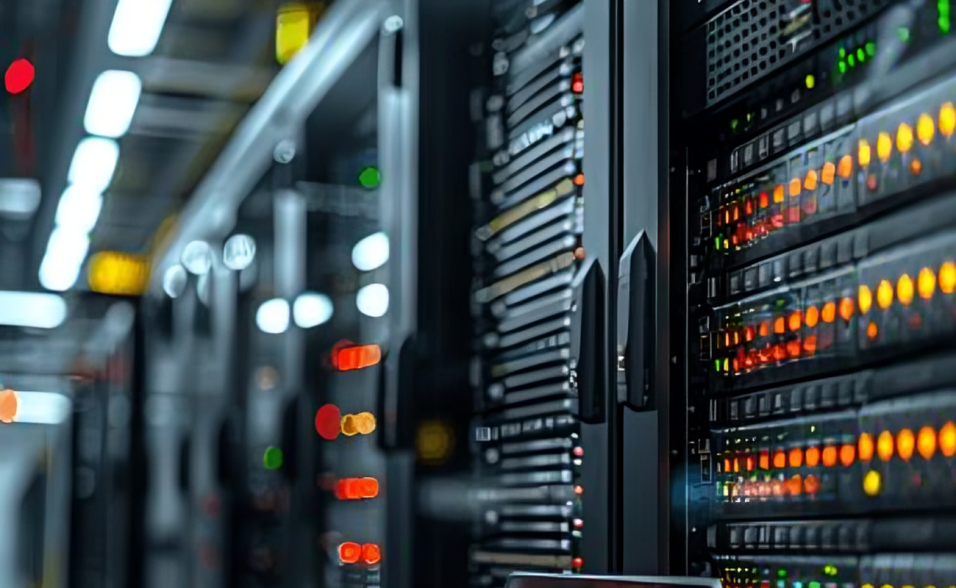
A high-quality network switch is only as effective as the way it is installed. Even the most advanced networking equipment can experience performance issues, security vulnerabilities, or unexpected downtime if the installation process is not planned correctly. Proper installation ensures that every connected device communicates efficiently, minimizes network congestion, and provides a stable foundation for future expansion.
Whether you are deploying a new office network, upgrading an existing infrastructure, or expanding a growing business, following proven Network Switch Installation Tips can significantly improve overall network reliability. Installation is much more than connecting Ethernet cables—it involves selecting the right location, organizing cabling, configuring network settings, ensuring proper airflow, and preparing the infrastructure for long-term scalability.
Businesses depend on fast and reliable connectivity for daily operations, cloud applications, IP phones, surveillance systems, wireless access points, and data storage. A poorly installed switch can create bottlenecks that reduce productivity and increase maintenance costs. On the other hand, a well-planned installation provides consistent performance, easier troubleshooting, and better network security.
In this guide, we’ll explore seven essential Network Switch Installation Tips that can help organizations build a faster, more reliable, and scalable network infrastructure.
Why Proper Network Switch Installation Matters
Installing a network switch correctly has a direct impact on the stability and efficiency of an entire network. Since switches manage data traffic between connected devices, every installation decision influences communication speed, latency, and reliability.
Proper installation offers several important advantages:
- Improves network performance by reducing unnecessary congestion.
- Minimizes downtime caused by hardware or cabling issues.
- Simplifies future maintenance and troubleshooting.
- Supports business growth through scalable infrastructure.
- Protects networking equipment from environmental damage.
- Enhances overall network security.
- Reduces long-term operational costs.
Many organizations focus heavily on purchasing the right networking equipment but underestimate the importance of installation planning. In reality, careful installation often has just as much impact on performance as the hardware itself.
Tip 1: Choose the Right Installation Location
One of the most overlooked Network Switch Installation Tips is selecting the proper physical location. A switch should be installed in an environment that protects it from excessive heat, dust, moisture, and accidental damage.
When choosing the installation site, consider factors such as:
- Adequate airflow around the device.
- Stable room temperature.
- Protection from direct sunlight.
- Low humidity levels.
- Easy access for maintenance.
- Proximity to connected devices.
- Availability of reliable power sources.
For medium and large business environments, installing switches inside a dedicated network rack or server cabinet provides better organization and equipment protection. Rack-mounted installations also improve cable management and simplify future upgrades.
Avoid placing switches near sources of vibration, electrical interference, or areas where liquids may be present. Environmental factors can significantly shorten hardware lifespan if ignored.
Proper placement also reduces cable lengths, which helps maintain signal quality while keeping the network organized.
Tip 2: Plan Your Network Layout Before Installation
One of the biggest installation mistakes is connecting devices without first designing the network topology. Planning ahead prevents unnecessary cable runs, simplifies management, and improves overall efficiency.
Before installing your switch, identify:
- Number of connected devices.
- Required port capacity.
- Expected future expansion.
- VLAN requirements.
- Internet gateway location.
- Server connections.
- Wireless access points.
- Security cameras.
- VoIP phones.
- Storage devices.
Creating a simple network diagram before installation helps visualize device relationships and reduces configuration errors later.
Businesses should also estimate future growth instead of designing only for current needs. Leaving available switch ports for future expansion can eliminate unnecessary hardware replacements.
A well-planned network is easier to manage, troubleshoot, and scale over time.

Tip 3: Use High-Quality Ethernet Cabling
Even the best switch cannot compensate for poor cabling. Low-quality or damaged Ethernet cables introduce packet loss, slower data transmission, and intermittent connectivity issues.
Choosing appropriate cable categories is essential:
- Cat5e for Gigabit Ethernet.
- Cat6 for higher bandwidth and improved interference resistance.
- Cat6a for 10 Gigabit networking over longer distances.
- Fiber optic cables for high-speed backbone connections.
Cable organization is equally important. Labeling every cable during installation saves countless hours when maintenance or troubleshooting becomes necessary.
Avoid tightly bending Ethernet cables or routing them alongside electrical power cables, as electromagnetic interference may affect network performance.
Proper cable management also improves airflow inside racks and creates a cleaner installation.
Tip 4: Ensure Proper Power and Backup Protection
Reliable power is one of the most critical factors in maintaining network stability. A network switch that loses power unexpectedly can interrupt business operations, disconnect users from essential applications, and even corrupt data transfers. One of the most valuable Network Switch Installation Tips is to protect your networking equipment with a dependable power infrastructure.
Every switch should be connected to a stable power source that meets the manufacturer’s specifications. In business environments, relying solely on standard wall outlets may not provide the level of protection required for continuous operation.
Consider implementing:
- Uninterruptible Power Supply (UPS) systems to provide temporary backup power.
- Surge protectors to guard against voltage spikes.
- Redundant power supplies for enterprise-grade switches.
- Dedicated electrical circuits for networking equipment.
- Regular testing of backup power systems.
A UPS allows your switch to continue operating during short power outages, giving administrators enough time to safely shut down equipment or keep critical services online until power is restored.
For organizations that rely on cloud applications, IP telephony, surveillance systems, or customer-facing services, power protection is an investment that helps reduce costly downtime.
Tip 5: Configure the Switch Correctly Before Deployment
Installing a switch involves more than mounting it in a rack and plugging in cables. Proper configuration ensures the hardware performs efficiently, securely, and according to your organization’s networking requirements.
After the physical installation, administrators should review the switch configuration before connecting production devices.
Common configuration tasks include:
- Assigning management IP addresses.
- Changing default administrator credentials.
- Updating firmware to the latest stable version.
- Configuring VLANs.
- Enabling secure management protocols.
- Setting port speeds and duplex modes.
- Configuring Quality of Service (QoS) where required.
- Disabling unused ports.
- Creating monitoring and logging settings.
Leaving factory default settings unchanged can expose the network to unnecessary security risks and management challenges.
For managed switches, configuration provides flexibility to separate departments, prioritize business-critical traffic, and improve overall network efficiency.
Proper configuration also makes future maintenance much easier since every device follows consistent standards.
Tip 6: Organize and Label Every Connection
As networks grow, poor cable organization quickly becomes a major obstacle for maintenance and troubleshooting. One of the simplest yet most effective Network Switch Installation Tips is implementing a structured labeling system from day one.
Every cable should clearly indicate:
- Connected device.
- Destination port.
- VLAN or department (if applicable).
- Installation date (optional).
- Rack location.
Likewise, switch ports should be documented to identify exactly which devices are connected.
Benefits of organized cable management include:
- Faster troubleshooting.
- Reduced installation errors.
- Easier equipment replacement.
- Simplified future upgrades.
- Improved airflow inside network racks.
- Cleaner professional installations.
Using cable managers, Velcro straps, and patch panels can significantly improve the appearance and maintainability of network infrastructure.
Avoid tightly bundling cables or using plastic zip ties that may damage cable insulation over time. Instead, use reusable fastening solutions that allow easy adjustments as the network evolves.
Documentation should also include switch configurations, IP addresses, firmware versions, and port assignments. This information becomes invaluable during maintenance or disaster recovery.
Tip 7: Test Everything Before Going Live
The final and perhaps most important of all Network Switch Installation Tips is comprehensive testing before placing the switch into production.
Even if the installation appears successful, hidden issues such as incorrect configurations, damaged cables, or speed mismatches may remain undetected until users begin experiencing problems.
Before deployment, verify:
- All ports are functioning correctly.
- Devices receive proper network connectivity.
- Internet access is stable.
- VLAN communication works as intended.
- PoE devices receive sufficient power.
- Link speeds negotiate correctly.
- Redundant connections operate properly.
- Management interfaces are accessible.
- Monitoring systems detect the new switch.
Network performance testing should include both normal traffic and peak usage scenarios whenever possible.
Monitoring tools can also help identify:
- High bandwidth utilization.
- Packet loss.
- Port errors.
- Broadcast storms.
- Unexpected traffic spikes.
Resolving these issues before users rely on the network minimizes disruptions and improves overall reliability.
A successful installation is one that has been thoroughly tested—not simply powered on.
Common Network Switch Installation Mistakes to Avoid
Even experienced IT professionals can overlook small details during installation that later develop into major operational problems.
Some of the most common mistakes include:
- Installing switches in poorly ventilated areas.
- Using damaged or low-quality Ethernet cables.
- Ignoring cable labeling.
- Leaving default passwords unchanged.
- Skipping firmware updates.
- Connecting too many devices without capacity planning.
- Mixing power and data cables without proper separation.
- Neglecting documentation.
- Forgetting backup power protection.
- Deploying equipment without performance testing.
Avoiding these mistakes contributes to a more stable, secure, and efficient network environment.

Best Practices for Long-Term Network Performance
Proper installation is only the beginning. Maintaining consistent network performance requires ongoing monitoring and preventive maintenance.
Some recommended best practices include:
- Regularly inspect cables for wear or damage.
- Keep firmware updated with stable releases.
- Monitor bandwidth usage to identify bottlenecks.
- Clean network racks to prevent dust accumulation.
- Check switch temperatures periodically.
- Review port utilization and disable unused ports.
- Update documentation whenever changes are made.
- Test backup power systems on a routine schedule.
- Plan for future expansion before capacity becomes an issue.
These practices help extend equipment lifespan while reducing unexpected downtime and maintenance costs.
Frequently Asked Questions
What is the most important step before installing a network switch?
Planning the network layout is one of the most important steps. Understanding device locations, cable paths, and future expansion needs helps prevent costly changes later.
Should every business use managed switches?
Managed switches are recommended for businesses that require advanced security, VLANs, traffic management, monitoring, or network scalability. Small networks with minimal requirements may use unmanaged switches successfully.
Why is cable labeling important?
Cable labeling makes troubleshooting, maintenance, and future upgrades significantly faster by allowing technicians to identify connections immediately.
How often should switch firmware be updated?
Firmware should be reviewed regularly and updated when stable releases provide security improvements, bug fixes, or new features that benefit your network.
Can poor switch installation affect network speed?
Yes. Incorrect placement, poor-quality cabling, improper configuration, and inadequate airflow can all reduce network performance and reliability.
Is a UPS necessary for network switches?
While not mandatory for every environment, a UPS is highly recommended for business networks because it protects equipment from power interruptions and helps maintain critical connectivity during outages.
Conclusion
Successful network performance begins with proper installation. While selecting the right switch is important, following proven Network Switch Installation Tips ensures that your investment delivers maximum reliability, efficiency, and long-term value.
From choosing the ideal installation location and planning your network layout to organizing cabling, configuring the switch correctly, protecting the power supply, and performing comprehensive testing, every step contributes to a stronger and more resilient infrastructure.
Businesses that prioritize proper installation are better positioned to reduce downtime, simplify maintenance, improve security, and support future growth without unnecessary complexity.
At SAS Points, we understand that reliable networking starts with both quality hardware and expert deployment practices. Whether you’re upgrading an existing infrastructure or building a new business network, following these installation best practices can help you create a stable, high-performing environment that supports your organization’s success for years to come.
Shop now


Sold out






Sold out







Sold out


Sold out

Sold out


Related posts

VPN Firewall vs Standard Firewall: 7 Key Differences

Businesses need reliable network security to protect sensitive information, prevent unauthorized access, and maintain secure commu...

Rack Server vs Tower Server: 6 Key Differences Explained

Rack Server vs Tower Server: 6 Key Differences Explained
Choosing between a rack server and a tower server is an important decisi...

SSD vs HDD Storage: 8 Key Differences Every Business Should Know
SSD vs HDD Storage: 8 Key Differences Every Business Should Know
Choosing the right storage technology is essential for businesse...

Router Performance Explained: 7 Factors That Affect Your Internet Speed

Router performance plays a critical role in determining how efficiently a business network handles daily operations. From cloud-ba...

10 Router Security Features That Help Protect Business Networks
Business networks are constantly exposed to security risks, from unauthorized access and malicious traffic to compromised devices ...

Stateful Firewall vs Next-Generation Firewall: 8 Major Differences
Firewalls play a critical role in protecting business networks from unauthorized access, suspicious traffic, and cyber threats. Ho...

7 Firewall NGFW Types Compared for Business Network Security
Choosing the right NGFW firewall is an important part of protecting business networks fro...

11 Server Features Every IT Manager Should Look For
11 Server Features Every IT Manager Should Look For
Choosing the right server is an important decision for any organization. Serv...

Best RAM Options for Performance Workstations
Best RAM Options for Performance Workstations
Modern performance workstations are built for demanding workloads such as 3D render...

Dual-WAN vs Single-WAN Routers: 6 Key Differences Compared
Modern businesses rely heavily on stable Internet connectivity for cloud applications, communication, online platforms, remote acc...

Wi-Fi Router vs Wired Router: 8 Differences Every Business Should Know
Choosing the right networking equipment is an important decision for any business. As organizations become increasingly dependent ...

Storage Buying Guide: 7 Things to Consider Before You Choose
Storage Buying Guide: 7 Things to Consider Before You Choose
Modern businesses generate and manage large amounts of data every da...
