


























































11 Server Features Every IT Manager Should Look For
Choosing the right server is an important decision for any organization. Servers support critical applications, databases, file storage, virtualization, networking services, and business operations, so selecting the right hardware can directly affect performance, reliability, and long-term IT costs.
Understanding the 11 Server Features Every IT Manager Should Look For can help organizations evaluate different server configurations and select hardware that matches their current requirements while leaving room for future growth.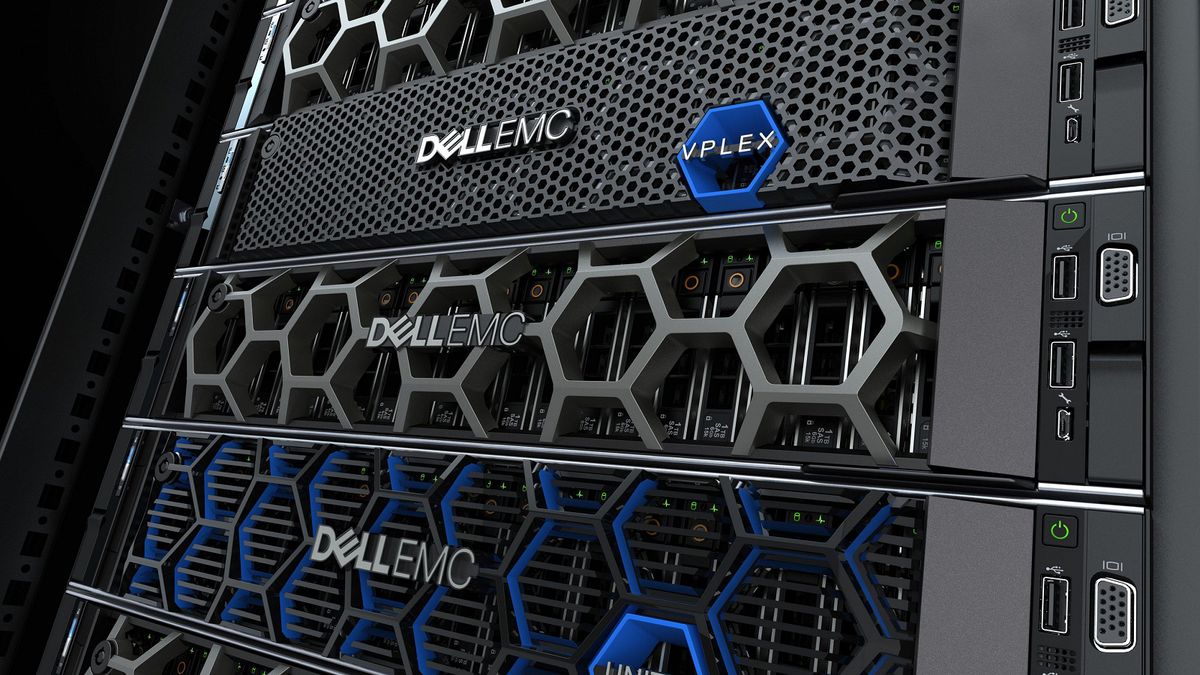
A server should not be selected based on processor specifications alone. Memory capacity, storage options, RAID support, networking, remote management, expandability, redundancy, and power efficiency all contribute to the overall value of an enterprise server.
Whether you are deploying a new infrastructure, upgrading an existing environment, or purchasing refurbished enterprise hardware, these features deserve careful consideration.
1. Powerful and Scalable Processors
The processor is one of the most important components of a server. Modern enterprise servers can support high-performance Intel Xeon or AMD EPYC processors designed to handle demanding workloads.
The right CPU depends on how the server will be used. File servers and basic business applications may require moderate processing power, while virtualization, databases, analytics, and high-performance applications can benefit from processors with more cores and threads.
When reviewing the 11 Server Features Every IT Manager Should Look For, processor scalability should also be considered. A platform that supports multiple CPUs or higher-performance processor upgrades can provide additional capacity as workloads increase.
IT managers should evaluate:
- Number of CPU sockets
- Supported processor generations
- Core and thread count
- Clock speeds
- Cache
- Virtualization support
- Power requirements
Choosing a scalable CPU platform can help extend the useful life of the server.
2. Sufficient and Expandable RAM
Memory is another critical server component. Insufficient RAM can create bottlenecks, particularly when a server runs multiple applications or virtual machines.
A server used for virtualization may require significantly more memory than a server handling basic file-sharing tasks.
When evaluating the 11 Server Features Every IT Manager Should Look For, consider both the amount of installed RAM and the maximum memory capacity supported by the platform.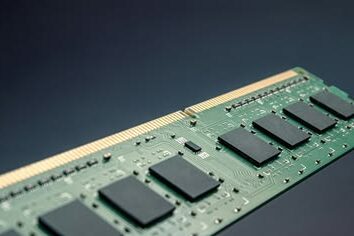
IT managers should check:
- Maximum supported RAM
- Number of DIMM slots
- Supported memory generation
- ECC support
- RDIMM or LRDIMM compatibility
- Memory channel configuration
ECC memory is especially important for many enterprise environments because it helps detect and correct certain memory errors, improving reliability during continuous operation.
3. Flexible Storage Options
Storage requirements vary significantly between organizations. Some businesses need large amounts of capacity, while others prioritize high I/O performance.
A modern server may support combinations of:
- SATA HDDs
- SAS HDDs
- SATA SSDs
- SAS SSDs
- NVMe SSDs
The available drive bays are also important. A server with 8-bay, 12-bay, 16-bay, or 24-bay configurations can provide different levels of capacity and expansion.
The 11 Server Features Every IT Manager Should Look For should therefore include storage flexibility because it allows organizations to configure the server according to their performance and capacity requirements.
4. Reliable RAID Support
RAID can help improve storage availability and, depending on the RAID level, provide protection against certain drive failures.
Common RAID configurations include:
- RAID 0 for performance without redundancy
- RAID 1 for mirroring
- RAID 5 for capacity and parity
- RAID 6 for additional fault tolerance
- RAID 10 for a combination of performance and redundancy
Hardware RAID controllers can also provide features such as cache, battery or flash-backed protection, and management capabilities.
When reviewing the 11 Server Features Every IT Manager Should Look For, IT managers should verify whether the server includes a suitable RAID controller and whether it supports the required drives and RAID levels.
However, RAID should not be treated as a backup. Organizations should maintain separate backup and recovery systems to protect against accidental deletion, malware, corruption, and other risks.
5. High-Speed Networking
Network performance can directly affect how quickly users and applications can access server resources.
Depending on the workload, organizations may require 1GbE, 10GbE, 25GbE, 40GbE, or higher-speed network connectivity.
A server supporting multiple network interfaces can also provide additional flexibility for separating traffic, connecting to different networks, or configuring redundancy.
Among the 11 Server Features Every IT Manager Should Look For, network connectivity is particularly important for virtualization, storage networks, database servers, and environments with large numbers of users.
IT managers should consider both the number of ports and the supported network speeds when selecting server hardware.
6. Remote Server Management
Remote management is extremely valuable for IT teams responsible for servers located in data centers, branch offices, or remote facilities.
Enterprise platforms from manufacturers such as Dell, HPE, and Lenovo often include dedicated management technologies that allow administrators to monitor hardware, access the console, check system health, and perform certain maintenance tasks remotely.
Examples include Dell iDRAC, HPE iLO, and Lenovo XClarity capabilities.
Remote management can reduce the need for physical access and make troubleshooting significantly easier.
For this reason, remote management is one of the most practical features within the 11 Server Features Every IT Manager Should Look For.
7. Redundant Power Supplies
Power failure can cause unexpected downtime, so enterprise servers often support redundant power supply configurations.
With two power supplies connected to appropriate power sources, a failed PSU can potentially be replaced without shutting down the server, depending on the server configuration and workload.
Redundant power is particularly useful for critical systems where availability is a priority.
When evaluating the 11 Server Features Every IT Manager Should Look For, IT managers should consider whether the server supports:
- Dual power supplies
- Hot-swappable PSUs
- Different PSU wattages
- High-efficiency power supplies
- Redundant power input
The exact redundancy configuration should match the organization’s availability requirements.
8. Hot-Swappable Components
Hot-swappable components allow certain hardware to be replaced while the server remains operational, provided the platform and configuration support the feature.
Common hot-swappable components can include:
- Hard drives
- SSDs
- Power supplies
- Cooling fans
This can significantly reduce downtime during maintenance.
Hot-swap support is therefore another important consideration among the 11 Server Features Every IT Manager Should Look For, particularly for servers running business-critical applications.
9. Expansion and PCIe Slots
A server may need additional hardware as the organization’s requirements grow.
PCIe expansion slots can accommodate components such as:
- Network adapters
- RAID controllers
- Fibre Channel adapters
- Storage controllers
- GPUs
- Specialized accelerator cards
The number and generation of PCIe slots should therefore be evaluated before purchasing a server.
A server with sufficient expansion capability can provide more flexibility over its lifecycle and reduce the need for an early hardware replacement.
For IT managers, expansion capability is an essential part of the 11 Server Features Every IT Manager Should Look For because future requirements are often difficult to predict.
10. Efficient Cooling and Airflow
Servers operate continuously and can generate substantial heat, particularly when equipped with multiple processors, high-capacity memory, GPUs, and large numbers of storage drives.
Effective cooling helps maintain stable operating temperatures and reduces the risk of thermal throttling or hardware failure.
Server chassis are designed with airflow patterns that move cool air through the system and exhaust heated air.
When selecting server hardware, consider:
- Fan configuration
- Fan redundancy
- Chassis design
- Airflow requirements
- Component thermal requirements
- Data center cooling capacity
Cooling should be considered alongside processor and GPU selection rather than as an isolated feature.
11. Scalability and Long-Term Reliability
The final feature brings many of the previous considerations together. A good enterprise server should not only meet today’s requirements but also provide a practical upgrade path.
Scalability may include support for additional:
- CPUs
- RAM
- Storage drives
- Network adapters
- PCIe cards
- Power supplies
Long-term reliability is equally important. Enterprise servers are designed for continuous operation and typically provide features such as ECC memory, redundant components, hardware monitoring, and remote management.
This makes scalability and reliability one of the most important points in the 11 Server Features Every IT Manager Should Look For.
Why Server Configuration Matters
Two servers with similar processor models can provide very different levels of functionality depending on their configurations.
For example, one server may have a large number of drive bays, redundant power supplies, advanced RAID, high-speed networking, and extensive PCIe expansion, while another may have a simpler configuration.
This is why IT managers should evaluate the complete server specification instead of selecting hardware based on CPU model alone.
The 11 Server Features Every IT Manager Should Look For provide a practical framework for comparing different configurations and identifying which components are most important for a particular environment.
For organizations planning a new infrastructure or upgrading existing hardware, understanding the 11 Server Features Every IT Manager Should Look For can make the selection process much easier. Evaluating these features together helps IT teams compare different server models, identify the right configuration for their workloads, and choose hardware that can support both current operations and future business growth.
New vs. Refurbished Enterprise Servers
Organizations do not always need to purchase brand-new servers. Refurbished enterprise hardware can provide a cost-effective option when the equipment is properly tested and the configuration matches the workload.
Used Dell PowerEdge, HPE ProLiant, Lenovo ThinkSystem, and other enterprise server platforms can still be suitable for many business applications, virtualization environments, development systems, backup infrastructure, and lab environments.
When purchasing refurbished equipment, IT managers should verify the exact configuration, processor generation, RAM, storage, RAID controller, network adapters, power supplies, drive bays, and remote management features.
The 11 Server Features Every IT Manager Should Look For are just as relevant when evaluating refurbished hardware as they are when selecting new systems.
How to Choose the Right Server
Start by identifying the workload and defining the organization’s requirements.
Consider:
- What applications will run on the server?
- How many users will access it?
- How much RAM is required?
- How much storage capacity is needed?
- What storage performance is required?
- Is virtualization required?
- What network speeds are needed?
- Is redundancy required?
- How much expansion capacity is necessary?
- What remote management capabilities are available?
- How long is the server expected to remain in service?
Answering these questions makes it easier to compare server configurations objectively.
Using the 11 Server Features Every IT Manager Should Look For as a checklist can also help IT teams avoid overlooking important hardware details during the purchasing process.
Before making a final purchasing decision, IT managers should compare server configurations based on performance, reliability, expandability, and long-term value. The 11 Server Features Every IT Manager Should Look For provide a useful checklist for evaluating different enterprise platforms and making sure the selected server can handle current workloads while remaining flexible enough for future upgrades and business growth.
Final Thoughts
Selecting a server is about much more than choosing a powerful processor. A reliable enterprise server should provide the right combination of processing power, memory, storage flexibility, RAID capabilities, networking, remote management, redundancy, expansion options, cooling, and scalability.
The 11 Server Features Every IT Manager Should Look For provide a practical framework for evaluating server hardware based on real business requirements.
Whether you are deploying a new server, upgrading an existing infrastructure, or evaluating refurbished enterprise hardware, reviewing these features can help you make a more informed purchasing decision.
The right server configuration can improve application performance, simplify maintenance, reduce downtime, and provide enough flexibility to support changing business requirements.
Ultimately, the 11 Server Features Every IT Manager Should Look For should be evaluated together rather than individually. A well-balanced server that matches the workload, budget, reliability requirements, and future growth plans can deliver much greater value over its operational lifespan.
Shop now


Sold out





Sold out

Sold out







Sold out




Sold out

Sold out
Related posts
11 Server Features Every IT Manager Should Look For

11 Server Features Every IT Manager Should Look For
Choosing the right server is an important decision for any organization. Serv...

Best RAM Options for Performance Workstations
Best RAM Options for Performance Workstations
Modern performance workstations are built for demanding workloads such as 3D render...

Dual-WAN vs Single-WAN Routers: 6 Key Differences Compared

Modern businesses rely heavily on stable Internet connectivity for cloud applications, communication, online platforms, remote acc...

Wi-Fi Router vs Wired Router: 8 Differences Every Business Should Know
Choosing the right networking equipment is an important decision for any business. As organizations become increasingly dependent ...

Storage Buying Guide: 7 Things to Consider Before You Choose
Storage Buying Guide: 7 Things to Consider Before You Choose
Modern businesses generate and manage large amounts of data every da...
Business Router vs Home Router: 7 Key Differences Explained
Introduction
Choosing the right router can have a major impact on how efficiently a network performs. While home routers are desi...
What Is a Network Card and When to Upgrade It?
What Is a Network Card and When to Upgrade It?
In modern business networks, fast and reliable communication between computers, se...
How VLANs Work on Managed Switches: 7 Key Benefits for Business Networks
Introduction
As business networks continue to grow, connecting more devices to the same physical infrastructure can create signif...
How to Choose the Right Firewall for Your Business in 7 Steps

Introduction
Cybersecurity has become a major priority for businesses of every size. From small offices to large enterprises, org...
Hardware Firewall vs Cloud Firewall: 7 Key Differences for Businesses
Choosing the right firewall is an important decision for businesses that want to protect ...
Next-Generation Firewall vs Traditional Firewall: 9 Comparison Points
Network security has changed dramatically as businesses rely ...
Hardware Firewall vs Software Firewall: 7 Differences Explained
A firewall is one of the most important security tools for protecting business networks, devices, and sensitive data. It monitors ...
