

























































Router performance plays a critical role in determining how efficiently a business network handles daily operations. From cloud-based applications and video conferences to file transfers, online transactions, and communication between servers, organizations depend on stable network connectivity to maintain productivity.
However, slow network speeds are not always caused by an Internet service provider. Router hardware limitations, insufficient bandwidth, wireless interference, excessive connected devices, traffic congestion, outdated firmware, and network configuration can all affect how efficiently data moves across a business network.
Understanding these factors helps IT teams identify performance bottlenecks, improve connectivity, and determine when an existing router needs optimization or replacement. The right approach can improve the user experience while supporting business growth and increasing network reliability.
In this guide, SAS Points explains seven important factors that affect router performance, how each factor influences network speed, and what businesses can do to build a more efficient networking environment.
What Is Router Performance?
Router performance refers to a router’s ability to receive, process, manage, and forward network traffic efficiently. It determines how well the device handles data between internal networks, external networks, and the Internet under different workloads.
Several measurements help evaluate router performance:
- Throughput: The amount of data a router successfully forwards over a given period, usually measured in Mbps or Gbps.
- Latency: The time required for data to travel between two points, typically measured in milliseconds.
- Packet loss: The percentage of packets that fail to reach their destination.
- Jitter: Variation in packet arrival times, which can affect voice and video communication.
- Concurrent connections: The number of active network sessions a router can manage effectively.
- Availability: The router’s ability to maintain stable connectivity over time.
These measurements are related but not interchangeable. A router may provide high throughput while still experiencing latency or packet loss under heavy workloads.
For businesses, selecting networking equipment based on real operational requirements is more effective than relying on advertised maximum speeds alone. SAS Points helps businesses evaluate networking hardware for different infrastructure needs.
7 Factors That Affect Router Performance and Network Speed
1. Internet Bandwidth and Connection Quality
Internet bandwidth is one of the first factors to investigate when a network becomes slow. Bandwidth represents the maximum amount of data an Internet connection can carry over a specific period, while actual throughput reflects the data rate users experience in practice.
Even a powerful enterprise router cannot deliver Internet speeds beyond the practical capacity of the connection it receives. If an organization subscribes to a limited Internet plan, performance may decline when multiple employees simultaneously access cloud platforms, download files, or participate in video conferences.
How Bandwidth Affects Network Speed
Consider an office with a 100 Mbps Internet connection. If several employees use bandwidth-intensive applications simultaneously, they must share the available capacity. Large downloads may compete with video meetings, cloud backups, and other business-critical activities.
The resulting congestion can increase latency and reduce the available bandwidth for individual users.
Connection quality also matters. Packet loss, unstable service, poor last-mile connectivity, and problems with the Internet service provider can affect performance even when the subscribed bandwidth appears sufficient.
How to Improve Internet Bandwidth Utilization
Businesses can take several steps to improve connectivity:
- Measure actual Internet throughput during busy and quiet periods.
- Compare speed-test results with the subscribed service and expected performance.
- Monitor upload and download utilization separately.
- Identify applications that consume unusually large amounts of bandwidth.
- Consider a higher-capacity Internet plan when demand consistently exceeds available capacity.
- Evaluate a second WAN connection when business continuity and redundancy are important.
IT teams should also distinguish between Internet congestion and internal network problems. Testing a wired connection directly, where practical and permitted, can help determine whether the limitation originates from the Internet service or the local network.
Business takeaway: Match Internet capacity to the organization’s actual traffic requirements, then ensure the router can process that traffic without becoming another bottleneck.
For organizations planning a network upgrade, SAS Points offers networking hardware for business and enterprise environments.

2. Router Hardware and Processing Capacity
A router must do more than provide a physical connection. It processes packets, maintains routing information, manages network sessions, and may perform additional tasks such as encryption, traffic inspection, VPN processing, and access control.
The router’s processor, memory, interface capacity, and hardware acceleration capabilities all influence its ability to manage these workloads efficiently.
Why Router Hardware Matters
A basic router may perform adequately in a small office with limited traffic. However, a growing business may require the device to support more employees, additional network segments, secure remote access, and demanding applications.
When the router reaches its processing limits, throughput may decline, latency may rise, and some connections may become less responsive.
Security features can also affect performance. For example, a router that performs encrypted VPN processing or advanced traffic inspection may achieve a lower throughput with those functions enabled than it does when forwarding ordinary traffic without inspection.
This is why advertised throughput should be evaluated alongside the features the organization intends to use.
Key Hardware Specifications to Evaluate
When choosing a business router, consider:
- Routing throughput: The data rate the device can forward under relevant operating conditions.
- Processor architecture: The processing resources available for routing and additional services.
- Memory capacity: The resources available for routing tables, sessions, and supported software functions.
- WAN and LAN interfaces: The supported interface speeds and available ports.
- VPN throughput: The performance available when encrypted connections are enabled.
- Concurrent session capacity: The number of sessions the device can manage for the expected workload.
- Expansion options: Supported modules or interfaces that may help accommodate future requirements.
These specifications should be assessed together. A router with high advertised throughput may still be unsuitable if its interfaces, VPN performance, or session capacity do not match the network design.
When Should a Business Upgrade Its Router?
An upgrade may be worth considering when monitoring repeatedly shows high resource utilization, required features exceed the device’s capabilities, or the router cannot support the organization’s expected WAN speeds.
Before replacing equipment, IT teams should confirm that the router is actually the bottleneck. An overloaded Internet connection, faulty cable, misconfigured switch, or wireless coverage problem may produce similar symptoms.
SAS Points provides networking equipment for organizations seeking to upgrade or expand their IT infrastructure.
3. Wi-Fi Standards, Signal Strength, and Interference
Wireless performance depends on more than the router’s advertised speed. The Wi-Fi standard, frequency band, signal strength, channel conditions, client capabilities, and physical environment all influence the actual speed users experience.
A router may support high theoretical wireless rates, but connected devices will not necessarily achieve those rates in everyday conditions.
How Wi-Fi Standards Influence Performance
Different Wi-Fi generations offer different capabilities, including improvements in efficiency, supported data rates, and the ability to serve multiple devices.
For example, Wi-Fi 6 introduces features such as OFDMA and improved multi-user scheduling capabilities that can help compatible networks operate more efficiently in demanding environments. Actual improvements depend on the access point, client devices, configuration, and surrounding radio conditions.
The router’s wireless capabilities should therefore match the requirements of the environment rather than being selected solely by the highest advertised speed.
Common Causes of Wi-Fi Interference
Wireless signals may be affected by:
- Thick walls and floors.
- Metal objects and dense building materials.
- Nearby wireless networks using overlapping channels.
- Physical distance between clients and access points.
- Interference from other radio-frequency devices.
- Excessive contention on a shared wireless channel.
As signal quality deteriorates, devices may use lower transmission rates or experience retransmissions, reducing effective throughput.
Practical Ways to Improve Wireless Performance
Businesses should assess wireless coverage throughout the office rather than testing only beside the router. Useful improvements may include repositioning wireless equipment, selecting appropriate channels, adjusting access-point placement, and adding properly configured access points when coverage is insufficient.
For larger workplaces, a dedicated wireless design may be more effective than expecting one router’s built-in wireless radio to cover every area.
IT teams should also remember that adding more access points without appropriate channel planning and configuration can create additional interference rather than solve the problem.
Business takeaway: Strong wireless performance requires suitable equipment, proper placement, effective channel planning, and compatible client devices.
SAS Points can help businesses explore networking equipment for wired and wireless infrastructure upgrades.
4. Number of Connected Devices and Concurrent Traffic
Every connected device creates network activity. Computers, smartphones, printers, IP phones, cameras, servers, wireless access points, and other endpoints may generate traffic even when users are not actively downloading files.
As the number of devices grows, the router may need to manage more sessions, routing decisions, security policies, and simultaneous application requests.
Why More Devices Can Reduce Performance
The number of connected devices alone does not determine whether a router will become overloaded. A hundred lightly used devices may generate less traffic than a smaller number of devices performing continuous backups or large file transfers.
The important considerations are the traffic volume, number of active sessions, application behavior, and router capacity.
Problems can emerge when a router cannot handle the organization’s actual workload, particularly during peak business hours.
For example, an office may simultaneously use cloud-based accounting software, video meetings, network storage, VoIP phones, and security cameras. These activities create different traffic patterns and performance requirements.
How to Manage Device Growth
Businesses should:
- Maintain an inventory of connected devices.
- Monitor concurrent sessions and traffic utilization.
- Identify high-bandwidth applications and endpoints.
- Separate appropriate device groups using VLANs and suitable network policies.
- Plan for additional employees, branches, and business applications.
- Select routing hardware with sufficient capacity for current and projected demand.
Network segmentation can improve management and security, but it does not automatically increase available Internet bandwidth. Its benefits depend on the wider network design and how traffic is handled.
Organizations should also evaluate the switches and wireless infrastructure connected to the router, since bottlenecks can occur elsewhere in the network.
SAS Points supports business infrastructure planning with networking products for different deployment requirements.
5. Quality of Service (QoS) and Traffic Management
Not all network traffic has the same operational importance. A delay during a voice call may be more disruptive than a delay in a background software download.
Quality of Service (QoS) provides mechanisms for classifying, prioritizing, and managing traffic so that important applications can receive appropriate treatment when network resources are congested.
How QoS Improves Network Performance
Depending on the router and configuration, QoS policies may prioritize selected traffic classes, reserve or allocate bandwidth, or manage queues to reduce excessive delays during congestion.
Common business applications that may benefit from carefully designed traffic policies include:
- Voice over IP (VoIP).
- Video conferencing.
- Enterprise applications.
- Business-critical cloud services.
- Interactive remote-access sessions.
For example, a company may configure traffic policies to protect voice and video communications from being overwhelmed by large file transfers during peak hours.
However, QoS does not create additional bandwidth. It determines how available resources are managed when competing traffic needs them.
Poorly configured policies may also create unintended bottlenecks by prioritizing the wrong traffic or restricting applications unnecessarily.
QoS Best Practices for Businesses
To use QoS effectively, IT teams should identify the applications that matter most, understand their bandwidth and latency requirements, and configure policies according to business priorities.
They should also monitor performance before and after making changes. Where congestion occurs on an Internet connection, appropriate queuing or shaping mechanisms at the WAN edge may help manage competing traffic more effectively.
QoS is especially valuable when real-time communication shares a constrained link with less time-sensitive activities.
SAS Points helps businesses explore routers and other networking equipment suited to different traffic-management requirements.
6. Firmware, Configuration, and Security Features
Router performance depends on software as well as hardware. Firmware updates may include bug fixes, stability improvements, security patches, and functionality changes that influence how a device operates.
Outdated firmware, unsuitable configuration, unnecessary services, or incorrect routing policies can contribute to network instability and performance problems.
How Firmware Affects Router Performance
Manufacturers periodically release firmware updates to address issues and improve device behavior. Depending on the model and release, an update may fix memory leaks, resolve connectivity bugs, or improve support for particular features.
However, updates do not guarantee faster speeds in every environment. IT teams should review release notes, verify compatibility, follow the manufacturer’s recommended procedure, and maintain a recovery plan before updating business-critical devices.
Security Features and Processing Overhead
Business routers may support VPN encryption, firewall inspection, intrusion prevention, traffic filtering, and other security functions. These capabilities help protect the network but may consume additional processing resources.
A router’s ordinary forwarding throughput may differ substantially from its throughput when several security functions are enabled.
Businesses should therefore compare performance figures under conditions that resemble their intended deployment.
Configuration Issues to Check
Common configuration problems include:
- Incorrect WAN or LAN interface settings.
- Routing loops or inefficient routing paths.
- Unnecessary services consuming resources.
- Misconfigured MTU or MSS values.
- Incorrect QoS policies.
- Outdated or incompatible firmware.
- VPN settings that reduce throughput.
- Security policies that create excessive processing demands.
Changes should be made carefully, with configuration backups and a clear rollback procedure. Unnecessary security features should not simply be disabled to improve speed; the goal is to maintain the required level of protection while ensuring adequate hardware capacity.
For a deeper look at router security, read SAS Points’ guide: How Enterprise Routers Improve Network Security.
Maintaining a secure and properly configured router helps organizations balance network performance with operational reliability.
7. Ethernet Ports, Cabling, and Network Infrastructure
A router may have sufficient processing capacity and Internet bandwidth, but physical connectivity can still limit network speed.
The speed of Ethernet interfaces, cable quality, link negotiation, connected switches, and other infrastructure components can all affect end-to-end performance.
Ethernet Port Speed and Link Negotiation
A network connection operates according to the capabilities and configuration of the devices and interfaces involved. For example, a connection between devices supporting different maximum speeds may negotiate a lower link rate.
If a high-speed Internet service connects through an interface that cannot support its full capacity, that interface can become a bottleneck.
Businesses should verify that the router’s WAN port, the connected switch or modem, and the relevant network interfaces support the required speeds.
They should also check the negotiated link rate rather than assuming that a port is operating at its advertised maximum.
Cabling and Physical Connectivity
Damaged cables, unsuitable cable categories for the required link speed, poor terminations, and faulty connectors can cause errors, unstable links, or reduced connection rates.
For Ethernet deployments, the appropriate cable category depends on the required speed, distance, and installation conditions. Fiber-optic connections may be appropriate for longer distances or higher-capacity links, provided that compatible interfaces and transceivers are used.
IT teams should inspect cables and connectors, review interface error counters, and test suspect connections with known-good components.
The Role of Switches and Other Devices
Routers rarely operate in isolation. Their performance depends on how they connect to switches, access points, servers, storage systems, and Internet service equipment.
A congested switch uplink or an overloaded wireless access point may create slowdowns that users incorrectly attribute to the router.
Troubleshooting should therefore examine the complete path between the user and the destination.
Business takeaway: Verify link speeds, inspect cabling, review interface errors, and check connected network devices before replacing otherwise capable routing hardware.
SAS Points offers networking hardware to support organizations building and upgrading their IT infrastructure.
How to Identify a Router Performance Problem
Before replacing a router, businesses should follow a structured troubleshooting process. This helps distinguish hardware limitations from Internet service issues, wireless interference, and physical network faults.
Step 1: Measure Actual Network Performance
Run suitable throughput, latency, and packet-loss tests. Where possible, compare results during different periods and across both wired and wireless connections.
Record the results so that changes can be evaluated objectively.
Step 2: Compare Wired and Wireless Connections
If wired clients perform well but wireless clients experience slow speeds, investigate Wi-Fi coverage, interference, channel utilization, and access-point capacity.
If both wired and wireless clients are affected, investigate shared network components, Internet connectivity, router processing, and traffic congestion.
Step 3: Check Router Resource Utilization
Review available CPU, memory, interface utilization, session counts, and system logs. The exact measurements depend on the router model and management tools.
Consistently high utilization during periods of poor performance may indicate that the device is reaching its capacity.
Step 4: Inspect Interfaces and Network Cables
Check negotiated link speeds, interface errors, packet drops, and the condition of relevant cables and connectors.
Also examine the connected switch, modem, or other upstream device for potential bottlenecks.
Step 5: Review Traffic and Configuration
Identify high-bandwidth applications, unusual traffic patterns, and policies that may affect performance. Review routing, QoS, VPN, and security settings where relevant.
Make controlled changes, testing after each significant adjustment.
Step 6: Determine Whether an Upgrade Is Necessary
If the router repeatedly reaches its capacity under normal business workloads, cannot support required interface speeds, or lacks essential features, replacement may be justified.
Choose a device based on measured requirements, including throughput with security enabled, concurrent sessions, WAN connectivity, management needs, and anticipated growth.
How to Choose a Router for Better Business Network Performance
Selecting a suitable business router requires a clear understanding of how the network is used today and how it may evolve.
Before purchasing, consider these factors:
- Required throughput: Estimate peak traffic and allow reasonable capacity for growth.
- WAN connectivity: Confirm compatibility with the Internet service and required interface speeds.
- Security requirements: Evaluate firewall, VPN, access-control, and other necessary security features.
- Device and session capacity: Match the router to the expected number of users and active connections.
- Traffic management: Determine whether QoS, multiple WAN links, or advanced routing capabilities are needed.
- Reliability: Assess redundancy, recovery options, and availability requirements.
- Management: Review monitoring, logging, configuration, and administration capabilities.
- Scalability: Consider future employees, locations, cloud workloads, and network expansion.
- Compatibility: Verify integration with existing switches, access points, firewalls, and service-provider equipment.
Businesses should also distinguish between routers designed for small offices and devices intended for larger enterprise or service-provider environments. The right choice depends on the required workload and features rather than the product category alone.
For additional guidance, read Business Router vs Home Router: 7 Key Differences Explained.
SAS Points helps businesses explore networking equipment that aligns with their infrastructure requirements and operational goals.
Frequently Asked Questions About Router Performance
1. What affects router performance the most?
The main factors include available bandwidth, router processing capacity, wireless signal quality, the number of active connections, traffic-management policies, firmware and configuration, and the speed of connected interfaces. The most important factor depends on the network’s specific bottleneck.
2. Can a better router increase Internet speed?
A better router can improve actual network performance when the existing device is limiting throughput, processing capacity, connection handling, or required features. However, it cannot increase the bandwidth provided by an Internet service beyond the practical capacity of that connection.
3. Why is my Internet slow even with a high-speed router?
A high-speed router cannot eliminate every network limitation. Slow Internet may result from insufficient ISP bandwidth, wireless interference, a congested switch, faulty cabling, overloaded endpoints, configuration problems, or limitations in the destination service.
4. Does the number of connected devices affect router performance?
Yes, especially when many devices generate traffic simultaneously or create large numbers of active sessions. The effect depends on the router’s capacity, the applications being used, and the amount of traffic each device generates.
5. Does QoS make Internet speed faster?
QoS does not increase the total bandwidth of an Internet connection. It helps manage competing traffic and can improve the performance of prioritized applications when congestion occurs.
6. Can outdated firmware slow down a router?
It can contribute to performance or stability problems if the installed version contains relevant bugs or compatibility issues. Firmware updates may address these problems, but their impact varies by device and release.
7. How do I know when to replace my business router?
Consider replacing a router when measured performance repeatedly falls short of business requirements, the device reaches its processing or session limits, its interfaces cannot support the required speeds, essential features are unavailable, or it no longer receives appropriate security support.
Before purchasing a replacement, investigate the full network path to confirm that the router is the actual source of the problem.
Conclusion
Router performance is essential to maintaining reliable and efficient business connectivity. Internet bandwidth, hardware capacity, Wi-Fi conditions, connected devices, QoS, firmware and security configuration, and physical network infrastructure all influence how well a network operates.
By measuring performance, identifying bottlenecks, reviewing network configurations, and selecting equipment based on actual business requirements, organizations can improve connectivity and reduce avoidable network disruptions.
A suitable business router should provide sufficient throughput, reliable connection handling, the necessary security capabilities, and room for future growth. Businesses should evaluate these requirements alongside their switches, wireless access points, cabling, and Internet services to build a balanced networking environment.
Looking to upgrade your business network? Explore the router and networking hardware available from SAS Points to identify equipment suited to your organization’s connectivity, performance, and infrastructure requirements.
Shop now


Sold out





Sold out

Sold out








Sold out

Sold out

Sold out


Related posts

SSD vs HDD Storage: 8 Key Differences Every Business Should Know

SSD vs HDD Storage: 8 Key Differences Every Business Should Know
Choosing the right storage technology is essential for businesse...

Router Performance Explained: 7 Factors That Affect Your Internet Speed

Router performance plays a critical role in determining how efficiently a business network handles daily operations. From cloud-ba...

10 Router Security Features That Help Protect Business Networks
Business networks are constantly exposed to security risks, from unauthorized access and malicious traffic to compromised devices ...

Stateful Firewall vs Next-Generation Firewall: 8 Major Differences
Firewalls play a critical role in protecting business networks from unauthorized access, suspicious traffic, and cyber threats. Ho...

7 Firewall NGFW Types Compared for Business Network Security
Choosing the right NGFW firewall is an important part of protecting business networks fro...

11 Server Features Every IT Manager Should Look For

11 Server Features Every IT Manager Should Look For
Choosing the right server is an important decision for any organization. Serv...

Best RAM Options for Performance Workstations
Best RAM Options for Performance Workstations
Modern performance workstations are built for demanding workloads such as 3D render...

Dual-WAN vs Single-WAN Routers: 6 Key Differences Compared
Modern businesses rely heavily on stable Internet connectivity for cloud applications, communication, online platforms, remote acc...

Wi-Fi Router vs Wired Router: 8 Differences Every Business Should Know
Choosing the right networking equipment is an important decision for any business. As organizations become increasingly dependent ...

Storage Buying Guide: 7 Things to Consider Before You Choose
Storage Buying Guide: 7 Things to Consider Before You Choose
Modern businesses generate and manage large amounts of data every da...
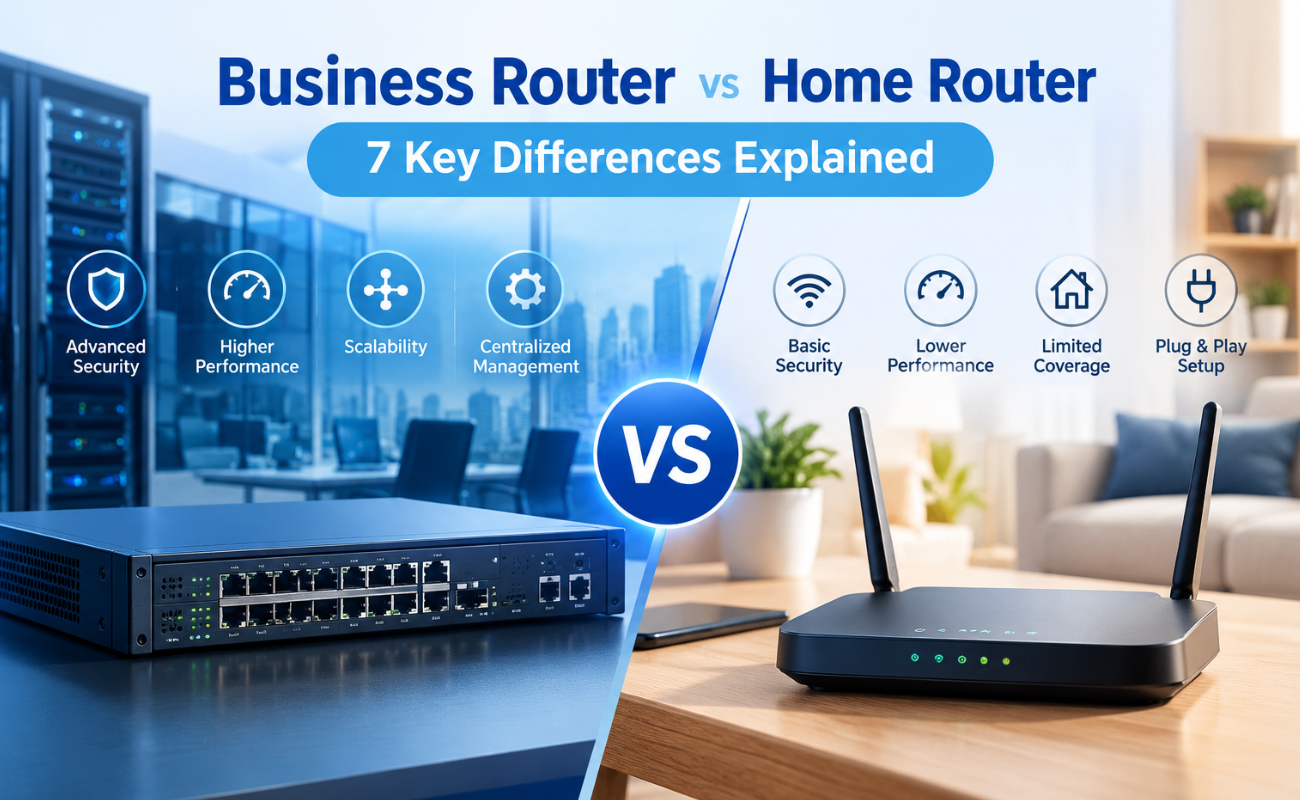
Business Router vs Home Router: 7 Key Differences Explained
Introduction
Choosing the right router can have a major impact on how efficiently a network performs. While home routers are desi...
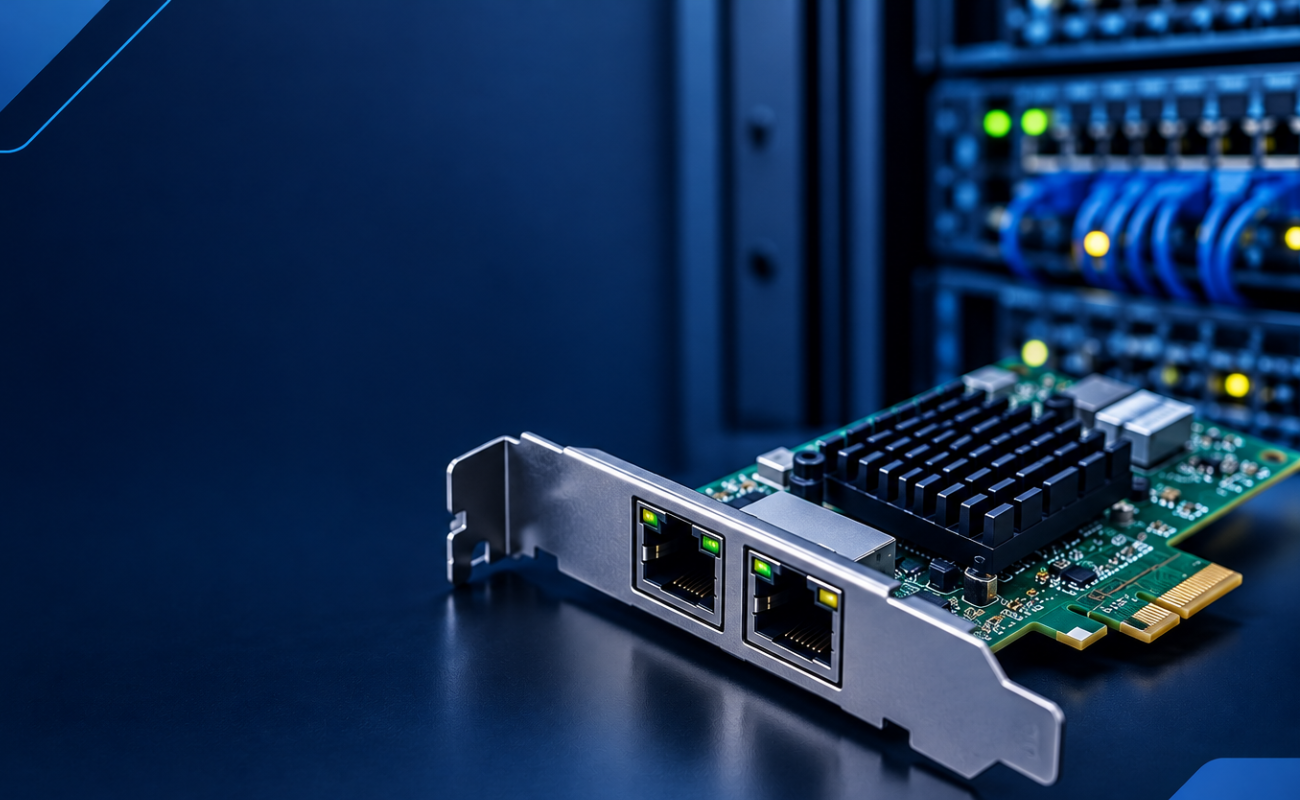
What Is a Network Card and When to Upgrade It?
What Is a Network Card and When to Upgrade It?
In modern business networks, fast and reliable communication between computers, se...
