

























































Introduction
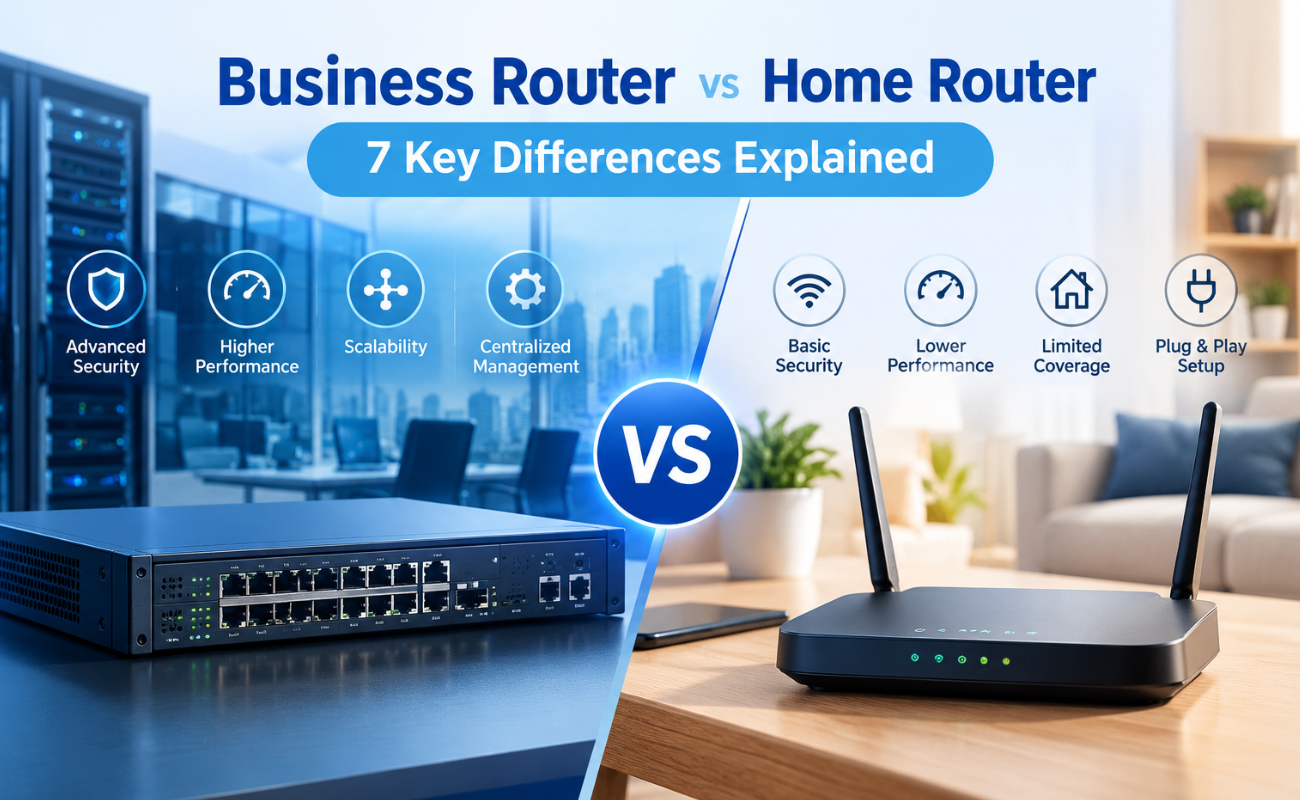
Choosing the right router can have a major impact on how efficiently a network performs. While home routers are designed to provide reliable connectivity for households and a limited number of devices, business networks often require higher performance, stronger security, greater management control, and more flexibility. Understanding the difference between a Business Router vs Home Router can therefore help organizations select networking equipment that matches their operational requirements.
A home network may connect smartphones, laptops, smart TVs, gaming devices, and a few other connected devices. A business network, on the other hand, can support dozens or hundreds of employees, computers, servers, IP phones, wireless access points, security systems, printers, and cloud-based applications simultaneously.
This difference in network complexity creates different requirements for routing hardware.
Business routers are designed to handle demanding environments where network availability, security, traffic management, and scalability are critical. They typically provide more advanced configuration options and greater control over network traffic than standard consumer-oriented routers.
When comparing a Business Router vs Home Router, it is important to look beyond the initial purchase price. Businesses should consider performance, security capabilities, management features, reliability, scalability, and the expected number of connected devices.
In this guide, we’ll explain 7 key differences between business routers and home routers and show why selecting the right routing solution can make a significant difference to a growing organization’s network infrastructure.
If your business is evaluating its current network equipment, exploring the differences below can help you make a more informed decision and choose a router that supports both current operations and future growth.
Table of Contents
- What Is a Business Router?
- What Is a Home Router?
- Business Router vs Home Router: What’s the Difference?
- 7 Key Differences Between Business and Home Routers
- Performance and Bandwidth
- Number of Connected Devices
- Security Features
- Network Management
- Reliability and Uptime
- Scalability
- Advanced Business Networking Features
- Which Router Is Right for Your Business?
- Why Businesses Should Avoid Choosing a Router Based Only on Price
- How to Choose the Right Business Router
- Why Choose SAS Points
- Frequently Asked Questions
- Conclusion
What Is a Business Router?
A business router is a networking device designed to manage and route traffic within professional environments. Unlike basic consumer routers, business-oriented routing solutions are built to support more demanding workloads, larger numbers of connected devices, and more advanced network configurations.
Businesses may use routers to connect internal networks to the Internet, manage communication between different network segments, support secure remote connectivity, and control how network traffic moves between different services and locations.
Depending on the solution, business routers may provide capabilities such as:
- Advanced firewall functionality
- VPN support
- Traffic management
- VLAN support
- Quality of Service (QoS)
- Multiple WAN connections
- Network monitoring
- Access controls
- More detailed configuration options
These features give IT teams greater control over how the organization’s network operates.
For companies that rely heavily on cloud applications, VoIP communication, remote access, or business-critical online services, choosing an appropriate business router can help create a more stable and manageable infrastructure.
Looking for a routing solution that can handle your organization’s networking requirements? Explore the available networking solutions from SAS Points and choose equipment designed for professional environments.
What Is a Home Router?
A home router is primarily designed to provide Internet connectivity for residential users. It typically combines several networking functions into one device, such as routing, wireless connectivity, basic firewall protection, and local network management.
For a typical household, this is often more than enough.
A home router may connect:
- Smartphones
- Laptops
- Tablets
- Smart TVs
- Gaming consoles
- Printers
- Smart home devices
The number of devices and traffic patterns in a home environment are usually less demanding than those found in a business.
Home routers are generally designed around ease of installation and simple management. Users can typically configure wireless settings, passwords, parental controls, and basic network options without requiring advanced networking knowledge.
However, the simplicity that makes home routers convenient can also limit their suitability for professional environments.
As a company grows and adds more users, applications, security requirements, and network services, the limitations of a consumer-oriented router can become increasingly noticeable.
If your current network is becoming difficult to manage as more devices are added, consider upgrading to networking hardware that provides greater control and flexibility through SAS Points.

Business Router vs Home Router: What’s the Difference?
The main difference between a Business Router vs Home Router is the environment each one is designed to support.
A home router focuses primarily on providing simple Internet connectivity for a relatively small number of users and devices. A business router is designed for more demanding network environments where performance, security, management, reliability, and scalability are essential.
| Feature | Business Router | Home Router |
|---|---|---|
| Target Environment | Businesses and professional networks | Residential networks |
| Device Capacity | Higher | Lower |
| Management | Advanced | Basic |
| Security | More advanced | Basic to moderate |
| Traffic Control | Advanced options | Limited |
| Scalability | Designed for growth | Limited |
| Reliability | Built for demanding use | Designed for typical household use |
| VPN & Remote Access | More comprehensive | Often more limited |
| Network Segmentation | Advanced options | Basic or limited |
| Configuration | Highly customizable | Simple |
The exact capabilities vary between router models, but the overall distinction remains clear: business routers prioritize control, performance, and scalability, while home routers prioritize simplicity and convenience.
Need help determining which networking hardware fits your environment? Contact SAS Points for guidance based on your business size, network requirements, and future expansion plans.
7 Key Differences Between Business Router vs Home Router
Understanding the differences becomes much easier when each factor is examined individually. The following seven areas are especially important when deciding whether a business router is more appropriate for your organization.
1. Performance and Bandwidth
One of the most important differences in a Business Router vs Home Router comparison is performance.
Business networks often handle significantly more traffic than residential networks. Employees may simultaneously use cloud applications, video conferencing platforms, VoIP services, file-sharing systems, web applications, and other bandwidth-intensive services.
A router needs to process this traffic efficiently without becoming a bottleneck.
Business Router Performance
Business routers are generally designed for higher traffic volumes and more demanding workloads. Depending on the solution, they may support:
- Higher throughput
- Faster WAN connections
- Multiple network interfaces
- Advanced traffic management
- Better handling of simultaneous connections
- More sophisticated routing capabilities
This can help businesses maintain consistent connectivity during periods of heavy network usage.
Home Router Performance
Home routers are optimized for typical residential traffic patterns. They can provide excellent performance for everyday activities such as streaming, browsing, gaming, and personal cloud services.
However, a router designed for a household may not provide the same level of performance or traffic-management capabilities required by a growing business.
Why Bandwidth Matters for Businesses
Imagine an organization where dozens of employees are simultaneously participating in video meetings while accessing cloud applications and transferring large files.
Even if the Internet connection itself provides sufficient bandwidth, the router must still process and manage the traffic efficiently.
This is why evaluating routing hardware should be part of a broader network performance strategy.
If your business is experiencing slowdowns during busy periods, SAS Points can help you evaluate networking hardware suited to higher traffic demands.
2. Number of Connected Devices
The second major difference involves the number of devices each router is expected to support.
A typical home may have a few dozen connected devices. A business can easily exceed that number as employees, departments, network equipment, security systems, and IoT devices are added.
Devices Commonly Found in Business Networks
A business network may include:
- Desktop computers
- Laptops
- Servers
- Network switches
- Wireless access points
- IP phones
- Printers
- Security cameras
- Storage systems
- IoT devices
- Guest devices
Each additional endpoint contributes to the overall network workload.
Why Device Capacity Matters
A router may technically allow many devices to connect, but that does not necessarily mean it will deliver the same performance under heavy concurrent usage.
Business routers are designed with professional networking environments in mind and can provide greater control over connected devices and traffic.
This becomes particularly important for organizations with multiple departments or locations.
For example, a growing company may start with 20 employees and eventually expand to 100 or more. Choosing networking equipment that can accommodate this growth reduces the need for frequent hardware replacements.
Planning for network growth? SAS Points can help you select routing and switching solutions that provide room for additional users and devices.
3. Security Features
Security is one of the biggest reasons businesses should carefully evaluate a Business Router vs Home Router decision.
While home routers typically include basic firewall and wireless security capabilities, business networks often require much more comprehensive protection.
Business Router Security
Depending on the solution, business routers may provide features such as:
- Advanced firewall policies
- VPN connectivity
- Access control
- Network segmentation
- Traffic filtering
- Intrusion prevention capabilities
- Secure remote management
- Detailed logging and monitoring
These features give IT administrators greater visibility and control over network traffic.
Protecting Business Resources
Businesses frequently handle sensitive information, including customer records, financial information, internal documents, and operational data.
A well-designed network security architecture can help reduce unnecessary exposure and control how users and devices access internal resources.
For example, remote employees may require secure VPN access to company systems, while guest users should have limited access to internal resources.
A business router can play an important role in implementing these types of network policies.
Security Is More Than a Router
It is important to remember that a router is only one component of a complete network security strategy.
Businesses should also consider:
- Firewalls
- Network switches
- Endpoint protection
- Access controls
- Secure authentication
- Network monitoring
- Regular updates
The router should therefore be selected as part of the organization’s overall infrastructure rather than as an isolated device.
Strengthen your network foundation with professional IT hardware from SAS Points and build a security strategy around your organization’s actual requirements.
4. Network Management
One of the most important differences in a Business Router vs Home Router comparison is the level of control and management each router provides.
At home, users typically need simple settings such as a Wi-Fi network name, password, and basic connection configuration. In a business environment, network management requires a higher level of control because of the larger number of users, devices, applications, and network services involved.
Advanced Configuration
Business routers typically provide more advanced configuration options that allow network administrators to control data traffic and apply different policies based on the organization’s requirements.
These capabilities may include:
- Traffic management
- Access control
- VPN configuration
- VLAN support
- Quality of Service (QoS)
- Routing policies
- Network monitoring
This level of control makes network management more flexible, especially when an organization has many connected users and devices.
Traffic Prioritization
Not all network traffic has the same level of importance.
For example, a VoIP call or an important video conference may require higher priority than downloading a large file. Some business-oriented routers allow network administrators to prioritize specific types of traffic.
QoS policies can therefore help maintain the performance of critical applications even when network usage is high.
Keep business-critical applications running smoothly with networking solutions that provide greater control over traffic and network performance.
5. Reliability and Uptime
In a Business Router vs Home Router comparison, reliability is another factor that should not be overlooked.
For a home user, an Internet outage lasting a few minutes may simply be inconvenient. For a business, however, network downtime can disrupt communication, cloud applications, sales, internal operations, customer service, and other essential processes.
Designed for Business Continuity
Business networking equipment is generally selected with continuous operation and business continuity in mind.
Depending on the solution, businesses may benefit from capabilities such as:
- Multiple WAN connections
- Failover
- Advanced monitoring
- Redundant connectivity
- Detailed network management
These capabilities can help organizations maintain connectivity when a primary connection or network component experiences a problem.
Reducing Downtime
No networking device can guarantee that failures will never occur, but a well-designed network can reduce the impact of potential failures.
For example, a business can use more than one Internet connection with failover. If the primary connection experiences an issue, network traffic can automatically switch to the alternative connection.
This type of network design becomes particularly important for businesses that depend heavily on cloud services, online communication, remote access, and Internet-based applications.
If network continuity is critical to your operations, contact SAS Points to explore networking solutions that can support a more reliable infrastructure.
6. Scalability
A successful network is not simply one that works well today. It should also be able to support the organization as it grows.
This is another major difference in a Business Router vs Home Router comparison.
Businesses can grow in terms of employees, locations, devices, applications, and services. Therefore, the router should be capable of supporting this growth or, at minimum, be part of a network infrastructure that can scale efficiently.
Growing Number of Users
A company may start with 10 employees and grow to 50 or 100 employees over several years.
As the number of users increases, the number of connected devices and network services usually increases as well, including:
- Computers
- Smartphones
- Access Points
- Switches
- Servers
- Cloud applications
- Security devices
If a router with limited capabilities is selected from the beginning, the business may need to replace it sooner than expected.
Supporting Multiple Locations
Some organizations operate across multiple branches or offices.
In these environments, the network may need to connect different locations and manage traffic between them securely and efficiently.
Business routers can provide capabilities suitable for organizations that require more complex connectivity between locations, depending on the specific solution and network architecture.
Planning for Future Growth
When choosing a router, do not focus only on your current requirements.
Ask:
How many users do we have today?
Then ask:
How many users might we have in the next 3–5 years?
This approach can help you choose a solution that remains suitable as your organization expands.
Plan your network for tomorrow, not just today, with scalable networking solutions available from SAS Points.
7. Advanced Business Networking Features
The final major difference in a Business Router vs Home Router comparison is the range of advanced networking features available for professional environments.
Home routers primarily focus on providing simple and convenient Internet connectivity, while business routers can offer capabilities designed to handle more complex networking requirements.
VPN Connectivity
Many businesses need to provide employees with secure access to company resources from outside the office.
VPN technology can help establish secure connections between remote users, branch locations, and internal networks, depending on the network architecture and configuration.
This can be particularly useful for organizations that rely on:
- Remote workers
- Branch offices
- Secure remote administration
- Distributed teams
VLAN Support
VLANs allow organizations to divide a physical network into logical network segments.
For example, a business may separate:
- Employees
- Guests
- Servers
- Voice devices
- Security systems
Network segmentation can make infrastructure management more organized while helping administrators apply different access policies to different groups of devices.
Quality of Service
Quality of Service (QoS) allows network administrators to prioritize certain types of traffic.
This can be useful when a business relies on performance-sensitive applications such as VoIP and video conferencing.
By prioritizing critical traffic, organizations can help maintain consistent application performance during periods of heavy network usage.
Network Monitoring
Visibility into network activity is important for IT teams.
Network monitoring capabilities can help administrators identify:
- High traffic usage
- Connectivity issues
- Unusual network behavior
- Performance bottlenecks
The more visibility and control an IT team has, the easier it can become to identify and troubleshoot network problems.
Gain greater visibility into your network infrastructure with reliable IT hardware and networking solutions from SAS Points.
Which Router Is Right for Your Business?
After understanding the differences in a Business Router vs Home Router comparison, the next question is: which type of router is right for your organization?
The answer depends on the size, architecture, workload, and requirements of your network.
A Home Router May Be Enough When…
A home router may be suitable in limited situations, such as:
- A very small office
- A limited number of users
- Basic Internet usage
- No advanced network management requirements
- No need for advanced VPN or traffic policies
However, this decision should be reassessed as the organization grows and its networking requirements become more demanding.
Even if your current networking requirements are simple, SAS Points can help you evaluate hardware options that align with both your current needs and future plans.
A Business Router Is Better When…
A business router becomes a more suitable option when an organization requires:
- A larger number of users
- Advanced security
- VPN
- VLANs
- Traffic management
- QoS
- Multiple WAN connections
- Network monitoring
- Greater scalability
- Advanced configuration
As the network becomes more important to daily business operations, choosing hardware designed for professional environments becomes increasingly important.
If your network has become an essential part of your business operations, explore professional router solutions with SAS Points based on your performance and infrastructure requirements.

Why Businesses Should Avoid Choosing a Router Based Only on Price
Price is certainly an important consideration when purchasing networking equipment, but it should not be the only factor in the decision.
A home router may appear to be the less expensive option initially, but if it cannot support the organization’s future network requirements, the business may have to replace it sooner than expected.
This can create additional costs related to:
- Hardware replacement
- Installation
- Configuration
- Downtime
- Network redesign
For this reason, businesses should consider Total Cost of Ownership (TCO) instead of looking only at the initial purchase price.
Think Beyond the Initial Cost
Consider factors such as:
- Performance
- Reliability
- Security
- Scalability
- Management
- Future requirements
Choosing the right router from the beginning can help reduce the need for frequent upgrades and unnecessary infrastructure changes.
Choose networking equipment based on long-term value rather than price alone with business networking solutions from SAS Points.
How to Choose the Right Business Router
Before purchasing a business router, IT teams should answer several important questions.
Determine Your Number of Users
Start by identifying the current number of users and estimating how that number may change in the future.
Do not rely only on the current user count if the organization has plans for expansion.
Evaluate Your Internet Connection
Consider your current and expected Internet connection speed.
If the organization plans to upgrade to a faster Internet connection, the router should be capable of handling the required throughput.
Consider Security Requirements
Determine the level of protection required based on the type of data, applications, and services used by the organization.
Businesses that handle sensitive information or provide remote access may require more advanced security and management capabilities.
Plan for Growth
Consider future requirements such as:
- New employees
- Additional offices
- More devices
- Cloud services
- VoIP
- IoT
- Security systems
Choosing a scalable router can reduce the need for an immediate hardware replacement as the organization expands.
Prepare your infrastructure for future growth with scalable networking solutions from SAS Points.
Why Choose SAS Points for Business Networking Solutions?
Selecting the right networking equipment requires a clear understanding of an organization’s requirements rather than simply comparing specifications.
At SAS Points, businesses can explore IT hardware solutions based on their network architecture, performance requirements, connectivity needs, and future growth plans.
When evaluating networking requirements, important factors include:
- Number of users
- Network workload
- Required bandwidth
- Security requirements
- Connectivity needs
- Scalability
- Business continuity
Whether you are building a new network or preparing to upgrade an existing infrastructure, selecting the right router can be an important step toward creating a more stable and efficient network environment.
Planning to upgrade your business network? Contact SAS Points to explore networking solutions that match your organization’s specific requirements.
Frequently Asked Questions
What Is the Main Difference Between a Business Router vs Home Router?
The main difference is the level of performance, management, security, reliability, and scalability each router is designed to provide. Home routers focus primarily on simple connectivity, while business routers are designed for more demanding professional environments.
Can I Use a Home Router in a Small Business?
Yes, a home router may work for a very small office with a limited number of users and basic networking requirements. However, as the business grows, more advanced networking capabilities may become necessary.
Are Business Routers More Secure Than Home Routers?
Business routers generally provide more advanced security and management capabilities, but the actual level of security depends on the specific solution and how the network is configured.
Do Business Routers Support VPNs?
Many business-oriented routers support VPN functionality, making them suitable for organizations that require secure remote access or connectivity between different locations.
Do Business Routers Support VLANs?
Many business routers can support VLAN-based network designs, although the exact capabilities vary depending on the specific solution.
Are Business Routers Worth the Extra Cost?
For organizations that require advanced security, higher traffic capacity, centralized management, scalability, or greater reliability, investing in business-oriented networking equipment can provide stronger long-term value.
Conclusion
Understanding the difference between a Business Router vs Home Router is essential when choosing networking equipment for a professional environment.
Home routers can provide reliable connectivity for residential users and very small networks with basic requirements. However, growing businesses often need more advanced capabilities to manage increasing numbers of users, devices, applications, and network services.
The seven key differences covered in this guide—performance, device capacity, security, management, reliability, scalability, and advanced networking features—show why professional environments often require a different approach to routing hardware.
A business router can provide greater control over network traffic, support more sophisticated security policies, facilitate remote connectivity, and provide the flexibility required as an organization grows.
The right choice ultimately depends on your network architecture, number of users, applications, security requirements, Internet connectivity, and future expansion plans. Instead of choosing a router based solely on price, businesses should consider how effectively the solution will support their operations over the long term.
With the right networking strategy and appropriate hardware from SAS Points, organizations can build a stronger foundation for reliable connectivity, efficient operations, and future growth.
Ready to move beyond basic connectivity? Explore professional networking solutions from SAS Points and build a network designed to support your business today and as it grows.
Shop now


Sold out






Sold out








Sold out

Sold out

Sold out


Related posts

VPN Firewall vs Standard Firewall: 7 Key Differences

Businesses need reliable network security to protect sensitive information, prevent unauthorized access, and maintain secure commu...

Rack Server vs Tower Server: 6 Key Differences Explained

Rack Server vs Tower Server: 6 Key Differences Explained
Choosing between a rack server and a tower server is an important decisi...

SSD vs HDD Storage: 8 Key Differences Every Business Should Know
SSD vs HDD Storage: 8 Key Differences Every Business Should Know
Choosing the right storage technology is essential for businesse...

Router Performance Explained: 7 Factors That Affect Your Internet Speed

Router performance plays a critical role in determining how efficiently a business network handles daily operations. From cloud-ba...

10 Router Security Features That Help Protect Business Networks
Business networks are constantly exposed to security risks, from unauthorized access and malicious traffic to compromised devices ...

Stateful Firewall vs Next-Generation Firewall: 8 Major Differences
Firewalls play a critical role in protecting business networks from unauthorized access, suspicious traffic, and cyber threats. Ho...

7 Firewall NGFW Types Compared for Business Network Security
Choosing the right NGFW firewall is an important part of protecting business networks fro...

11 Server Features Every IT Manager Should Look For
11 Server Features Every IT Manager Should Look For
Choosing the right server is an important decision for any organization. Serv...

Best RAM Options for Performance Workstations
Best RAM Options for Performance Workstations
Modern performance workstations are built for demanding workloads such as 3D render...

Dual-WAN vs Single-WAN Routers: 6 Key Differences Compared
Modern businesses rely heavily on stable Internet connectivity for cloud applications, communication, online platforms, remote acc...

Wi-Fi Router vs Wired Router: 8 Differences Every Business Should Know
Choosing the right networking equipment is an important decision for any business. As organizations become increasingly dependent ...

Storage Buying Guide: 7 Things to Consider Before You Choose
Storage Buying Guide: 7 Things to Consider Before You Choose
Modern businesses generate and manage large amounts of data every da...
