

























































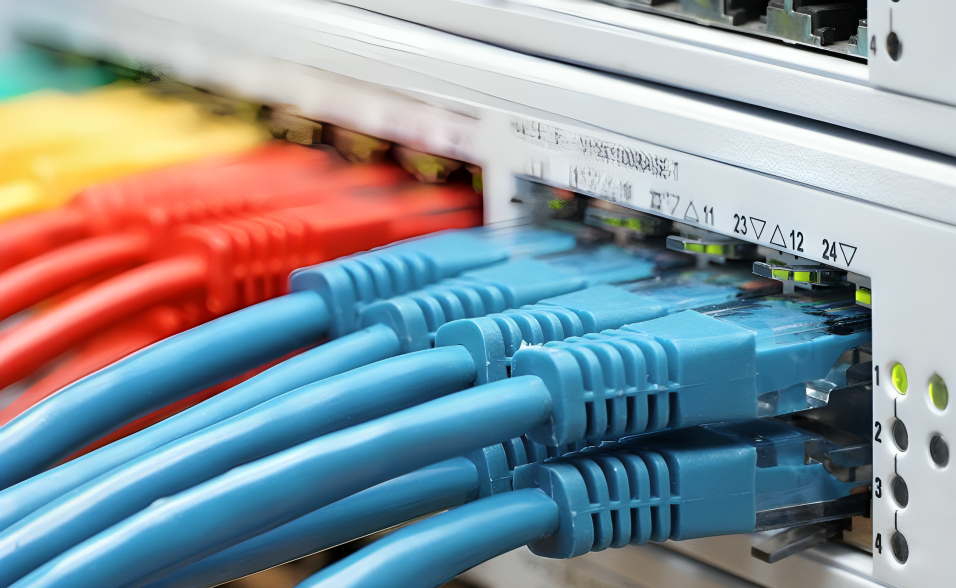
Choosing the right network infrastructure is essential for businesses that depend on fast, stable, and reliable connectivity. One of the most important decisions is selecting the appropriate switch speed. Gigabit vs 10 Gigabit Switches is a common comparison for organizations that want to improve network performance without spending more than necessary.
A Gigabit Switch provides speeds of up to 1Gbps per Ethernet port, making it suitable for many offices, small businesses, and standard network environments. A 10 Gigabit Switch, on the other hand, can provide speeds of up to 10Gbps and is designed for environments that require higher bandwidth, faster data transfers, and better performance between servers, storage systems, and network devices.
The difference is not simply about having a larger number on the specification sheet. The switch you choose can affect file transfer speeds, server connectivity, uplink capacity, storage performance, scalability, and the overall efficiency of your network.
In this guide, we will compare Gigabit vs 10 Gigabit Switches across six important performance differences and explain when each option makes sense for your network.
Explore SAS Points networking solutions to find switches designed for different business connectivity requirements.
What Is a Gigabit Switch?
A Gigabit Switch is a network switch that supports Ethernet connectivity at speeds of up to 1Gbps, or 1,000Mbps, on supported ports.
Gigabit Ethernet has become a common standard for business and enterprise networks because it provides significantly more bandwidth than older Fast Ethernet connections.
A Gigabit Switch can be used to connect:
- Desktop computers
- Laptops
- Printers
- IP phones
- Wireless access points
- IP cameras
- Servers
- Network storage devices
- Other Ethernet-enabled devices
For everyday office activities such as web browsing, cloud applications, email, VoIP, and general file sharing, Gigabit connectivity can provide sufficient performance.
However, networks with large amounts of data traffic may eventually encounter bandwidth limitations.
If your business needs dependable Gigabit connectivity, explore the available Network Switch options at SAS Points.
What Is a 10 Gigabit Switch?
A 10 Gigabit Switch supports Ethernet speeds of up to 10Gbps, providing up to ten times the theoretical link speed of standard Gigabit Ethernet.
10 Gigabit Ethernet, commonly referred to as 10GbE, is often used in environments where high bandwidth is essential.
Typical applications include:
- Data centers
- Server networks
- Network storage
- Virtualization environments
- Video production
- Large-scale file transfers
- High-performance workstations
- Core and distribution networks
- High-speed switch uplinks
A 10 Gigabit Switch can help reduce network bottlenecks when large amounts of data need to move between devices.
However, upgrading to 10GbE does not automatically make every device ten times faster. The connected devices, network adapters, cables, storage systems, and applications must also be capable of taking advantage of the higher bandwidth.
For high-performance networking requirements, explore 10GbE-capable solutions through SAS Points.
Gigabit vs 10 Gigabit Switches: 6 Performance Differences
Understanding the main differences between these two switch types can help you determine which one fits your infrastructure.
1. Network Speed
The most obvious difference between Gigabit vs 10 Gigabit Switches is connection speed.
A standard Gigabit Ethernet port can provide up to 1Gbps, while a 10 Gigabit Ethernet port can provide up to 10Gbps.
In theory, this means a 10 Gigabit connection can transfer data at up to ten times the rate of a Gigabit connection under suitable conditions.
For example, transferring a large file over a properly configured 10GbE connection can be considerably faster than transferring the same file over a 1GbE connection.
However, actual performance depends on several factors, including:
- Network congestion
- Storage performance
- CPU performance
- Network adapter capabilities
- Cable quality
- Protocol overhead
- Server configuration
Therefore, the port speed represents the maximum link capacity rather than a guarantee of a specific real-world transfer speed.
If your network requires higher-speed connections, SAS Points can help you explore suitable high-performance switch options.
2. Bandwidth and Throughput
Bandwidth is another important difference when comparing Gigabit vs 10 Gigabit Switches.
A 1Gbps connection provides significantly less capacity than a 10Gbps connection. This becomes particularly important when multiple devices are communicating simultaneously.
Imagine a business where several users are transferring large files to a central server while other employees are accessing applications and cloud services.
With limited uplink bandwidth, simultaneous traffic can create congestion.
A 10 Gigabit uplink can provide substantially more capacity for high-volume traffic and can help reduce bottlenecks between network segments.
Why Uplink Speed Matters
You should not only consider the speed of the access ports.
A switch may have many Gigabit access ports but use higher-speed uplinks to connect to another switch or server.
For example:
24 × 1GbE ports + 2 × 10GbE uplinks
can provide a useful combination for environments where end devices primarily require Gigabit connectivity but the network backbone needs more bandwidth.
This approach can allow organizations to maintain Gigabit access while improving high-speed communication between switches.
Looking to improve network backbone performance? Explore switch models with high-speed uplink capabilities at SAS Points.
3. Large File Transfer Performance
File transfers are another area where the difference between Gigabit and 10 Gigabit connectivity can become noticeable.
A Gigabit connection has a theoretical maximum of 1Gbps. A 10 Gigabit connection has a theoretical maximum of 10Gbps.
This can make a significant difference when transferring:
- Large databases
- High-resolution video
- Virtual machine images
- Backup files
- Engineering files
- CAD projects
- Large media libraries
- Data sets
For example, moving hundreds of gigabytes between a workstation and a high-performance storage system can take considerably less time over a properly configured 10GbE connection than over 1GbE.
But There Is an Important Limitation
The switch is only one part of the data-transfer path.
If the storage device can only deliver data at a relatively low speed, upgrading the switch alone will not produce the full benefit of 10GbE.
For maximum performance, the entire connection should be evaluated:
Storage → Network Adapter → Cable → Switch → Uplink → Destination
Every component should be capable of supporting the required performance.
If your business handles large data transfers, explore networking and storage connectivity solutions available from SAS Points.
4. Server and Storage Connectivity
Server and storage environments can benefit significantly from higher-speed Ethernet.
Modern businesses often rely on centralized storage, virtualization, databases, backup systems, and applications that generate substantial internal network traffic.
A Gigabit connection may be sufficient for basic server communication, but heavy workloads can quickly consume available bandwidth.
A 10 Gigabit Switch can provide higher-capacity connections for:
- File servers
- NAS systems
- SAN environments
- Virtualization hosts
- Backup servers
- High-performance workstations
- Database servers
10GbE for Virtualization
Virtualization environments can generate large amounts of network traffic because multiple virtual machines may operate on the same physical server.
A higher-speed network connection can provide more bandwidth for communication between virtual machines, servers, storage systems, and other infrastructure.
For organizations running demanding workloads, 10GbE can therefore become an important part of the network design.
Building a server or storage network that needs higher bandwidth? Check the high-performance networking hardware available at SAS Points.
5. Uplink and Network Backbone Performance
Uplinks connect switches to other switches or higher-level network infrastructure.
This makes uplink performance particularly important in larger networks.
Consider a network with several access switches. Each switch may have multiple Gigabit-connected devices. If all traffic from an access switch travels through a single 1Gbps uplink, that connection can become a bottleneck.
Using 10GbE uplinks can provide significantly more bandwidth between network layers.
Gigabit Access + 10GbE Uplinks
One common design is to use:
- Gigabit ports for regular users
- 10GbE uplinks for switch-to-switch communication
- 10GbE connections for servers or storage
This provides a practical balance between cost and performance.
It also allows businesses to upgrade their backbone without replacing every access device at the same time.
For scalable network designs combining access connectivity with high-speed uplinks, explore suitable switches at SAS Points.
6. Cost, Scalability, and Future Performance
Cost is an important consideration when comparing Gigabit vs 10 Gigabit Switches.
Gigabit switches are generally more accessible for standard office environments, especially when large numbers of ports are required.
10 Gigabit solutions can require a larger investment depending on the switch model, transceivers, network adapters, cabling, and other infrastructure components.
However, price should not be the only consideration.
Think About Future Growth
A business may currently have relatively modest bandwidth requirements but expect traffic to increase over the next few years.
Growth may come from:
- More employees
- Cloud applications
- Larger files
- Video content
- Virtualization
- Network storage
- Security cameras
- Data backups
- New servers
- High-performance applications
Choosing a switch that provides additional capacity can reduce the need for an immediate replacement when network requirements increase.
Planning a network upgrade? Explore scalable switch solutions from SAS Points that can support your current and future connectivity needs.
Gigabit vs 10 Gigabit Switches: Comparison Table
| Feature | Gigabit Switch | 10 Gigabit Switch |
|---|---|---|
| Maximum Link Speed | Up to 1Gbps | Up to 10Gbps |
| Typical Use | Offices and standard networks | Data centers and high-bandwidth networks |
| File Transfer | Suitable for normal files | Better for large files |
| Server Connectivity | Suitable for many workloads | Better for demanding workloads |
| Storage Connectivity | Basic to moderate | High-performance |
| Uplink Capacity | Can be limited depending on model | High-speed uplinks available |
| Cost | Generally lower | Generally higher |
| Scalability | Good | Excellent for bandwidth-heavy environments |
Need help comparing switch specifications for your network? Explore SAS Points networking products and select a solution based on your actual requirements.
When Should You Choose a Gigabit Switch?
A Gigabit Switch can be an excellent choice when your network requirements are relatively moderate.
You may consider Gigabit connectivity if your organization primarily uses:
- Web applications
- Cloud platforms
- Standard office software
- VoIP
- Basic file sharing
- Standard wireless access points
- General business applications
For many small and medium-sized offices, Gigabit Ethernet can provide an effective balance between performance and cost.
It can also be appropriate when connected devices do not support higher network speeds.
If Gigabit connectivity matches your business requirements, explore reliable Gigabit Network Switch options at SAS Points.
When Should You Choose a 10 Gigabit Switch?
A 10 Gigabit Switch becomes more attractive when your network handles high volumes of data or requires high-speed connections between critical systems.
Consider 10GbE if your environment includes:
- High-performance servers
- Network-attached storage
- Virtualization
- Large database systems
- Video production
- Frequent large file transfers
- Data center workloads
- High-speed workstation connectivity
- Heavy switch-to-switch traffic
A 10GbE solution may also make sense when you want to build a network that can accommodate increasing bandwidth requirements over time.
If your infrastructure needs high-speed Ethernet, explore 10 Gigabit Network Switch solutions at SAS Points.
Can Gigabit and 10 Gigabit Switches Work Together?
Yes. Gigabit and 10 Gigabit switches can be used together in the same network when the devices and interfaces support the required connectivity.
For example, a business could use Gigabit access switches for employee devices while using 10GbE uplinks to connect those switches to the network core.
This can be an effective migration strategy because businesses do not necessarily need to replace every switch and network device simultaneously.
A Practical Upgrade Strategy
A company could begin by upgrading the most bandwidth-intensive parts of its network.
For example:
Stage 1: Keep existing Gigabit access ports.
Stage 2: Upgrade switch-to-switch uplinks to 10GbE.
Stage 3: Connect high-performance servers using 10GbE.
Stage 4: Upgrade workstations that require higher bandwidth.
This approach can help distribute upgrade costs while improving performance where it matters most.
Planning a gradual network upgrade? SAS Points offers networking hardware that can support different stages of infrastructure modernization.
What About 10 Gigabit SFP+ Ports?
Many 10 Gigabit switches use SFP+ interfaces rather than standard RJ45 copper ports.
SFP+ can support high-speed connectivity using appropriate transceivers and cabling.
Depending on the switch and network design, SFP+ can be used with:
- Fiber optic modules
- Direct Attach Copper cables
- Other compatible high-speed connectivity solutions
SFP+ is particularly common in data center and server environments because it provides flexible high-speed connectivity.
Before purchasing a switch with SFP+ ports, verify transceiver compatibility, cable type, distance requirements, and supported standards.
Need SFP+ connectivity for your high-speed network? Explore compatible networking hardware and transceiver solutions through SAS Points.
How to Choose Between Gigabit and 10 Gigabit
The best choice depends on your actual network requirements.
Ask the following questions before purchasing:
1. How much bandwidth do your devices need?
If most devices only require standard office connectivity, Gigabit may be sufficient.
If servers, storage, or high-performance workstations move large amounts of data, 10GbE may provide better performance.
2. What are your uplink requirements?
Even if your access devices only need 1Gbps, your switch uplinks may require significantly more bandwidth.
3. Do your devices support 10GbE?
Check the network adapters in your servers, workstations, and storage systems.
There is little benefit in purchasing a 10GbE switch if the connected infrastructure cannot use the higher speed.
4. What type of cabling do you have?
Your existing cabling infrastructure can influence your upgrade options.
Check the cable category, distance, connectors, and switch interface types before planning a 10GbE deployment.
5. How quickly is your network growing?
If bandwidth requirements are expected to increase significantly, choosing higher-speed uplinks or switches may provide greater long-term flexibility.
For assistance in selecting networking hardware based on ports, speed, uplinks, and scalability, explore the available solutions at SAS Points.
Common Mistakes When Choosing Switch Speed
When comparing Gigabit vs 10 Gigabit Switches, businesses can make several common mistakes.
One mistake is assuming that a 10GbE switch automatically makes the entire network ten times faster.
Another is purchasing high-speed switches without upgrading network adapters, cabling, or storage systems that create bottlenecks.
A third mistake is ignoring uplink requirements. A switch may have plenty of Gigabit ports but still suffer from congestion if its connection to the network core is too slow.
Finally, some businesses purchase significantly more capacity than they actually need, increasing costs without gaining meaningful performance improvements.
The right approach is to evaluate the complete network rather than focusing on switch speed alone.
Avoid unnecessary networking costs by evaluating your infrastructure requirements before selecting a switch from SAS Points.
Final Thoughts
The comparison between Gigabit vs 10 Gigabit Switches ultimately comes down to your network’s bandwidth requirements, connected devices, applications, budget, and future growth.
A Gigabit Switch remains a practical solution for many standard business environments, providing reliable connectivity for computers, printers, phones, access points, and everyday applications.
A 10 Gigabit Switch is better suited to bandwidth-intensive environments where large amounts of data need to move quickly between servers, storage systems, workstations, and network infrastructure.
For many businesses, the best solution may not be choosing one technology exclusively. A combination of Gigabit access ports and 10GbE uplinks can provide an effective balance between performance, scalability, and cost.
Before making a purchase, evaluate your current bandwidth requirements, future plans, uplink needs, cabling, network adapters, and connected devices.
Ready to upgrade your network? Explore Gigabit and 10 Gigabit networking solutions at SAS Points and choose the right switch for your infrastructure.
Frequently Asked Questions
1. What is the main difference between Gigabit and 10 Gigabit Switches?
The main difference is network speed. Gigabit Ethernet supports up to 1Gbps, while 10 Gigabit Ethernet supports up to 10Gbps under suitable conditions.
2. Is a 10 Gigabit Switch ten times faster than a Gigabit Switch?
A 10 Gigabit connection has ten times the theoretical link speed of a 1 Gigabit connection. Actual performance depends on the entire network, including devices, storage, cabling, and traffic conditions.
3. Is Gigabit Ethernet enough for a small business?
For many small businesses, Gigabit Ethernet provides sufficient bandwidth for common applications such as web access, cloud services, VoIP, file sharing, and standard office workloads.
4. When should I upgrade to a 10 Gigabit Switch?
Consider 10GbE when your network handles large file transfers, virtualization, high-performance storage, data center workloads, or heavy switch-to-switch traffic.
5. Can I connect Gigabit devices to a 10 Gigabit Switch?
Yes, depending on the switch interfaces and supported speeds. Many switches support multiple Ethernet speeds, allowing compatible devices to operate at their supported rate.
6. Do I need special cables for 10 Gigabit Ethernet?
The required cabling depends on the specific 10GbE implementation. Copper and fiber-based options are available, so you should verify the switch, transceiver, distance, and cable specifications before deployment.
7. Are 10 Gigabit Switches worth the additional cost?
They can be worthwhile when your network has high bandwidth requirements or is expected to grow significantly. For basic office workloads, Gigabit may provide better value.
8. Can Gigabit and 10 Gigabit Switches be used in the same network?
Yes. A network can use Gigabit access connections with 10GbE uplinks or high-speed connections for servers and storage, allowing businesses to upgrade gradually.
Choosing the right switch speed is only one part of building a reliable network. For more guidance, check out our guide on [8 Common Network Switch Mistakes to Avoid] to learn what to consider before purchasing a Network Switch.
Shop now


Sold out





Sold out

Sold out







Sold out


Sold out

Sold out


Related posts

VPN Firewall vs Standard Firewall: 7 Key Differences

Businesses need reliable network security to protect sensitive information, prevent unauthorized access, and maintain secure commu...

Rack Server vs Tower Server: 6 Key Differences Explained

Rack Server vs Tower Server: 6 Key Differences Explained
Choosing between a rack server and a tower server is an important decisi...

SSD vs HDD Storage: 8 Key Differences Every Business Should Know
SSD vs HDD Storage: 8 Key Differences Every Business Should Know
Choosing the right storage technology is essential for businesse...

Router Performance Explained: 7 Factors That Affect Your Internet Speed

Router performance plays a critical role in determining how efficiently a business network handles daily operations. From cloud-ba...

10 Router Security Features That Help Protect Business Networks
Business networks are constantly exposed to security risks, from unauthorized access and malicious traffic to compromised devices ...

Stateful Firewall vs Next-Generation Firewall: 8 Major Differences
Firewalls play a critical role in protecting business networks from unauthorized access, suspicious traffic, and cyber threats. Ho...

7 Firewall NGFW Types Compared for Business Network Security
Choosing the right NGFW firewall is an important part of protecting business networks fro...

11 Server Features Every IT Manager Should Look For
11 Server Features Every IT Manager Should Look For
Choosing the right server is an important decision for any organization. Serv...

Best RAM Options for Performance Workstations
Best RAM Options for Performance Workstations
Modern performance workstations are built for demanding workloads such as 3D render...

Dual-WAN vs Single-WAN Routers: 6 Key Differences Compared
Modern businesses rely heavily on stable Internet connectivity for cloud applications, communication, online platforms, remote acc...

Wi-Fi Router vs Wired Router: 8 Differences Every Business Should Know
Choosing the right networking equipment is an important decision for any business. As organizations become increasingly dependent ...

Storage Buying Guide: 7 Things to Consider Before You Choose
Storage Buying Guide: 7 Things to Consider Before You Choose
Modern businesses generate and manage large amounts of data every da...
