

























































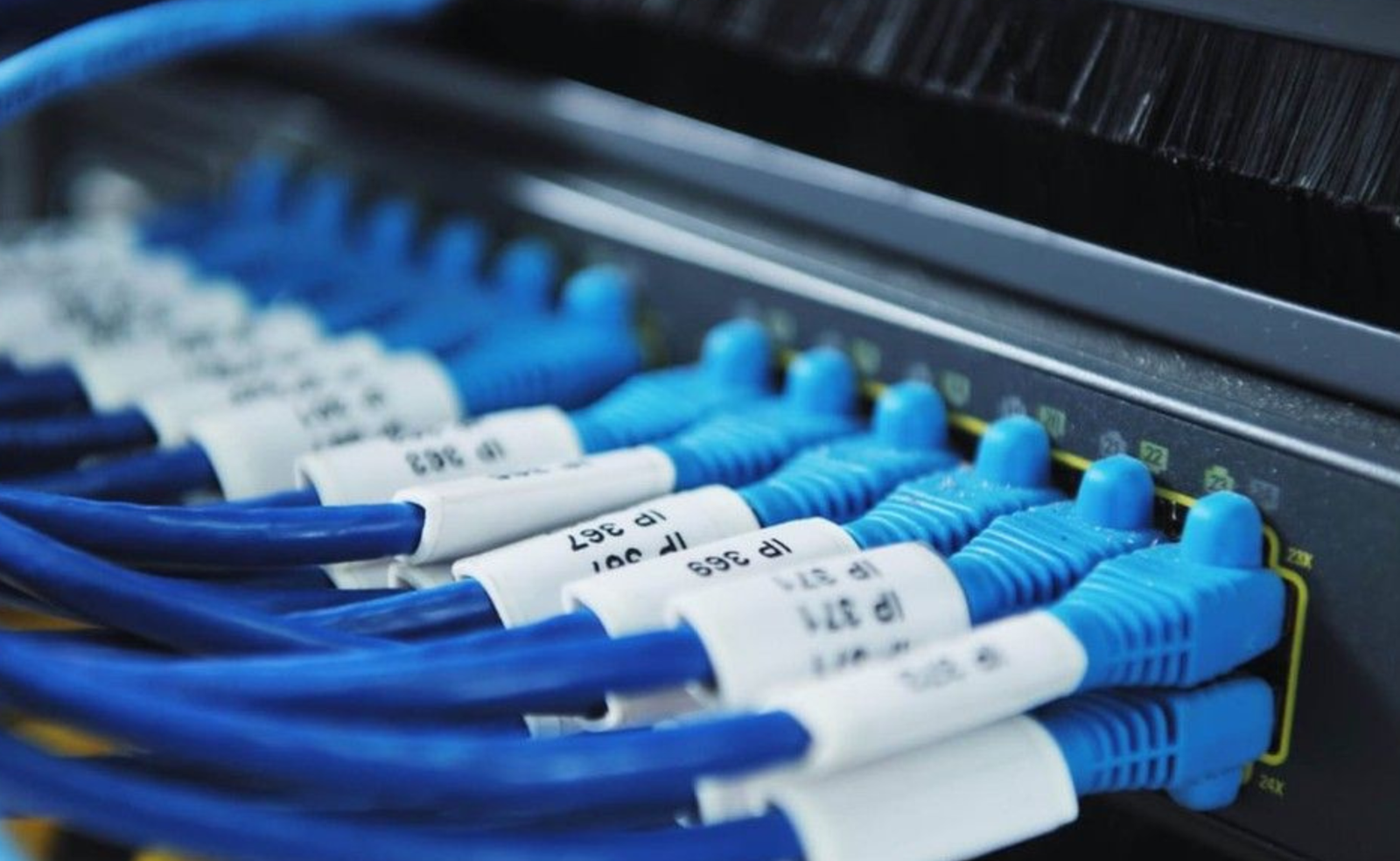
Choosing the right networking equipment is an important decision for every modern business. Whether you are building a new office network, upgrading outdated infrastructure, expanding to a larger facility, or connecting additional devices, selecting the right switch can directly affect network performance, reliability, security, and future scalability. For this reason, businesses need to understand how to Choose the Right Network Switch based on their actual networking requirements rather than selecting a model based only on price or the number of ports.
A network switch connects devices within a local area network and allows computers, servers, printers, wireless access points, IP phones, security cameras, and other equipment to communicate efficiently. However, not all switches are designed for the same environment. A small office may need a simple access switch, while a large enterprise may require advanced Layer 3 routing, high-speed fiber uplinks, PoE capabilities, redundancy, and centralized management.
The growing demand for cloud applications, video conferencing, virtualization, cybersecurity tools, IoT devices, and high-bandwidth business applications has made network infrastructure more important than ever. A switch that meets today’s requirements but cannot support tomorrow’s growth may quickly become a limitation.
In this guide, we will explain how to Choose the Right Network Switch through eight practical steps. By evaluating your connected devices, port requirements, network speed, management features, PoE needs, uplink options, security capabilities, scalability, and total cost of ownership, you can make a more informed decision for your business network.
Why Choosing the Right Network Switch Matters
Before learning how to Choose the Right Network Switch, it is important to understand why this decision has such a significant impact on business operations.
A network switch is not simply a device that adds more Ethernet ports. The switch determines how efficiently traffic moves across the network and how easily IT teams can manage connected devices. The right solution can help reduce congestion, improve application performance, simplify troubleshooting, and support the growth of the organization.
Businesses increasingly rely on network connectivity for everyday operations. Employees access cloud platforms, communicate through VoIP systems, participate in video meetings, transfer large files, and connect to centralized applications. At the same time, companies may operate wireless access points, IP surveillance systems, servers, storage devices, and IoT equipment.
When a switch lacks the required capacity or features, users may experience slow connections, network congestion, inconsistent application performance, or unnecessary downtime. Therefore, learning how to Choose the Right Network Switch helps organizations avoid expensive upgrades and infrastructure changes in the future.
The right choice should support:
- Current connected devices
- Expected business growth
- Required network speeds
- Security policies
- Power requirements
- Future expansion
- IT management capabilities
- Budget and long-term value
Step 1: Determine How Many Devices Will Connect to the Network
The first step to Choose the Right Network Switch is to identify every device that will require a wired network connection.
Many organizations make the mistake of counting only desktop computers and laptops. However, modern business networks usually include a much wider range of equipment.
Your device list may include:
- Desktop computers
- Servers
- Network Attached Storage (NAS)
- Wireless access points
- IP phones
- Security cameras
- Printers
- Access control systems
- IoT devices
- Backup appliances
- Firewalls
- Routers
- Additional network switches
Creating a complete inventory gives you a more accurate understanding of your network requirements.
For example, an office with 25 employees may have 25 computers, several printers, multiple wireless access points, IP phones, security cameras, and network storage. The total number of connected devices could easily exceed the number of employees.
This is why businesses should avoid purchasing a switch based only on the number of users. Instead, count all wired devices that require network connectivity.
Plan for Future Growth
When you Choose the Right Network Switch, you should also consider future expansion.
If your business currently has 30 connected devices but expects to add more employees and equipment within the next few years, purchasing a switch with exactly 30 ports may create problems later.
A better approach is to leave room for expansion. Additional ports allow you to connect new devices without immediately purchasing another switch.
However, the goal is not to purchase the largest switch available regardless of need. The right solution balances current requirements with realistic future growth.
Why Device Inventory Matters
Understanding your device count helps determine:
- Required port density
- PoE requirements
- Uplink capacity
- Network segmentation needs
- Management requirements
- Future expansion capacity
A complete device inventory creates the foundation for every other decision in the buying process.
Step 2: Choose the Correct Number of Ports
After identifying the devices that will connect to your network, the next step to Choose the Right Network Switch is selecting the appropriate number of ports.
Network switches are available in different port configurations. Common options include:
- 5-port switches
- 8-port switches
- 16-port switches
- 24-port switches
- 48-port switches
- High-density modular configurations
The correct port count depends on the size and structure of your network.
8-Port Switches
Small businesses, home offices, and small workspaces may benefit from compact switches with a limited number of ports.
These switches are suitable when only a few wired devices require connectivity.
24-Port Switches
A 24-port switch is a common choice for small and medium-sized business networks. It can connect computers, printers, access points, IP phones, and other devices while providing room for moderate growth.
48-Port Switches
Larger offices and enterprise environments often require 48-port switches. These solutions provide greater port density and help reduce the number of physical switches required in a network rack.
Using fewer switches can simplify management and reduce cabling complexity.
Leave Room for Expansion
When you Choose the Right Network Switch, avoid planning only for today’s device count.
A good rule is to consider:
- Current connected devices
- Expected hiring
- New office locations
- Additional wireless access points
- Future surveillance cameras
- IoT expansion
- Network redundancy requirements
For example, a business with 20 devices may choose a 24-port switch if growth is unlikely. However, a growing company may benefit more from a 48-port switch to avoid an immediate infrastructure upgrade.
Port Density and Rack Space
Port count also affects physical infrastructure.
A high-density switch can connect more devices in less rack space, which is especially valuable in data centers and enterprise network rooms. However, larger switches may have higher power and cooling requirements.
Therefore, port density should always be evaluated alongside physical space and infrastructure capacity.
Step 3: Select the Network Speed You Actually Need
One of the most important steps to Choose the Right Network Switch is selecting the correct network speed.
Different applications require different bandwidth levels. A basic office network may function efficiently with Gigabit Ethernet, while data centers, virtualization environments, and high-performance applications may require 10GbE, 25GbE, 40GbE, or even 100GbE connectivity.
1 Gigabit Ethernet
Gigabit Ethernet remains suitable for many business networks.
It can support:
- Office computers
- Printers
- VoIP phones
- Standard file sharing
- Internet access
- General business applications
For many small and medium-sized offices, Gigabit connectivity provides an excellent balance between performance and cost.
10 Gigabit Ethernet
Businesses handling large files, video production, virtualization, cloud workloads, and high-performance storage may require 10GbE connections.
10GbE is particularly useful for:
- Servers
- Storage systems
- Data center uplinks
- Virtualization hosts
- High-performance workstations
25GbE, 40GbE, and 100GbE
Large enterprise networks and data centers may require higher-speed interfaces to support heavy traffic volumes.
High-speed connectivity is especially important when multiple servers and storage systems communicate simultaneously.
Consider the Uplink Speed
When you Choose the Right Network Switch, do not focus only on the access ports.
The uplink connecting the switch to another switch, router, firewall, server, or core network may become a bottleneck if it cannot handle the combined traffic from connected devices.
For example, a switch with dozens of Gigabit ports may require high-speed uplinks to prevent congestion when large volumes of data move toward the core network.
Avoid Paying for Unnecessary Speed
Higher bandwidth is not always better if your network cannot use it.
Businesses should evaluate:
- Current traffic levels
- Application requirements
- Server performance
- Storage speeds
- Internet bandwidth
- Future expansion plans
The goal is to choose a switch that provides sufficient performance without creating unnecessary costs.
Step 4: Decide Between Managed and Unmanaged Switching
Another essential step to Choose the Right Network Switch is determining whether your organization needs a managed, unmanaged, or smart managed solution.
Unmanaged Switches
Unmanaged switches are designed for simple plug-and-play connectivity.
They usually require minimal configuration and are easy to install. This makes them suitable for very small environments with basic networking requirements.
However, they provide limited visibility and control.
Businesses cannot typically configure advanced VLANs, traffic policies, monitoring, or security features on a traditional unmanaged switch.
Managed Switches
Managed switches provide significantly greater control over network operations.
IT administrators can configure:
- VLANs
- Quality of Service (QoS)
- Access Control Lists (ACLs)
- Port security
- Link aggregation
- Network monitoring
- Traffic policies
Managed switches are generally the preferred choice for businesses that require security, scalability, and long-term network control.
Smart Managed Switches
Smart managed switches provide a balance between simplicity and advanced functionality.
They are suitable for small and medium-sized businesses that need more control than an unmanaged switch provides but do not require the full feature set of a high-end enterprise platform.
Which One Should You Choose?
When you Choose the Right Network Switch, consider the complexity of your network.
An unmanaged switch may be sufficient for a small office with simple connectivity requirements.
A managed switch is generally more appropriate when your business needs:
- Network segmentation
- Improved security
- Traffic prioritization
- Remote monitoring
- Multiple departments
- Business-critical applications
For organizations expecting growth, managed switching infrastructure often provides better long-term value.
Step 5: Determine Whether You Need Power over Ethernet
Power over Ethernet is another important factor when you Choose the Right Network Switch.
PoE allows compatible network devices to receive electrical power and data through a single Ethernet cable.
This technology is widely used in modern business environments.
Common PoE Devices
- Wireless access points
- IP phones
- Security cameras
- Video intercoms
- Access control systems
- IoT devices
Advantages of PoE
PoE can simplify installation by reducing the need for separate power cables and electrical outlets.
Businesses benefit from:
- Easier deployment
- Lower installation complexity
- Flexible device placement
- Centralized power management
- Reduced cabling requirements
For example, a wireless access point can be installed in a ceiling where a traditional electrical outlet may not be available. A PoE switch can provide both the network connection and power through one Ethernet cable.
PoE Power Budget
When you Choose the Right Network Switch, it is important to consider the total PoE power budget.
A switch may support PoE, but its available power may not be sufficient to operate every connected device simultaneously.
You should evaluate:
- Number of PoE devices
- Power requirements per device
- Total switch power budget
- Future device expansion
A network with multiple cameras, access points, and IP phones may require a higher PoE power budget than a small office with only a few devices.
PoE Standards
Different PoE standards provide different power levels. Businesses should ensure that the switch is compatible with the devices they plan to deploy.
Selecting the correct PoE solution helps prevent power limitations and ensures reliable operation across the network.
Step 6: Evaluate Uplink and Fiber Connectivity
When businesses Choose the Right Network Switch, they should carefully evaluate uplink capabilities.
Access ports connect end devices, but uplinks connect the switch to the rest of the network. If uplinks are too slow, the switch may experience congestion even when individual access ports appear to perform normally.
Modern business networks may use:
- SFP ports
- SFP+ ports
- SFP28 ports
- QSFP ports
- Fiber uplinks
- High-speed Ethernet uplinks
Why Fiber Connectivity Matters
Fiber connections are useful for:
- Long-distance connections
- Building-to-building links
- Data center networks
- Core network connections
- High-speed uplinks
Fiber can provide higher bandwidth and longer transmission distances compared with standard copper connections.
Consider Network Architecture
Your switch should fit into the overall design of your network.
For example, an access switch may connect users and devices, while high-speed uplinks connect it to a distribution or core switch.
When you Choose the Right Network Switch, make sure the uplink technology is compatible with the rest of your infrastructure.
Avoid Uplink Bottlenecks
A network switch may offer dozens of high-speed access ports but still suffer from congestion if the uplink cannot handle aggregated traffic.
For this reason, businesses should consider traffic patterns and expected bandwidth utilization before selecting a switch.
A strong uplink design improves overall network efficiency and helps support future growth.
Step 7: Consider Security and Scalability
Security should be a major consideration when you Choose the Right Network Switch for a business environment. Modern networks connect employees, servers, cloud services, wireless devices, surveillance systems, and IoT equipment. Without proper access controls and segmentation, a compromised device could potentially create risks for other systems on the same network.
A business switch should support the security capabilities required by the organization’s size and operational needs.
VLAN Support
Virtual Local Area Networks (VLANs) allow businesses to separate network traffic logically.
For example, an organization may create separate VLANs for:
- Employees
- Guests
- Voice communications
- Security cameras
- Servers
- IoT devices
This segmentation improves organization and can reduce unnecessary traffic between different parts of the network.
Access Control
Advanced managed switches may support features such as Access Control Lists (ACLs), port security, and authentication technologies.
These features allow administrators to control which users and devices can access specific network resources.
Network Monitoring
When you Choose the Right Network Switch, consider how easily your IT team can monitor network activity.
Monitoring capabilities help administrators identify:
- High-bandwidth users
- Congested ports
- Failed connections
- Abnormal traffic
- Performance issues
Better visibility can help IT teams resolve problems faster and reduce downtime.
Plan for Future Scalability
A switch should not only meet today’s requirements. It should also support the organization’s future growth.
When you Choose the Right Network Switch, think about where your business may be in three to five years.
Questions to consider include:
- Will the number of employees increase?
- Will more offices be added?
- Will the company deploy more wireless access points?
- Will surveillance systems expand?
- Will cloud applications increase traffic?
- Will the organization adopt virtualization or AI workloads?
A scalable switch makes it easier to expand without completely replacing the existing infrastructure.
Businesses can improve scalability by selecting switches with:
- Additional ports
- High-speed uplinks
- Stackable architecture
- Layer 3 capabilities
- Modular expansion
- Centralized management
Planning for future growth can significantly reduce long-term infrastructure costs.
Step 8: Compare Reliability, Budget, and Long-Term Value
The final step to Choose the Right Network Switch is evaluating the balance between reliability, price, and long-term value.
The cheapest switch is not always the most cost-effective solution. A low-cost device may initially reduce expenses but could create higher costs if it lacks the performance, security, or scalability your business requires.
Reliability
Business networks often operate continuously. A switch failure can affect:
- Employees
- Customers
- Applications
- Security systems
- Communications
- Business operations
For this reason, organizations should consider enterprise-grade solutions designed for long-term operation.
Redundancy
Larger organizations may require features such as:
- Redundant power supplies
- Link redundancy
- Stacking
- High-availability configurations
These features help minimize downtime if a component fails.
Total Cost of Ownership
When you Choose the Right Network Switch, consider more than the initial purchase price.
The total cost of ownership may include:
- Hardware
- Licensing
- Installation
- Power consumption
- Maintenance
- Technical support
- Future upgrades
A reliable switch with a higher initial cost may provide better long-term value if it reduces downtime and supports business growth.
Common Mistakes to Avoid When Choosing a Network Switch
Many businesses make avoidable mistakes when they Choose the Right Network Switch. Understanding these common errors can help you make a more informed purchasing decision.
Choosing Based Only on Price
The lowest-priced switch may not provide the features required for a growing business.
Instead of focusing only on price, evaluate performance, reliability, security, and future scalability.
Buying Too Few Ports
A switch with exactly enough ports for current devices may become a limitation as the business expands.
Always consider realistic future growth.
Ignoring PoE Requirements
Businesses may later add wireless access points, IP phones, or security cameras. If the switch does not support PoE, additional power infrastructure may be required.
Underestimating Uplink Requirements
A switch with fast access ports can still experience congestion if the uplink is too slow.
Always evaluate the entire network path.
Selecting an Unmanaged Switch for a Complex Network
Unmanaged switches may be unsuitable for organizations requiring VLANs, traffic prioritization, security policies, or network monitoring.
Ignoring Compatibility
Before you Choose the Right Network Switch, verify compatibility with:
- Existing cables
- Fiber modules
- Transceivers
- Routers
- Firewalls
- Servers
- Management platforms
Compatibility issues can increase installation costs and delay deployment.
Network Switch Selection by Business Size
Different businesses have different networking requirements. The best way to Choose the Right Network Switch is to match the solution to the environment.
Small Businesses
Small businesses may need:
- 8 to 24 ports
- Gigabit connectivity
- Basic management
- Optional PoE
- Simple administration
A smart managed switch may provide the ideal balance between functionality and affordability.
Medium-Sized Businesses
Medium businesses typically require:
- 24 to 48 ports
- Managed switching
- VLAN support
- PoE capabilities
- High-speed uplinks
- Improved security
A scalable managed switch can support multiple departments and growing numbers of users.
Large Enterprises
Large organizations may require:
- High-density switching
- Layer 3 routing
- 10GbE or higher uplinks
- Redundant power
- Stacking or modular architecture
- Advanced security
- Centralized management
Enterprise-grade switching platforms provide the performance and resilience required for mission-critical environments.
Data Centers
Data centers often require specialized switches designed for:
- Low latency
- High port density
- High-speed fiber connectivity
- Server virtualization
- Storage networking
- Cloud infrastructure
The right solution depends on the architecture and traffic patterns of the data center.
Why Choose SAS Points for Network Switches?
Once you understand how to Choose the Right Network Switch, finding the right supplier is the next important step.
At SAS Points, businesses can access a broad selection of enterprise networking equipment designed to support offices, campuses, data centers, and growing organizations.
Our networking portfolio includes solutions from leading manufacturers and covers a wide range of business requirements.
Whether you need a basic access switch, a PoE solution, a high-speed enterprise switch, or advanced data center infrastructure, SAS Points can help you identify the right solution for your environment.
Why Businesses Choose SAS Points
- Wide selection of networking equipment
- Enterprise-grade hardware
- Products from trusted manufacturers
- Solutions for businesses of different sizes
- Competitive pricing
- Professional technical guidance
- Support for network upgrades and expansion
Choosing the right supplier helps ensure that your investment is supported by dependable products and professional expertise.
A Simple Network Switch Buying Checklist
Before you Choose the Right Network Switch, use this checklist:
1. Count Your Devices
Determine how many devices require wired connectivity.
2. Plan for Growth
Leave room for realistic future expansion.
3. Select the Port Count
Choose an appropriate number of ports based on current and future needs.
4. Determine Required Speed
Evaluate whether Gigabit, 10GbE, 25GbE, or higher speeds are necessary.
5. Decide on Management
Determine whether your business requires an unmanaged, smart managed, or fully managed solution.
6. Check PoE Requirements
Identify whether connected devices require power through Ethernet.
7. Evaluate Uplinks
Make sure uplinks can handle expected traffic volumes.
8. Review Security and Scalability
Select a solution that supports current security requirements and future growth.
This simple process makes it easier to Choose the Right Network Switch without overlooking important technical requirements.
Conclusion
Learning how to Choose the Right Network Switch is an important step toward building a faster, more secure, and more scalable business network.
The right switch should be selected based on the number of connected devices, port requirements, network speed, management capabilities, PoE needs, uplink technology, security features, reliability, and future growth.
A small office may require a simple managed switch, while a growing enterprise may need advanced Layer 3 functionality, high-speed fiber uplinks, PoE capabilities, redundancy, and centralized network management.
The most important point is to look beyond the initial purchase price. A network switch is an important part of your business infrastructure, and choosing the right solution can improve performance, reduce downtime, simplify management, and support long-term expansion.
At SAS Points, businesses can explore a wide range of networking solutions designed to meet different performance, connectivity, and scalability requirements. With the right planning and professional guidance, you can Choose the Right Network Switch for your current needs while building a stronger foundation for future growth.
Frequently Asked Questions
How do I choose the right network switch for a small business?
To Choose the Right Network Switch for a small business, evaluate the number of connected devices, required network speed, PoE needs, management requirements, and expected future growth. A smart managed or managed switch is often suitable for businesses that need more control and security.
Is a managed switch better than an unmanaged switch?
A managed switch provides more control, security, monitoring, and configuration options. An unmanaged switch may be sufficient for simple networks, but businesses with multiple departments, VLANs, security requirements, or future expansion usually benefit from managed switching.
How many ports should a business switch have?
The required port count depends on the number of connected devices. Businesses should count computers, printers, access points, IP phones, cameras, servers, and other wired equipment while leaving room for future growth.
Do I need a PoE switch?
You may need a PoE switch if your network includes devices such as IP phones, wireless access points, security cameras, or other compatible equipment that can receive power through Etherdnet.
What network speed should I choose?
Gigabit Ethernet is suitable for many standard business networks. Organizations handling large files, virtualization, high-performance storage, or data center workloads may require 10GbE or higher speeds.
Why are uplinks important?
Uplinks connect access switches to the wider network. A slow uplink can create a bottleneck and reduce performance, so businesses should select uplink speeds based on expected traffic volumes and future requirements.
If you are comparing different networking technologies before upgrading your infrastructure, read our guide PoE vs Non-PoE Switches: 8 Key Differences Explained to understand how power delivery, installation, scalability, and long-term business requirements affect your switch selection.
Shop now


Sold out






Sold out







Sold out


Sold out

Sold out


Related posts

VPN Firewall vs Standard Firewall: 7 Key Differences

Businesses need reliable network security to protect sensitive information, prevent unauthorized access, and maintain secure commu...

Rack Server vs Tower Server: 6 Key Differences Explained

Rack Server vs Tower Server: 6 Key Differences Explained
Choosing between a rack server and a tower server is an important decisi...

SSD vs HDD Storage: 8 Key Differences Every Business Should Know
SSD vs HDD Storage: 8 Key Differences Every Business Should Know
Choosing the right storage technology is essential for businesse...

Router Performance Explained: 7 Factors That Affect Your Internet Speed

Router performance plays a critical role in determining how efficiently a business network handles daily operations. From cloud-ba...

10 Router Security Features That Help Protect Business Networks
Business networks are constantly exposed to security risks, from unauthorized access and malicious traffic to compromised devices ...

Stateful Firewall vs Next-Generation Firewall: 8 Major Differences
Firewalls play a critical role in protecting business networks from unauthorized access, suspicious traffic, and cyber threats. Ho...

7 Firewall NGFW Types Compared for Business Network Security
Choosing the right NGFW firewall is an important part of protecting business networks fro...

11 Server Features Every IT Manager Should Look For
11 Server Features Every IT Manager Should Look For
Choosing the right server is an important decision for any organization. Serv...

Best RAM Options for Performance Workstations
Best RAM Options for Performance Workstations
Modern performance workstations are built for demanding workloads such as 3D render...

Dual-WAN vs Single-WAN Routers: 6 Key Differences Compared
Modern businesses rely heavily on stable Internet connectivity for cloud applications, communication, online platforms, remote acc...

Wi-Fi Router vs Wired Router: 8 Differences Every Business Should Know
Choosing the right networking equipment is an important decision for any business. As organizations become increasingly dependent ...

Storage Buying Guide: 7 Things to Consider Before You Choose
Storage Buying Guide: 7 Things to Consider Before You Choose
Modern businesses generate and manage large amounts of data every da...
