


























































Choosing the right router is one of the most important decisions when building or upgrading a business network. A router does far more than connect an office to the internet. It manages traffic between networks, helps protect business systems, supports remote access, connects different locations, and can influence the overall performance and reliability of everyday operations. For this reason, learning how to Choose the Right Business Router is essential for businesses that depend on stable and secure connectivity.
Modern companies rely on networks for almost every aspect of daily operations. Employees access cloud applications, communicate through video conferencing, use VoIP systems, connect to shared servers, transfer business files, and access online platforms. Many businesses also support remote workers, branch offices, security systems, IoT devices, and hybrid cloud environments.
As a result, choosing a router based only on internet speed or price is no longer enough. The right router must match the organization’s current requirements while providing enough capacity for future growth.
In this guide, we explain how to Choose the Right Business Router in eight practical steps. We will cover internet performance, connected users and devices, security, VPN support, WAN and LAN connectivity, management, scalability, reliability, and long-term value.
What Is a Business Router?
Before learning how to Choose the Right Business Router, it is important to understand what makes a business router different from a basic home router.
A business router is designed to manage more complex networking requirements. Depending on the model, it may provide advanced routing, firewall protection, VPN connectivity, traffic management, multiple WAN connections, remote administration, and support for larger numbers of users and devices.
A business router may connect:
- Employees and workstations
- Servers
- Network switches
- Wireless access points
- Branch offices
- Cloud services
- Remote employees
- Security systems
- IoT devices
The specific features required depend on the size and complexity of the business network.
A small office may need a compact business router with secure internet access and VPN support. A larger organization may require advanced routing protocols, redundant WAN connections, enterprise security, high-throughput interfaces, and centralized management.
Why Choosing the Right Business Router Matters
The router is often positioned at the center of a business network. It controls traffic entering and leaving the network and may connect multiple internal and external environments.
When businesses Choose the Right Business Router, they can benefit from:
- More reliable internet connectivity
- Better network security
- Improved traffic management
- Secure remote access
- Easier network administration
- Support for business growth
- Reduced downtime
On the other hand, an unsuitable router can become a bottleneck. It may not support the available internet bandwidth, lack the necessary security features, or struggle when the number of users and applications increases.
The best approach is to evaluate the entire business environment before making a purchase.
Step 1: Assess Your Business Internet Requirements
The first step to Choose the Right Business Router is understanding your internet connection and how your organization uses it.
Businesses use different types of internet connections, including:
- Fiber internet
- Dedicated internet access
- Broadband
- Ethernet services
- 4G and 5G connectivity
- Multiple internet connections
The router must support the type of WAN connection provided by your internet service provider.
Match the Router to Your Internet Speed
If your business has a high-speed internet connection, the router must be powerful enough to process that traffic.
For example, a router designed for a small broadband connection may not be suitable for a business using high-speed fiber internet.
When evaluating router performance, consider:
- Maximum WAN throughput
- Firewall throughput
- VPN throughput
- Number of simultaneous connections
- Packet processing capacity
A router’s advertised maximum speed may not represent its actual performance when advanced security services are enabled.
Consider Real-World Traffic
Internet speed requirements depend on how your business uses connectivity.
A company that mainly uses email and web applications may have different requirements from an organization that regularly uses:
- Video conferencing
- Cloud storage
- Large file transfers
- Video surveillance
- Cloud backups
- Virtual desktop infrastructure
- SaaS applications
Understanding traffic patterns helps you Choose the Right Business Router based on real-world requirements rather than relying on a single speed specification.
Step 2: Determine the Number of Users and Connected Devices
The next step to Choose the Right Business Router is determining how many users and devices will depend on the network.
A business network may include much more than employee computers.
Common connected devices include:
- Desktop computers
- Laptops
- Smartphones
- Tablets
- IP phones
- Printers
- Servers
- Network storage systems
- Wireless access points
- Security cameras
- IoT devices
- Guest devices
The total number of devices can be significantly higher than the number of employees.
For example, a business with 50 employees may have more than 150 network-connected devices after including phones, printers, access points, cameras, and other equipment.
Why Device Capacity Matters
Routers have limits regarding the number of simultaneous connections and the amount of traffic they can process.
When you Choose the Right Business Router, consider:
- Current users
- Current devices
- Expected growth
- Guest network requirements
- Branch connectivity
- Remote access users
A router should provide enough capacity for current operations while allowing room for expansion.
Plan for Business Growth
Replacing a router every time the business adds a few employees can be expensive and disruptive.
If your company expects significant growth, choose a router with sufficient processing power and connection capacity to support future expansion.
Step 3: Choose the Right Router Performance and Speed
Performance is one of the most important factors when you Choose the Right Business Router.
A router’s performance depends on several factors, including:
- WAN throughput
- LAN throughput
- Firewall performance
- VPN throughput
- CPU performance
- Memory
- Number of active connections
WAN Throughput
WAN throughput refers to the amount of traffic the router can process between the business network and the internet or another external network.
The router should support the organization’s internet speed without becoming a bottleneck.
Firewall Throughput
Security inspection can affect router performance.
When advanced firewall features are enabled, the router must inspect and process traffic. Therefore, businesses should consider performance with security services enabled rather than looking only at basic routing speeds.
VPN Throughput
Organizations that rely heavily on VPN connections should pay close attention to VPN performance.
A router may support VPN functionality but have limited VPN throughput. If many remote employees connect simultaneously, insufficient VPN capacity can lead to slow performance.
Avoid Overpaying for Unused Performance
Higher performance is not always necessary.
A small business with a limited number of users may not need the same router capacity as a large enterprise.
The goal is to Choose the Right Business Router that provides enough performance for current needs and reasonable future growth.
Step 4: Evaluate Business Router Security Features
Security is one of the most important reasons businesses need professional networking equipment.
When you Choose the Right Business Router, security features should be evaluated carefully.
A business router may provide multiple layers of protection, including:
- Stateful firewall inspection
- Access control rules
- Intrusion prevention
- Web filtering
- Malware protection
- Network segmentation
- Secure VPN connections
- Traffic monitoring
Firewall Protection
A firewall controls traffic entering and leaving the business network.
Administrators can create rules to:
- Allow trusted traffic
- Block unauthorized connections
- Restrict access to specific services
- Separate internal networks
- Control remote access
A strong firewall is an essential component of a secure business network.
Network Segmentation
Network segmentation allows businesses to separate different types of traffic.
For example, a company may separate:
- Employee devices
- Guest users
- Servers
- Security cameras
- IoT equipment
This can reduce unnecessary access between different parts of the network.
Access Control
When you Choose the Right Business Router, consider whether the device provides the level of access control required by your organization.
Different employees and departments may need different levels of access to network resources.
Step 5: Check VPN and Remote Access Support
Remote work and multi-location operations have made VPN support increasingly important.
A VPN creates a secure connection between users or networks over the internet.
When you Choose the Right Business Router, consider how your organization uses remote access.
Site-to-Site VPN
A site-to-site VPN can connect:
- Headquarters
- Branch offices
- Remote locations
- Data centers
- Cloud environments
This allows users in different locations to access shared resources securely.
Remote Access VPN
Remote access VPN allows employees to connect to business systems from outside the office.
This is useful for:
- Remote employees
- Traveling staff
- IT administrators
- Temporary workers
VPN Performance
VPN encryption requires processing power.
If many users connect simultaneously, the router must have enough capacity to handle encrypted traffic.
Therefore, businesses should evaluate both VPN support and VPN throughput when they Choose the Right Business Router.
Step 6: Evaluate WAN and LAN Connectivity Options
Connectivity options are another important factor when you Choose the Right Business Router.
Different businesses require different interfaces and network connections.
WAN Ports
A router may include one or more WAN ports.
Multiple WAN connections can support:
- Internet redundancy
- Load balancing
- Automatic failover
- Multiple service providers
If internet availability is critical, dual-WAN or multi-WAN capabilities may provide additional resilience.
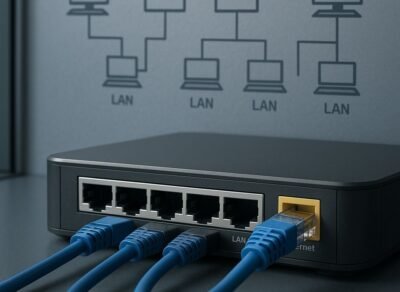
LAN Connectivity
The router must connect to the internal network infrastructure.
This may include:
- Network switches
- Servers
- Firewalls
- Wireless systems
- Storage devices
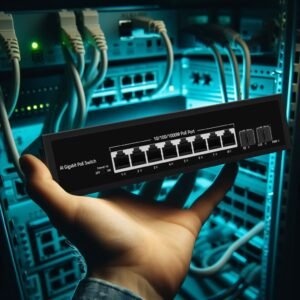
In many business networks, the router connects to a high-performance switch that provides connectivity to end devices.
Fiber Connectivity
Some business environments require fiber-based connections.
Fiber can be useful for:
- Long-distance links
- High-speed connectivity
- Data centers
- Inter-building connections
When you Choose the Right Business Router, make sure its interfaces are compatible with your existing infrastructure.
Step 7: Review Management and Scalability Features
Managing a business network becomes more complex as the organization grows.
For this reason, management capabilities are important when you Choose the Right Business Router.
Centralized Management
Some routers can be managed through centralized platforms.
These platforms may provide:
- Configuration management
- Performance monitoring
- Alerts
- Remote troubleshooting
- Firmware management
Centralized management can reduce the time required to administer multiple locations.
Remote Administration
Remote administration allows IT teams to manage the router without being physically present.
This is particularly useful for:
- Branch offices
- Remote locations
- Distributed organizations
Scalability
A router should support the expected growth of the business.
Consider whether the solution can support:
- More users
- More devices
- Higher bandwidth
- Additional branches
- More VPN connections
- Additional WAN connections
A scalable solution can reduce the need for frequent hardware replacement.
Step 8: Compare Reliability and Total Cost of Ownership
The final step to Choose the Right Business Router is evaluating reliability and long-term value.
A router may be responsible for connecting the entire organization to essential services. If it fails, business operations may be affected.
Reliability Features
Depending on the business environment, useful features may include:
- High-availability configurations
- Redundant connections
- Automatic failover
- Reliable hardware design
- Long-term vendor support
Total Cost of Ownership
The purchase price is only one part of the total cost.
Businesses should also consider:
- Licensing
- Support
- Maintenance
- Power consumption
- Installation
- Security subscriptions
- Future upgrades
A router with a higher initial price may provide better long-term value if it offers stronger reliability and reduces downtime.
Common Mistakes to Avoid When Choosing a Business Router
Even when businesses understand how to Choose the Right Business Router, several common mistakes can lead to poor purchasing decisions.
Choosing Based Only on Internet Speed
Internet speed is important, but it is not the only factor.
A router must also support security, VPNs, traffic management, and the number of connected devices.
Ignoring VPN Requirements
A router may support VPN connectivity but lack the performance required for many simultaneous users.
Always evaluate VPN throughput.
Underestimating Future Growth
A router that is sufficient today may become inadequate as the company expands.
Consider future users, devices, locations, and applications.
Ignoring Security Performance
Advanced security features can affect throughput.
Always evaluate real-world performance with security services enabled.
Choosing a Consumer Router for a Complex Business Network
Consumer routers may not provide the advanced security, management, reliability, and scalability required by business environments.
Business Router Selection by Company Size
Small Businesses
Small businesses may need:
- Reliable internet connectivity
- Basic firewall protection
- VPN support
- Simple management
- Support for a limited number of users
A compact business router may be sufficient for this environment.
Medium-Sized Businesses
Medium-sized organizations may require:
- Higher throughput
- Advanced firewall features
- Multiple WAN connections
- VPN support
- Network segmentation
- Remote management
A more advanced business router can support growing operations.
Large Enterprises
Large organizations may require:
- High-performance routing
- Advanced security
- Multi-WAN connectivity
- High availability
- Large VPN capacity
- Centralized management
- Branch connectivity
The right solution depends on the complexity of the enterprise network.
Why Choose SAS Points for Business Networking Solutions?
Once you understand how to Choose the Right Business Router, selecting a reliable supplier is the next step.
SAS Points provides businesses with access to a broad range of professional networking hardware designed for different environments and requirements.
The company offers networking solutions for:
- Small businesses
- Medium-sized organizations
- Enterprise networks
- Data centers
- Branch offices
Whether you need a router for secure internet connectivity, VPN access, multi-location networking, or a larger infrastructure upgrade, SAS Points can help you identify a solution that matches your requirements.
Choosing the right supplier can make the purchasing process easier and help businesses select equipment based on actual technical needs.
Business Router Buying Checklist
Before you Choose the Right Business Router, review the following checklist:
1. Evaluate Your Internet Connection
Check the type and speed of your WAN service.
2. Count Users and Devices
Consider both current and future network requirements.
3. Review Performance
Evaluate WAN, firewall, and VPN throughput.
4. Check Security Features
Look for firewall, access control, segmentation, and other required security capabilities.
5. Evaluate VPN Support
Determine whether you need remote access or site-to-site VPN connectivity.
6. Check Interfaces
Make sure WAN, LAN, and fiber connectivity match your infrastructure.
7. Consider Management
Evaluate remote administration and centralized management capabilities.
8. Plan for Long-Term Value
Consider reliability, support, scalability, and total cost of ownership.
Following these steps makes it easier to Choose the Right Business Router with confidence.
Conclusion
Learning how to Choose the Right Business Router is essential for building a secure, reliable, and scalable business network.
The best router should match your internet connection, user count, device requirements, security needs, VPN usage, connectivity options, management requirements, and future growth plans.
Businesses should avoid selecting a router based only on price or internet speed. Instead, the decision should consider real-world performance, security capabilities, reliability, scalability, and long-term value.
A small business may need a compact router with secure internet connectivity and VPN support, while a larger organization may require advanced security, multi-WAN connectivity, high VPN throughput, centralized management, and high availability.
By following the eight steps in this guide, businesses can make a more informed decision and select networking equipment that supports both current operations and future expansion.
For organizations looking for professional networking hardware, SAS Points provides a range of solutions designed to support different business networking requirements.
Frequently Asked Questions
How do I choose the right business router?
To Choose the Right Business Router, evaluate internet speed, number of users and devices, security requirements, VPN needs, WAN and LAN connectivity, management features, scalability, and reliability.
What is the difference between a business router and a home router?
A business router typically provides more advanced security, higher performance, VPN support, better management capabilities, and greater scalability than a standard home router.
Do businesses need a VPN-capable router?
Businesses that support remote employees, branch offices, or secure connections between locations may benefit significantly from a VPN-capable router.
How important is router security?
Router security is extremely important because the router often controls traffic between the internal business network and external networks. Firewall and access control features can help protect business systems.
Should I choose a router with multiple WAN ports?
Multiple WAN ports can be useful for businesses that require internet redundancy, load balancing, or automatic failover between different connections.
How much router performance does my business need?
The required performance depends on internet bandwidth, number of users, connected devices, VPN usage, security features, and network applications. Businesses should evaluate real-world throughput rather than relying only on advertised maximum speeds.
If you are also upgrading the switching infrastructure connected to your router, read our guide How to Choose the Right Network Switch in 8 Simple Steps to learn how to evaluate port count, network speed, PoE, management, uplinks, security, and scalability.
Shop now


Sold out






Sold out







Sold out


Sold out

Sold out


Related posts

VPN Firewall vs Standard Firewall: 7 Key Differences

Businesses need reliable network security to protect sensitive information, prevent unauthorized access, and maintain secure commu...

Rack Server vs Tower Server: 6 Key Differences Explained

Rack Server vs Tower Server: 6 Key Differences Explained
Choosing between a rack server and a tower server is an important decisi...

SSD vs HDD Storage: 8 Key Differences Every Business Should Know
SSD vs HDD Storage: 8 Key Differences Every Business Should Know
Choosing the right storage technology is essential for businesse...

Router Performance Explained: 7 Factors That Affect Your Internet Speed

Router performance plays a critical role in determining how efficiently a business network handles daily operations. From cloud-ba...

10 Router Security Features That Help Protect Business Networks
Business networks are constantly exposed to security risks, from unauthorized access and malicious traffic to compromised devices ...

Stateful Firewall vs Next-Generation Firewall: 8 Major Differences
Firewalls play a critical role in protecting business networks from unauthorized access, suspicious traffic, and cyber threats. Ho...

7 Firewall NGFW Types Compared for Business Network Security
Choosing the right NGFW firewall is an important part of protecting business networks fro...

11 Server Features Every IT Manager Should Look For
11 Server Features Every IT Manager Should Look For
Choosing the right server is an important decision for any organization. Serv...

Best RAM Options for Performance Workstations
Best RAM Options for Performance Workstations
Modern performance workstations are built for demanding workloads such as 3D render...

Dual-WAN vs Single-WAN Routers: 6 Key Differences Compared
Modern businesses rely heavily on stable Internet connectivity for cloud applications, communication, online platforms, remote acc...

Wi-Fi Router vs Wired Router: 8 Differences Every Business Should Know
Choosing the right networking equipment is an important decision for any business. As organizations become increasingly dependent ...

Storage Buying Guide: 7 Things to Consider Before You Choose
Storage Buying Guide: 7 Things to Consider Before You Choose
Modern businesses generate and manage large amounts of data every da...
