











































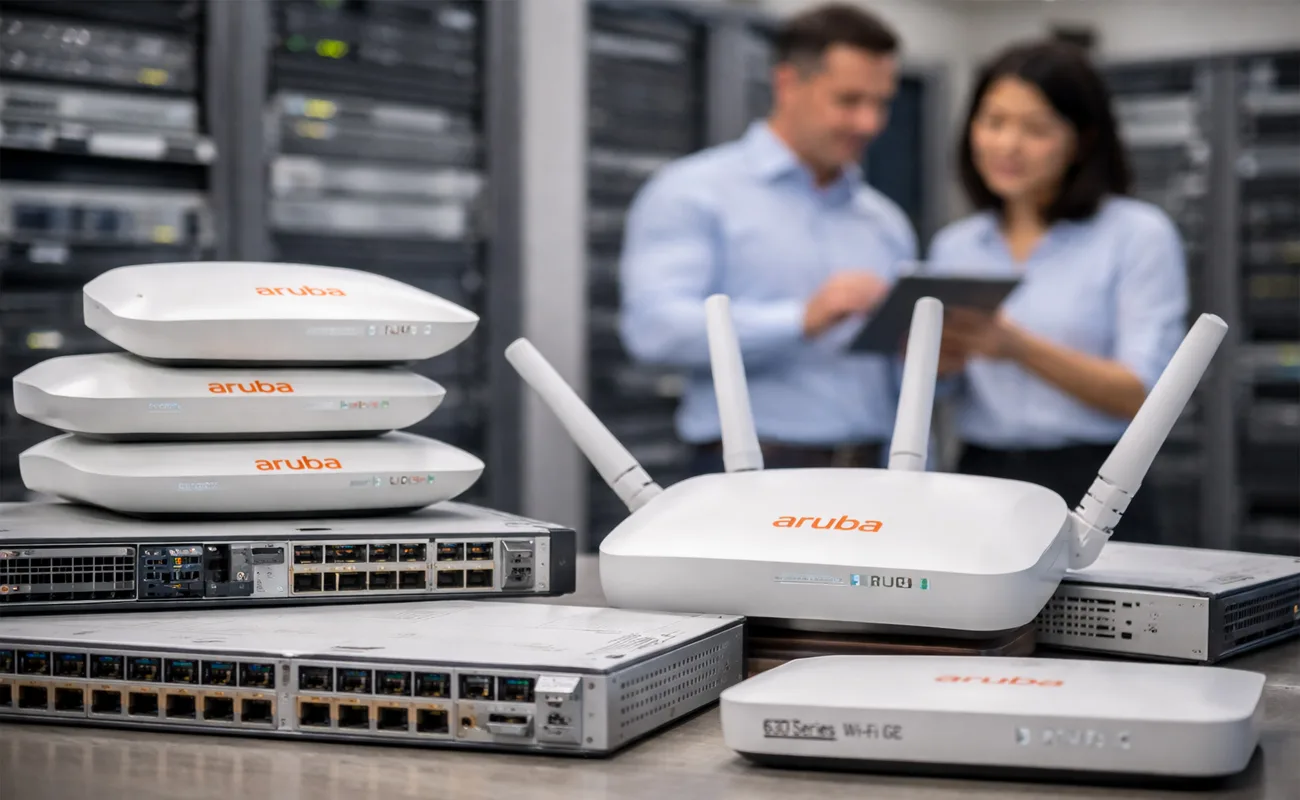
Aruba Networks, a Hewlett Packard Enterprise (HPE) company, has become one of the most influential brands in the world of enterprise wireless networking. Its access points (APs) are widely adopted by businesses, hospitals, schools, hotels, and government organizations that require high performance, powerful security, and simplified cloud management.
This comprehensive guide explores Aruba Access Points in depth—covering their models, features, technologies, deployment methods, IoT capabilities, and real-world use cases. If you’re looking to build or upgrade your wireless network, this 3000-word guide provides everything you need to make an informed decision.
Table of Contents
-
Introduction to Aruba Access Points
-
Why Aruba APs Are Popular in Enterprise Networks
-
Aruba Access Point Series Overview
-
3.1 Aruba 500 Series
-
3.2 Aruba 510 Series
-
3.3 Aruba 530 Series
-
3.4 Aruba 550 Series
-
3.5 Aruba Instant on Series
-
-
Key Features of Aruba Access Points
-
Deployment Options (Campus, Branch, Remote)
-
Use Cases for Aruba APs
-
6.1 Small Businesses
-
6.2 Large Enterprises
-
6.3 Education
-
6.4 Hospitality
-
6.5 Healthcare
-
-
How to Choose the Right Aruba AP
-
Aruba AP Licensing and Management
-
Common Questions About Aruba APs
-
Conclusion
1. Understanding Aruba Access Points
Aruba access points are wireless devices designed for professional, corporate, and high-density environments. They deliver stable, secure, and high-performance Wi-Fi that meets the demands of modern organizations.
1.1 Why Aruba?
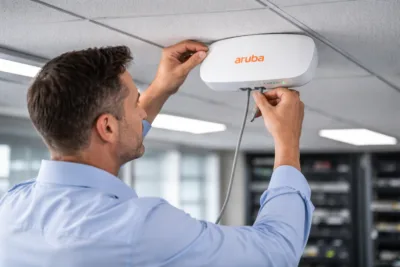
Businesses choose Aruba for its:
-
High Wi-Fi performance, even in congested environments
-
AI-powered automation through Aruba Central
-
Strong Zero Trust Security
-
Flexible deployment: cloud-managed, controller-managed, or Instant mode
-
Scalability for small offices to large enterprises
-
Reliable roaming for voice, video, and mobile services
1.2 Environments Where Aruba APs Are Used
Aruba APs are versatile and used across:
-
Corporate offices
-
Schools & universities
-
Hospitals & clinics
-
Hotels & hospitality
-
Warehouses
-
Retail stores
-
Stadiums & large venues
-
Airports
-
Government institutions
2. Aruba Access Point Model Series Explained
Aruba organizes its APs into series; each designed for specific performance levels and environments. Below is an in-depth breakdown of the most widely used series.
2.1 Aruba 500 Series (Mid-Range Wi-Fi 6 APs)
The 500 Series is ideal for organizations needing strong Wi-Fi performance without moving into ultra-premium pricing.
Popular Models:
Key Features:
-
Wi-Fi 6 (802.11ax) support
-
MU-MIMO & OFDMA
-
AI-driven optimization
-
Built-in Zigbee & Bluetooth
-
Support for medium-density environments
Use Cases:
-
Offices
-
Schools
-
Branch locations
-
Mid-sized retail stores
The 500-series balances performance and affordability, making it one of Aruba’s most popular product lines.
2.2 Aruba 510 Series (High-Performance Wi-Fi 6 APs)
Built for high-density enterprise environments, the 510 Series delivers exceptional throughput.
Popular Models:
-
Aruba AP 514
-
Aruba AP 535
Key Features:
-
Ultra-high throughput
-
Enhanced client capacity
-
Advanced RF optimization
-
Dual-band support for massive clients
Use Cases:
-
Large offices
-
Universities
-
Event spaces
-
Government buildings
The 510 series is excellent for environments with many simultaneous devices.
2.3 Aruba 530 Series (Ultra-High-Performance Wi-Fi 6 APs)
This series provides even more advanced capabilities and supports multi-gigabit connectivity.
Popular Models:
-
AP 534, AP 535
Key Features:
-
Multi-gig Ethernet (NBASE-T)
-
More powerful radio chains
-
Designed for mission-critical environments
-
Advanced security & IoT support
Use Cases:
-
Hospitals
-
Industrial complexes
-
Financial headquarters
-
High-density campuses
If your business relies heavily on wireless performance, the 530 series is a top-tier choice.
2.4 Aruba 550 Series (Extreme-Density Wi-Fi 6 APs)
These access points are designed for extremely dense environments with thousands of devices.
Key Features:
-
Highest performance in the Wi-Fi 6 lineup
-
Multi-gig uplinks
-
Massive OFDMA capabilities
-
Extreme security
Use Cases:
-
Stadiums
-
Airports
-
Concert venues
-
Very large campuses
Organizations that need the best possible performance rely on the 550 series.
2.5 Aruba 6E Series (630 & 650 Series)
Wi-Fi 6E adds the 6 GHz band, reducing congestion and increasing throughput.
Popular Models:
-
Aruba AP 635
-
Aruba AP 655
Key Features:
-
Tri-band operation (2.4 GHz, 5 GHz, 6 GHz)
-
Ultra-low latency
-
Capacity for future devices
-
Ideal for high-tech environments
Use Cases:
-
Research labs
-
Medical imaging centers
-
High-density corporate headquarters
-
Modern manufacturing
Wi-Fi 6E is the next step in high-performance wireless and Aruba leads the market here.
2.6 Aruba Instant on Series (SMB-Friendly Access Points)
Designed specifically for small and medium businesses.
Popular Models:
-
AP11
-
AP15
-
AP22 (Wi-Fi 6)
Key Features:
-
Mobile-app management
-
Affordable pricing
-
Easy deployment
-
Ideal for non-IT teams
Use Cases:
-
Shops
-
Small offices
-
Clinics
-
Cafés
-
Home businesses
Instant On combines reliability with simplicity, making it perfect for SMBs.
3. Aruba Technologies Explained (Deep Dive)
Aruba integrates advanced Wi-Fi and security technologies that make its APs stand out.
3.1 Wi-Fi 6 / Wi-Fi 6E Capabilities
Aruba’s Wi-Fi 6 and 6E APs offer:
-
4X more capacity
-
Reduced latency
-
Improved battery life for clients
-
Higher throughput
-
Better performance in dense areas
Wi-Fi 6E adds unlicensed 6 GHz spectrum, providing faster, cleaner channels.
3.2 Aruba AI Insights and Optimization
Aruba Central uses artificial intelligence to:
-
Detect interference
-
Suggest channel optimization
-
Identify client bottlenecks
-
Improve roaming decisions
AI is a major advantage for reducing downtime and improving performance automatically.
3.3 IoT Integration
Most Aruba APs support:
-
Bluetooth Low Energy (BLE)
-
Zigbee
-
USB expansion for IoT sensors
This allows Aruba APs to connect:
-
Smart locks
-
Barcode scanners
-
RFID systems
-
Environmental sensors
-
Asset tracking devices
Aruba APs double as IoT hubs, reducing infrastructure costs.
3.4 Aruba Zero Trust Security Model
Every Aruba AP includes enterprise-grade security:
-
Role-based access control
-
Policy enforcement firewall
-
WPA3
-
Client isolation
-
Application visibility
-
Integration with ClearPass
Zero Trust ensures each device is authenticated before gaining access.
3.5 Aruba Management Options
Aruba APs can be managed in three ways:
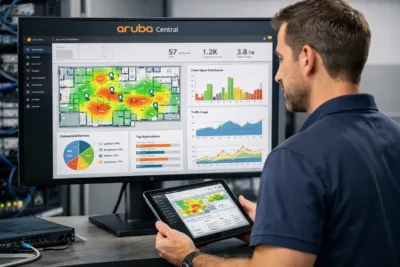
1. Aruba Central (Cloud-Managed)
-
Easy deployment
-
AI analytics
-
Multi-site management
-
Ideal for distributed businesses
2. Mobility Controllers
-
Advanced configuration
-
High scalability
-
Best for large enterprises
3. Instant Mode (Controllerless)
-
Quick setup
-
Ideal for SMBs or branch offices
This flexibility helps Aruba serve different types of organizations.
4. How to Choose the Right Aruba Access Point
Choosing the right AP depends on several criteria:
4.1 Number of Users
-
<100 users → 500 series
-
100–300 users → 510 or 530 series
-
300+ high-density → 550 or Wi-Fi 6E
4.2 Type of Applications
-
Video conferencing → 510, 530 series
-
Voice over Wi-Fi → Strong roaming features required
-
IoT heavy environments → Models with Bluetooth/Zigbee
4.3 Physical Environment
-
Outdoor → Aruba rugged APs
-
Warehouses → Long-range, external antennas
-
Hotels → Slim APs for hallways
4.4 Budget
-
Small businesses → Instant On
-
Enterprise → 500–650 series
4.5 Future Proofing
Wi-Fi 6E models are recommended if you expect heavy data demands in the future.
5. Real-World Use Cases of Aruba Access Points
Here we dive deeper into how Aruba APs function in specific industries.
5.1 Corporate Offices
Aruba APs provide:
-
Seamless roaming
-
High security
-
Efficient video conferencing
-
Unified management through Aruba Central
Employees can move freely while staying connected.
5.2 Education & Universities
Challenges in education include:
-
Hundreds of students in one lecture hall
-
Heavy multimedia use
-
Secure staff/student networks
Aruba APs solve this with high-density performance and segmentation.
5.3 Healthcare & Hospitals
Hospitals need:
-
Low latency
-
High reliability
-
IoT medical devices
-
Secure patient data
Aruba meets all these requirements through its Zero Trust architecture.
5.4 Retail Stores
Aruba supports:
-
Guest Wi-Fi
-
POS (Point of Sale) connectivity
-
Smart shelves
-
Inventory scanners
Retail businesses benefit from Aruba’s IoT and analytics capabilities.
5.5 Hospitality
Hotels rely on Aruba APs for:
-
Guest room Wi-Fi
-
Conference centers
-
IPTV
-
IoT-controlled room environments
Aruba APs are designed to serve thousands of devices simultaneously.
5.6 Warehouses & Industrial Environments
Warehouses need rugged connectivity for:
-
Barcode scanners
-
AGVs (automated guided vehicles)
-
IoT sensors
Aruba rugged APs handle extreme temperatures and long distances.
6. Benefits of Aruba Access Points
Here are the major advantages of using Aruba:
-
Superior Wi-Fi performance
-
AI-powered automation
-
Strong enterprise security
-
Scalable from 1 AP to thousands
-
Integrated IoT hubs
-
Future-proof with Wi-Fi 6E
-
Reliable performance in dense environments
Aruba APs deliver unmatched stability for modern organizations.
7. How to Choose the Right Aruba Access Point
Choosing the right Aruba AP is one of the most important steps when designing a reliable wireless network. Aruba offers a wide range of models, and selecting the correct one depends on your environment, device count, and performance needs.
✓ 1. Coverage Area & Number of Devices
-
Small offices → Aruba Instant On Series
-
Medium offices/schools → 500/510 Series
-
Enterprise or high-density environments → 530/550 Series
✓ 2. Type of Applications
-
Basic browsing → Entry-level AP
-
Video conferencing, VoIP, cloud apps → Mid-range AP
-
High-density classrooms, auditoriums, hospitals → High-performance AP
✓ 3. Support for Wi-Fi 6 / Wi-Fi 6E
Wi-Fi 6/6E brings:
-
Higher speeds
-
Better coverage
-
Improved performance in crowded areas
-
Lower latency
-
Longer battery life for mobile devices
✓ 4. Management Method
-
If you want cloud-based centralized control → Aruba Central
-
If you want simple, on-prem deployment → Instant Mode
✓ 5. Budget
-
Best value → Instant On
-
Professional enterprise → 500–530 Series
-
Mission-critical high-density → 550/650 Series
8. Aruba AP Licensing and Management
Aruba Access Points can be managed in multiple ways depending on your network size and technical needs.
1. Aruba Central (Cloud Management)
Aruba Central is the most advanced way to manage Aruba APs.
Key Features
-
Full network dashboard
-
Device health and signal quality overview
-
Heatmaps and RF performance analytics
-
AI-powered troubleshooting
-
Zero-touch provisioning
-
Automatic software updates
This is ideal for distributed enterprises with multiple locations.
2. Instant Mode (Local Management)
Instant Mode allows Aruba APs to operate without a physical controller.
Benefits
-
Easy setup
-
No additional licenses
-
Great for SMBs
-
Reliable and stable performance
-
Simple interface via web or app
Perfect for small offices, shops, schools, cafés, and branch sites.
9. Common Questions About Aruba Access Points (FAQ)
1. Is Aruba better than UniFi or Cisco?
Aruba often leads in:
-
Enterprise-grade stability
-
Advanced security
-
AI-driven optimization
-
Performance under heavy load
It is widely used in hospitals, universities, and large organizations.
2. Are Aruba Instant On Access Points good for small businesses?
Yes — they offer:
-
Excellent performance
-
Easy setup
-
Affordable price
-
Cloud/mobile management
3. Do Aruba APs require a controller?
Not always.
Aruba supports:
-
Controller-based
-
Controllerless (Instant Mode)
-
Cloud-managed (Aruba Central)
4. Can Aruba APs work with non-Aruba switches?
Yes, they are compatible with most enterprise switches, but they perform best with Aruba CX switches.
5. Is Aruba Central free?
No, it requires a license, but a trial period is usually available.
10. Conclusion
Aruba access points are designed to power modern digital environments. Whether you’re running a small shop or a massive enterprise campus, Aruba offers a model that fits your needs. Their advanced Wi-Fi technologies, AI-driven insights, Zero Trust security, and built-in IoT capabilities make Aruba one of the top choices in the world of wireless networking.
By understanding the different models and technologies, you can confidently choose the right Aruba APs to build a fast, secure, and future-ready network.
Shop now
Sold out

Sold out
Sold out


Sold out
Sold out
Sold out
Related posts
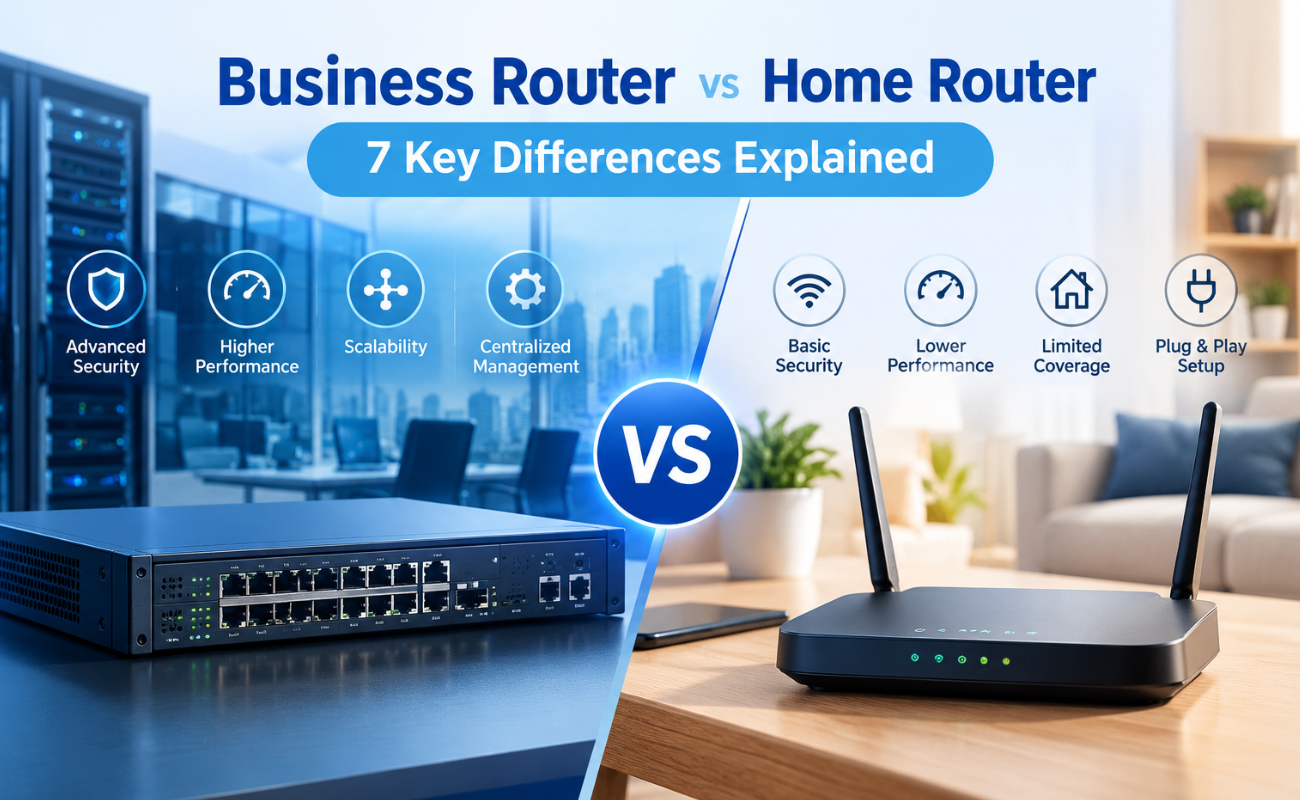
Business Router vs Home Router: 7 Key Differences Explained

Introduction
Choosing the right router can have a major impact on how efficiently a network performs. While home routers are desi...
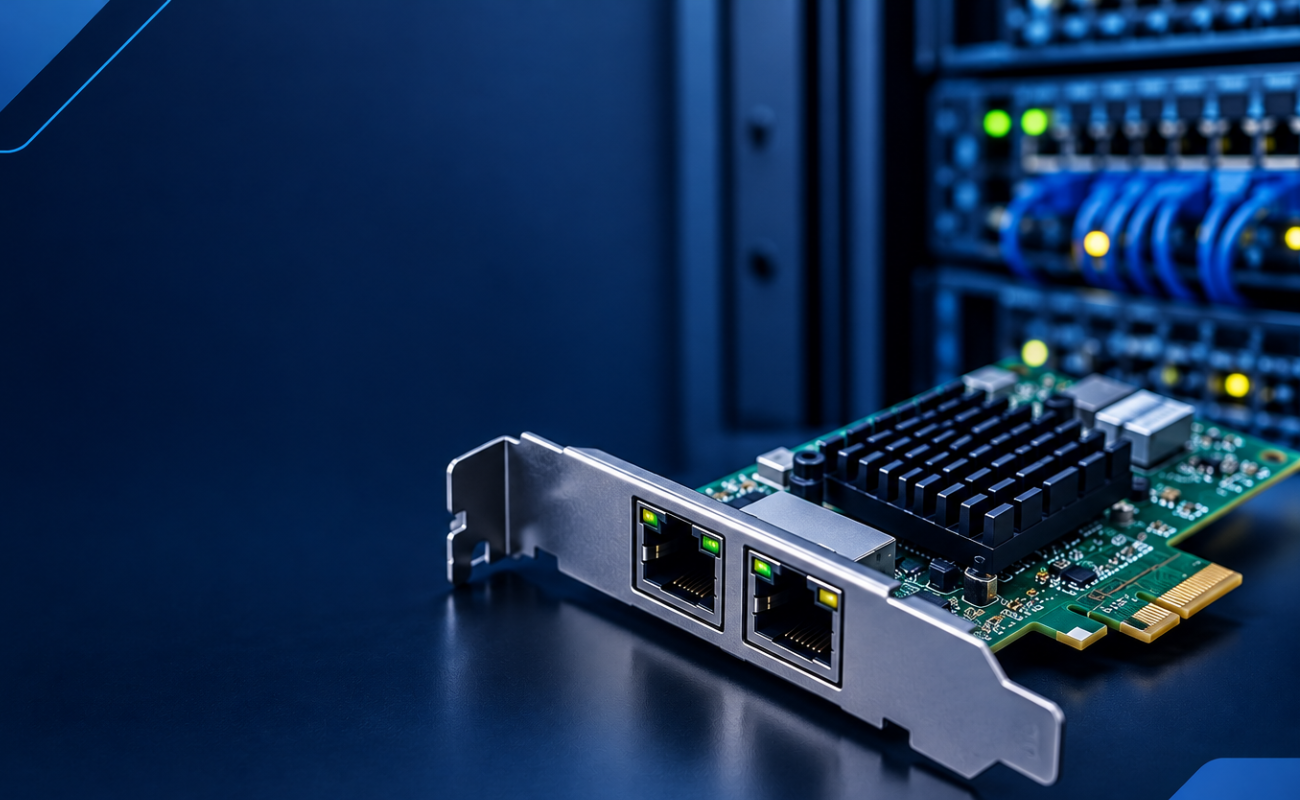
What Is a Network Card and When to Upgrade It?

What Is a Network Card and When to Upgrade It?
In modern business networks, fast and reliable communication between computers, se...

How VLANs Work on Managed Switches: 7 Key Benefits for Business Networks
Introduction
As business networks continue to grow, connecting more devices to the same physical infrastructure can create signif...

How to Choose the Right Firewall for Your Business in 7 Steps

Introduction
Cybersecurity has become a major priority for businesses of every size. From small offices to large enterprises, org...

Hardware Firewall vs Cloud Firewall: 7 Key Differences for Businesses
Choosing the right firewall is an important decision for businesses that want to protect ...

Next-Generation Firewall vs Traditional Firewall: 9 Comparison Points
Network security has changed dramatically as businesses rely ...

Hardware Firewall vs Software Firewall: 7 Differences Explained
A firewall is one of the most important security tools for protecting business networks, devices, and sensitive data. It monitors ...
HPE Z Series Workstations: Designed for Professionals
HPE Z Series Workstations: Designed for Professionals
Professionals working with demanding applications need more than a standard...

10 Signs It’s Time to Upgrade Your Network Switch
A reliable network is essential for businesses that depend on computers, servers, cloud applications, wireless access points, IP c...
Gigabit vs 10 Gigabit Switches: 6 Performance Differences Compared
Choosing the right network infrastructure is essential for businesses that depend on fast, stable, and reliable connectivity. One ...

HDD vs SSD: 8 Key Differences Every Business Should Know
Choosing the right 8 Key Differences Every Business is one of the most important decisions when building or upgrading a business I...

10 Smart Benefits of SAS Points Plus for Seamless IT Management
Managing IT infrastructure can become challenging as businesses grow. From servers and storage systems to networking equipment and...
