

























































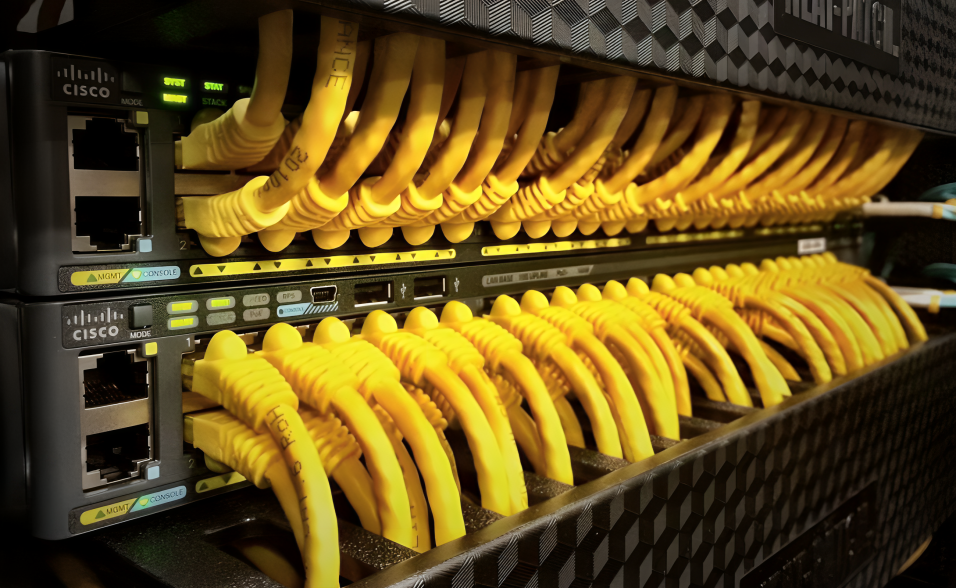
A reliable network depends on stable connectivity between computers, servers, access points, printers, IP cameras, and other devices. When a Network Switch starts experiencing problems, the impact can quickly spread across the entire network. Slow connections, dropped links, packet loss, and devices that suddenly become unreachable can all affect productivity.
Understanding common Network Switch Problems is essential for IT professionals and businesses that depend on reliable network infrastructure. Some issues are caused by configuration errors, while others may result from faulty cables, overloaded hardware, incorrect VLAN settings, insufficient power, or hardware failures.
In this guide, we will cover 10 common Network Switch Problems and how to fix them, helping you identify the possible cause of each issue and take the right troubleshooting steps. If you are planning to upgrade your network, explore reliable networking solutions at SAS Points to find switches suitable for different business requirements.
Why Network Switch Problems Happen
Network Switch Problems can occur for many different reasons. A switch may be incorrectly configured, connected to a damaged Ethernet cable, running outdated firmware, or experiencing excessive traffic. In some cases, the problem may be related to the connected device rather than the switch itself.
Before replacing a switch, it is important to follow a structured troubleshooting process. Checking physical connections, link status, configurations, logs, and network traffic can help identify the actual source of the problem.
Knowing how to troubleshoot these issues can save time, reduce downtime, and prevent unnecessary hardware replacement. For businesses looking to improve network reliability, SAS Points offers a range of networking hardware for different infrastructure needs.
1. Network Switch Not Powering On
One of the easiest Network Switch Problems to identify is a switch that does not power on.
If the switch shows no lights or signs of activity, the issue may be related to the power source, power cable, power supply, or internal hardware.
Possible Causes
Common causes include:
- Disconnected power cable
- Faulty power outlet
- Damaged power cord
- Failed power supply
- Loose power connection
- Internal hardware failure
- Power protection equipment problems
How to Fix It
Start by checking whether the power cable is securely connected to both the switch and the electrical outlet.
Next, test the outlet with another device. If the switch uses a removable power cable, try a known-working compatible cable.
For switches with redundant power supplies, check whether both PSUs are properly connected and functioning.
If the switch still does not power on after these checks, the hardware itself may require professional inspection or replacement.
Need a reliable replacement switch? Browse SAS Points networking hardware to find suitable models for your infrastructure.
2. No Link or Port Connectivity
Another common problem occurs when a connected device cannot establish a network link.
You may notice that the Ethernet port LED remains off even though a cable is connected.
Possible Causes
This issue can be caused by:
- Damaged Ethernet cable
- Incorrect cable connection
- Faulty switch port
- Disabled port
- Faulty network interface
- Speed or duplex mismatch
- Incompatible transceiver
- Device configuration problems
How to Fix It
Start by replacing the Ethernet cable with a known-working cable.
Then try connecting the device to another switch port. If the connection works on the second port, the original port may have a configuration or hardware problem.
For managed switches, check whether the port is administratively disabled.
You should also verify the interface configuration and check whether the connected device’s network adapter is functioning correctly.
Testing one component at a time can help identify whether the problem is with the switch, cable, or endpoint device. If your network needs additional ports or replacement hardware, check the available switch options at SAS Points.
3. Slow Network Performance
Slow network performance is one of the most frustrating Network Switch Problems because the switch may appear to be working normally.
Users may experience slow file transfers, delayed applications, poor video conferencing performance, or slow access to network resources.
Possible Causes
Several factors can cause slow network performance:
- Network congestion
- Insufficient switch bandwidth
- Faulty cables
- Speed negotiation problems
- Oversubscribed uplinks
- Excessive broadcast traffic
- Network loops
- High server or storage traffic
- Hardware limitations
How to Fix It
Begin by checking interface statistics and identifying ports with unusually high traffic.
If a switch has multiple access ports connected through a low-speed uplink, the uplink may become a bottleneck.
For example, several Gigabit Ethernet devices sending traffic through a single 1Gbps uplink can create congestion.
Upgrading the uplink to a higher-speed connection, such as 10GbE, may help in environments with significant traffic.
You should also inspect cables and check for errors or packet drops.
If your network requires higher bandwidth, explore high-speed Network Switch options at SAS Points to support demanding workloads.
4. Network Switch Keeps Disconnecting
Intermittent connectivity can be particularly difficult to troubleshoot because the network may work normally for several minutes before suddenly disconnecting.
Users may report that their connection drops and then returns automatically.
Possible Causes
Potential causes include:
- Loose cables
- Faulty Ethernet cables
- Unstable power
- Overheating
- Hardware problems
- Firmware issues
- Port errors
- Network loops
- Incorrect configuration
How to Fix It
First, check the physical connections and replace suspicious cables.
Next, inspect the switch temperature and ventilation. A switch operating in a poorly ventilated environment may overheat and become unstable.
For managed switches, review system logs and interface statistics to identify recurring errors.
You should also check whether the switch is restarting unexpectedly. Unexpected reboots can indicate power problems, overheating, firmware issues, or hardware failure.
Keeping network equipment in a properly ventilated environment and maintaining appropriate firmware can help improve stability. For dependable networking equipment, explore the available solutions from SAS Points.
5. VLAN Configuration Problems
VLAN configuration errors are common in managed network environments.
A device may have a physical connection to the switch but still be unable to communicate with other devices because it has been assigned to the wrong VLAN.
Common VLAN Issues
These can include:
- Incorrect access VLAN
- Wrong trunk configuration
- Missing VLAN
- VLAN mismatch
- Incorrect native VLAN
- Incorrect tagging
- Trunk allowed-list problems
How to Fix It
Start by checking the VLAN configuration on the affected port.
If the port is connected to an endpoint device, verify that the correct access VLAN is assigned.
For switch-to-switch connections, check the trunk configuration and make sure the required VLANs are allowed.
You should also verify that VLAN configuration is consistent across connected switches.
A structured VLAN configuration can improve network organization and security while reducing troubleshooting difficulties. If you need managed switches with advanced VLAN capabilities, explore suitable networking hardware at SAS Points.
6. Network Loop and Broadcast Storms
A network loop occurs when there is an unintended redundant path between network devices.
Without proper loop prevention, broadcast and other traffic can circulate continuously, potentially causing a broadcast storm.
Signs of a Network Loop
You may notice:
- Extremely high network traffic
- Slow or unavailable network services
- High switch CPU utilization
- Multiple ports showing unusual activity
- Widespread connectivity problems
- Network instability
How to Fix It
Managed switches commonly use Spanning Tree Protocol (STP) or related technologies to help prevent network loops.
Check the switch topology and identify unexpected connections between switches.
If a loop is suspected, disconnect redundant links carefully and monitor network behavior.
For environments that require redundancy, configure the appropriate spanning-tree technology instead of creating uncontrolled physical loops.
Proper network design is essential when deploying multiple switches. For scalable network infrastructure, explore managed switching solutions available through SAS Points.
7. PoE Devices Are Not Receiving Power
Power over Ethernet allows compatible devices to receive power and data through the same Ethernet cable.
If an IP camera, wireless access point, or VoIP phone does not turn on, the issue may be related to PoE.
Possible Causes
Common causes include:
- PoE disabled on the port
- Insufficient PoE budget
- Unsupported PoE standard
- Damaged Ethernet cable
- Faulty switch port
- Excessive power requirements
- Device compatibility problems
How to Fix It
Check whether PoE is enabled on the affected port.
Then review the switch’s total PoE power budget and compare it with the requirements of connected devices.
For example, if several wireless access points and IP cameras are connected to the same switch, their combined power consumption must remain within the available PoE budget.
You should also verify that the switch supports the PoE standard required by the device.
Need a switch for IP cameras, access points, or VoIP phones? Check PoE-capable networking solutions at SAS Points.
8. High CPU or Memory Utilization
Managed switches contain processors and memory that handle network management and switching-related tasks.
High CPU or memory utilization can indicate unusual traffic, configuration problems, network loops, software issues, or excessive management activity.
Possible Causes
Possible causes include:
- Broadcast storms
- Multicast traffic
- Network loops
- Large traffic volumes
- Incorrect configurations
- Firmware issues
- Excessive management processes
How to Fix It
Check the switch’s CPU and memory monitoring tools.
If CPU utilization is unusually high, investigate interfaces generating excessive traffic.
Look for broadcast or multicast storms and verify that spanning-tree protections are working correctly.
Review system logs for warnings or errors that may identify the source of the problem.
If the issue is related to an outdated firmware version, check the manufacturer’s recommended firmware and upgrade procedures.
For business networks that require advanced monitoring and management, explore managed Network Switch solutions available from SAS Points.
9. SFP or Fiber Uplink Not Working
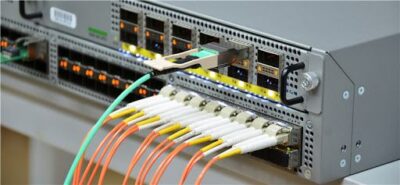
Fiber connectivity is widely used for high-speed uplinks and longer-distance network connections.
If an SFP or SFP+ connection does not establish a link, the problem may be related to the transceiver, fiber cable, compatibility, or configuration.
Possible Causes
Common causes include:
- Unsupported SFP module
- Incorrect transceiver type
- Damaged fiber cable
- Incorrect fiber polarity
- Dirty connectors
- Incorrect port configuration
- Speed mismatch
- Compatibility problems
How to Fix It
First, verify that the transceiver is compatible with the switch.
Check whether the fiber type and connector match the requirements of both ends of the connection.
For duplex fiber connections, verify that transmit and receive paths are correctly aligned.
You should also inspect the connectors for contamination or physical damage.
If possible, test the connection using a known-working compatible transceiver and fiber cable.
Looking for compatible SFP, SFP+, or fiber networking equipment? Explore the networking products available at SAS Points.
10. Network Switch Configuration or Firmware Issues
Configuration and firmware problems can cause a wide range of Network Switch Problems.
A switch may experience unexpected behavior after a configuration change, firmware update, or incorrect setting.
Common Configuration Problems
These can include:
- Incorrect IP address
- Wrong default gateway
- Incorrect VLAN configuration
- Disabled interfaces
- Incorrect trunk settings
- Port security restrictions
- Incorrect QoS settings
- Firmware compatibility issues
How to Fix It
If the issue started after a configuration change, review recent changes and compare the current configuration with a known-working configuration.
For managed switches, keep backups of configuration files so you can restore a previous configuration when necessary.
Firmware should also be maintained according to the manufacturer’s recommendations.
Before upgrading firmware, verify compatibility and follow the vendor’s installation procedure carefully.
Avoid making unnecessary configuration changes during troubleshooting. Make one controlled change at a time and monitor the result.
If your current switch is outdated or no longer meets your network requirements, SAS Points can help you find suitable replacement hardware.
Network Switch Troubleshooting Best Practices
When troubleshooting Network Switch Problems, following a structured process can make diagnosis much easier.
Start With the Physical Layer
Always begin with the basics.
Check:
- Power
- Ethernet cables
- Fiber cables
- SFP modules
- Port LEDs
- Device connections
- Ventilation
Physical problems are often easier to identify than configuration issues.
Check Interface Statistics
On managed switches, interface statistics can provide valuable information.
Look for:
- Packet errors
- Dropped packets
- CRC errors
- Collisions
- High utilization
- Link flapping
These statistics can help identify faulty cables, interfaces, or congestion.
For reliable network infrastructure, explore professional-grade switches and networking equipment at SAS Points.
Review Logs
System logs can reveal events that are not visible from the front panel.
Look for messages related to:
- Port failures
- Link changes
- Authentication
- VLAN configuration
- STP events
- Hardware problems
- Reboots
Logs are especially useful when a problem happens intermittently.
Need networking hardware for a more manageable and reliable infrastructure? Explore SAS Points’ available Network Switch solutions.
How to Prevent Network Switch Problems
Preventing problems is usually better than reacting to them after they occur.
Maintain Proper Documentation
Keep accurate documentation of:
- Switch locations
- Port assignments
- VLANs
- IP addresses
- Uplinks
- Connected devices
- Network topology
Good documentation makes troubleshooting much faster.
Monitor Network Performance
Regular monitoring can help identify problems before they become serious.
Monitor:
- Port utilization
- CPU usage
- Memory usage
- Error rates
- PoE consumption
- Temperature
- Link status
For networks that require better visibility and control, consider managed switching solutions available at SAS Points.
Keep Firmware Updated
Firmware updates may address bugs, improve stability, and provide security improvements.
However, updates should be tested and applied according to the manufacturer’s recommendations.
Always maintain a backup of the current configuration before making significant changes.
Upgrade your network with reliable hardware from SAS Points and build an infrastructure designed for long-term performance.
When Should You Replace a Network Switch?
Not every Network Switch Problem requires replacing the entire device.
A replacement may be appropriate when:
- The switch repeatedly fails
- Multiple ports are defective
- The hardware is obsolete
- Required features are unavailable
- The switch cannot provide the required bandwidth
- PoE capacity is insufficient
- Uplink speeds are too low
- The device no longer receives appropriate firmware support
Before replacing a switch, determine whether the problem is caused by configuration, cabling, or another network component.
However, if the hardware consistently fails to meet your requirements, upgrading may be more cost-effective than continuing to troubleshoot an outdated device.
If your existing switch is limiting your network, explore the latest available Network Switch options at SAS Points.
Final Thoughts
Understanding Network Switch Problems is an important part of maintaining a reliable business network. Issues such as power failures, connectivity problems, slow performance, VLAN errors, network loops, PoE failures, high resource utilization, fiber problems, and configuration errors can all affect network availability.
The best troubleshooting approach is to work systematically, starting with physical connections and gradually moving toward configuration, traffic, and hardware analysis.
At the same time, selecting the right switch from the beginning can prevent many problems. Consider port count, bandwidth, PoE requirements, management capabilities, uplinks, security features, and future scalability before making a purchasing decision.
Whether you are replacing an old switch, expanding your office network, or building a new infrastructure, choosing suitable networking hardware can make a significant difference in performance and reliability.
Ready to improve your network infrastructure? Explore the Network Switch solutions available at SAS Points and choose the right hardware for your business requirements.
Frequently Asked Questions
1. What are the most common Network Switch Problems?
Common problems include power failures, no link connectivity, slow network performance, intermittent disconnections, VLAN configuration errors, network loops, PoE failures, high CPU utilization, fiber uplink problems, and incorrect configurations.
2. Why is my Network Switch not connecting devices?
The issue may be caused by a faulty cable, disabled port, incorrect configuration, faulty network adapter, or hardware problem. Start by testing the cable and switch port.
3. Why is my network slow even though the switch is working?
Network congestion, insufficient uplink bandwidth, faulty cables, high traffic, or network loops can cause slow performance even when the switch appears operational.
4. Why is my PoE device not receiving power?
Check whether PoE is enabled, whether the switch has sufficient PoE budget, whether the device requires a compatible PoE standard, and whether the Ethernet cable is working correctly.
5. How can I troubleshoot VLAN problems?
Check the access VLAN, trunk configuration, allowed VLANs, tagging, and VLAN configuration on connected switches.
6. What causes a network switch to disconnect repeatedly?
Loose cables, unstable power, overheating, faulty ports, firmware problems, network loops, or hardware failures can cause repeated disconnections.
7. Why is my SFP connection not working?
Check transceiver compatibility, fiber type, polarity, connector condition, port configuration, and speed compatibility on both ends.
8. When should I replace my Network Switch?
Consider replacement when the switch has repeated hardware failures, insufficient bandwidth, inadequate PoE capacity, outdated features, defective ports, or no longer meets your network requirements.
Shop now


Sold out






Sold out







Sold out


Sold out

Sold out


Related posts

VPN Firewall vs Standard Firewall: 7 Key Differences

Businesses need reliable network security to protect sensitive information, prevent unauthorized access, and maintain secure commu...

Rack Server vs Tower Server: 6 Key Differences Explained

Rack Server vs Tower Server: 6 Key Differences Explained
Choosing between a rack server and a tower server is an important decisi...

SSD vs HDD Storage: 8 Key Differences Every Business Should Know
SSD vs HDD Storage: 8 Key Differences Every Business Should Know
Choosing the right storage technology is essential for businesse...

Router Performance Explained: 7 Factors That Affect Your Internet Speed

Router performance plays a critical role in determining how efficiently a business network handles daily operations. From cloud-ba...

10 Router Security Features That Help Protect Business Networks
Business networks are constantly exposed to security risks, from unauthorized access and malicious traffic to compromised devices ...

Stateful Firewall vs Next-Generation Firewall: 8 Major Differences
Firewalls play a critical role in protecting business networks from unauthorized access, suspicious traffic, and cyber threats. Ho...

7 Firewall NGFW Types Compared for Business Network Security
Choosing the right NGFW firewall is an important part of protecting business networks fro...

11 Server Features Every IT Manager Should Look For
11 Server Features Every IT Manager Should Look For
Choosing the right server is an important decision for any organization. Serv...

Best RAM Options for Performance Workstations
Best RAM Options for Performance Workstations
Modern performance workstations are built for demanding workloads such as 3D render...

Dual-WAN vs Single-WAN Routers: 6 Key Differences Compared
Modern businesses rely heavily on stable Internet connectivity for cloud applications, communication, online platforms, remote acc...

Wi-Fi Router vs Wired Router: 8 Differences Every Business Should Know
Choosing the right networking equipment is an important decision for any business. As organizations become increasingly dependent ...

Storage Buying Guide: 7 Things to Consider Before You Choose
Storage Buying Guide: 7 Things to Consider Before You Choose
Modern businesses generate and manage large amounts of data every da...
