

























































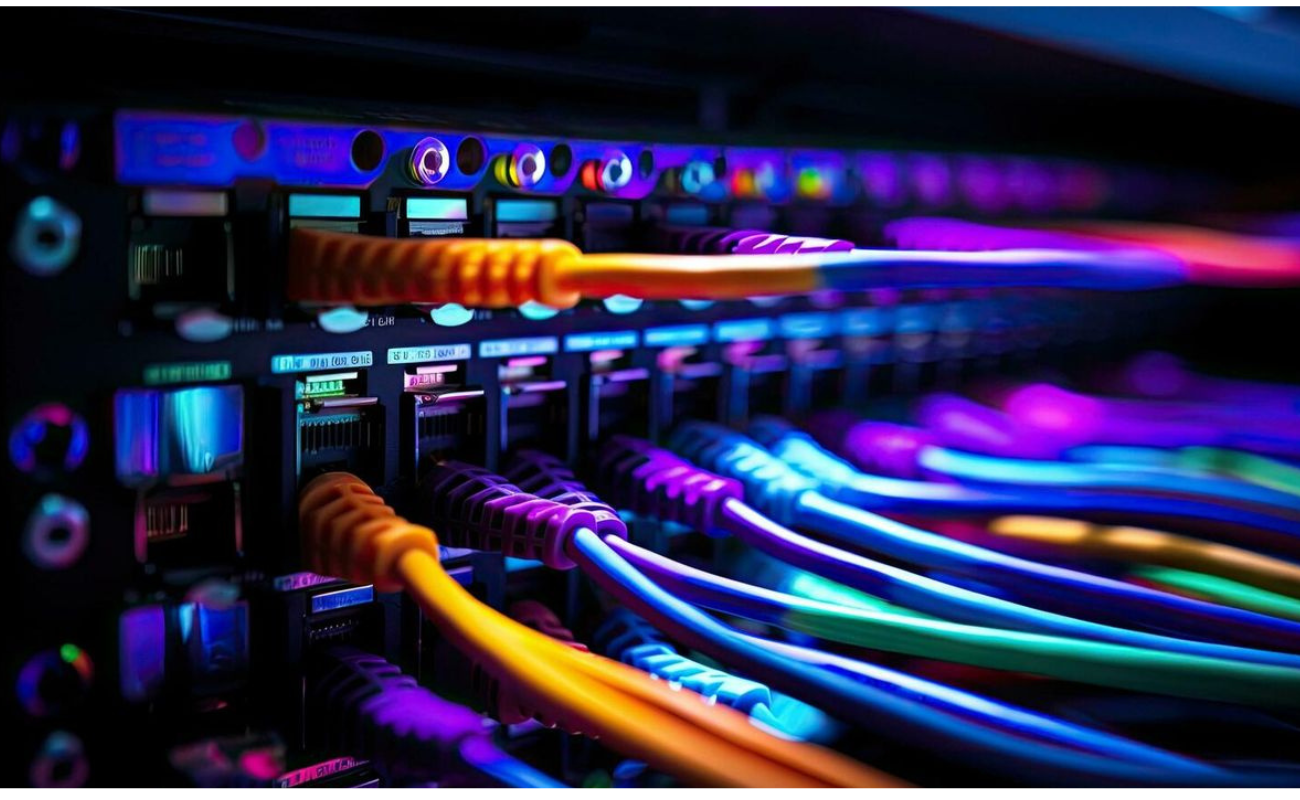
Choosing a Network Switch may seem simple, but selecting the wrong model can lead to poor network performance, unnecessary costs, limited scalability, and connectivity problems. Whether you are upgrading a small office network or building infrastructure for a growing business, understanding the most common mistakes can help you make a smarter decision.
A Network Switch connects multiple devices within the same network and allows them to communicate efficiently. However, switches differ significantly in port count, speed, management capabilities, PoE support, uplink options, and scalability. Choosing based only on price or the number of ports may leave your network unable to meet current or future requirements.
In this guide, we will discuss 8 common mistakes to avoid when choosing a Network Switch and explain what you should consider before purchasing one.
Why Choosing the Right Network Switch Matters
A Network Switch is an important part of your network infrastructure. It connects computers, servers, access points, IP cameras, printers, VoIP phones, and other network devices.
The right switch should match your network’s current requirements while providing enough capacity for future expansion. For example, a small office may only need a basic Gigabit switch, while a large enterprise or data center may require managed switches with high-speed uplinks, advanced security features, VLAN support, and redundant configurations.
Making the right choice can improve network reliability, simplify management, and reduce the need for expensive upgrades later.
1. Choosing a Network Switch Based Only on Price
One of the most common mistakes when choosing a Network Switch is focusing entirely on the initial purchase price.
A cheaper switch may appear attractive, especially when purchasing multiple units. However, the lowest price does not always represent the best value. A low-cost model may lack important features such as VLAN support, PoE, higher-speed uplinks, advanced security, or sufficient switching capacity.
Before choosing a switch, consider the total value it provides rather than its purchase price alone.
What Should You Consider Instead?
Look at:
- Port count and port type
- Network speed
- Switching capacity
- Forwarding performance
- PoE availability
- Uplink options
- Management features
- Security capabilities
- Warranty and support
- Future expansion requirements
A slightly more advanced switch may cost more initially but could prevent another hardware upgrade when your network grows.
2. Ignoring the Number and Type of Ports
Another common mistake is selecting a Network Switch without carefully calculating how many ports the network actually needs.
If you currently have 15 devices, purchasing a 16-port switch might seem sufficient. However, you also need to consider access points, printers, IP phones, cameras, servers, and future devices.
Leaving no spare ports can make future expansion difficult.
Don’t Look at Port Quantity Alone
Port type is equally important.
Common options include:
- Fast Ethernet ports
- Gigabit Ethernet ports
- 2.5GbE ports
- 10GbE ports
- SFP ports
- SFP+ ports
- SFP28 ports
For example, a switch with 24 ports may not be suitable if your network requires 10Gbps uplinks or fiber connectivity.
A Simple Planning Approach
Before purchasing, create a list of every device that will connect to the switch.
For example:
| Device Type | Quantity |
|---|---|
| Desktop PCs | 15 |
| Access Points | 3 |
| IP Phones | 5 |
| Printers | 2 |
| Network Cameras | 4 |
| Servers | 2 |
| Spare Ports | 5 |
This approach gives you a more realistic estimate of the number of ports required.
3. Selecting the Wrong Network Speed
Network speed is another factor that should never be overlooked.
Many modern business networks use Gigabit Ethernet, but some environments require significantly higher speeds. Choosing a switch with insufficient bandwidth can create bottlenecks between servers, storage systems, workstations, and other network devices.
A Gigabit Network Switch may be suitable for standard office connectivity, while organizations transferring large files or handling demanding workloads may benefit from multi-gigabit or 10GbE connectivity.
Consider Both Access Ports and Uplinks
It is important to distinguish between the speed of access ports and uplink ports.
For example, a switch may provide 24 × 1GbE access ports but include 10GbE SFP+ uplinks. This allows connected devices to communicate at 1Gbps while providing higher-speed connections between switches or to servers and core infrastructure.
When evaluating a switch, ask:
- What speed do connected devices require?
- What speed is required between switches?
- Are servers connected directly to the switch?
- Will network storage require higher bandwidth?
- Is the network expected to grow?
Planning for these requirements helps prevent bandwidth limitations later.
4. Forgetting to Check PoE Requirements
Power over Ethernet, or PoE, allows compatible devices to receive both data and electrical power through a single Ethernet cable.
PoE is commonly used with:
- IP cameras
- Wireless access points
- VoIP phones
- IoT devices
- Certain network sensors
A common mistake is purchasing a standard switch and discovering later that connected devices require PoE.
Different PoE Standards
PoE technology includes different standards and power levels, such as:
- IEEE 802.3af
- IEEE 802.3at
- IEEE 802.3bt
The required standard depends on the connected devices.
For example, some basic VoIP phones may require relatively little power, while advanced wireless access points or other devices may require significantly more.
Check the PoE Budget
Don’t just check whether a switch supports PoE. Check its total PoE power budget as well.
If a switch provides a 370W PoE budget, the available power must be sufficient for all connected devices operating simultaneously.
Choosing the correct PoE Network Switch can simplify installation and reduce the need for separate power adapters and electrical infrastructure.
5. Choosing a Managed or Unmanaged Switch Without Understanding the Difference
Another important mistake is selecting a managed or unmanaged switch without considering how much control the network requires.
What Is an Unmanaged Switch?
An unmanaged switch is generally designed for simple plug-and-play connectivity. It requires little configuration and can be suitable for basic environments where advanced network control is unnecessary.
What Is a Managed Switch?
A managed switch provides administrators with greater control over network traffic and configuration.
Depending on the model, managed switches can support features such as:
- VLANs
- Quality of Service (QoS)
- Link aggregation
- Spanning Tree Protocol
- Port security
- Traffic monitoring
- SNMP
- Access control
- Redundancy features
For businesses with more complex networking requirements, a managed switch can provide valuable visibility and control.
Which One Should You Choose?
If you only need basic connectivity for a small and simple environment, an unmanaged switch may be sufficient.
If you need network segmentation, traffic control, monitoring, security policies, or advanced configuration, a managed Network Switch is generally a better choice.
6. Ignoring Uplink and Fiber Connectivity
Another mistake is focusing only on the Ethernet ports while ignoring how the switch will connect to other network infrastructure.
Uplinks are especially important in business networks where multiple switches need to communicate with each other.
Depending on the environment, you may need:
- SFP uplinks
- SFP+ uplinks
- SFP28 uplinks
- 10GbE connectivity
- Fiber connectivity
- Copper uplinks
For example, connecting several access switches to a core switch using only low-speed uplinks can create a bottleneck, even if each access switch has high-speed ports.
Why Fiber Connectivity Matters
Fiber connections can provide high bandwidth over longer distances and are widely used for:
- Data centers
- Server rooms
- Building-to-building connections
- Core network connections
- High-speed switch uplinks
Before purchasing a switch, determine how it will connect to the rest of your infrastructure.
7. Overlooking Scalability and Future Growth
A Network Switch should not only meet today’s requirements. It should also support your expected growth.
A business may start with a small number of computers but later add:
- Employees
- Servers
- Access points
- IP cameras
- VoIP phones
- Storage systems
- IoT devices
- Additional network switches
If you choose a switch with exactly the capacity you need today, you may need to replace it sooner than expected.
Plan for Future Requirements
Consider:
- Expected number of users
- New devices
- Additional departments
- Higher bandwidth requirements
- Network segmentation
- Additional PoE devices
- Future server or storage upgrades
For example, choosing a 48-port switch instead of a 24-port model may make sense if your business expects significant expansion.
The goal is not to buy the most powerful switch available. Instead, choose a model that provides a reasonable balance between current needs, future growth, and budget.
8. Neglecting Security and Management Features
Network security is another factor that should not be ignored when selecting a switch.
A switch is not simply a device that connects cables. In business environments, it can play an important role in controlling and protecting network access.
Depending on the model, advanced switches may provide features such as:
- VLAN segmentation
- Port security
- Access control lists
- DHCP snooping
- Dynamic ARP Inspection
- 802.1X authentication
- Storm control
- Secure management protocols
These features can help administrators control access and reduce network security risks.
Why VLAN Support Matters
VLANs allow organizations to logically separate network traffic.
For example, a company could create separate VLANs for:
- Employees
- Guests
- VoIP phones
- Security cameras
- Servers
- Management devices
This can improve network organization and help administrators apply different policies to different groups of devices.
How to Choose the Right Network Switch
After understanding the most common mistakes, you can use a structured process to select the right switch.
Step 1: Identify Your Network Requirements
Start by listing the devices that will connect to the switch.
Determine:
- Number of devices
- Device types
- Required port speeds
- PoE requirements
- Fiber requirements
- Uplink requirements
Step 2: Determine the Required Port Count
Choose a port count that covers current devices while leaving reasonable room for expansion.
Common options include:
- 8-port switches
- 16-port switches
- 24-port switches
- 48-port switches
Larger environments may require multiple switches connected through high-speed uplinks.
Step 3: Determine the Required Speed
Decide whether you need:
- 100Mbps
- 1Gbps
- 2.5Gbps
- 5Gbps
- 10Gbps
- Higher-speed uplinks
The correct speed depends on your applications and infrastructure.
Step 4: Decide Between Managed and Unmanaged
Choose an unmanaged switch for simple connectivity requirements.
Choose a managed Network Switch when you require VLANs, monitoring, traffic management, security, or advanced configuration.
Step 5: Check PoE Requirements
If you are connecting access points, IP phones, cameras, or other powered devices, confirm:
- The required PoE standard.
- The power required by each device.
- The total PoE budget.
- The number of PoE ports.
Step 6: Check Uplinks
Make sure the switch has the correct uplink technology for your network.
If your infrastructure uses fiber or 10GbE connections, make sure the switch supports the required SFP or SFP+ modules.
Step 7: Consider Future Expansion
Estimate how your network may change over the next few years.
Buying with reasonable expansion capacity can help reduce future replacement costs.
Network Switch Buying Checklist
Before purchasing a switch, ask yourself these questions:
- How many devices will connect to it?
- How many ports do I need?
- What Ethernet speed is required?
- Do I need PoE?
- What is my total PoE power requirement?
- Do I need SFP or SFP+ uplinks?
- Should I choose managed or unmanaged?
- Do I need VLAN support?
- What security features are required?
- How much bandwidth will my network need?
- Will the network grow in the future?
- Does the switch fit my existing infrastructure?
Answering these questions can significantly reduce the risk of choosing the wrong device.
Why Buying the Right Network Switch Saves Money
Selecting the correct switch is not only about improving network performance. It can also help reduce long-term costs.
A properly selected switch can:
- Reduce unnecessary hardware replacements
- Support future expansion
- Improve network reliability
- Simplify network management
- Reduce installation complexity
- Improve bandwidth utilization
- Support modern devices
- Provide better security controls
Instead of choosing the cheapest option, businesses should evaluate the complete requirements of their network.
Common Network Switch Mistakes: Quick Summary
Let’s quickly review the eight mistakes:
- Choosing based only on price – The cheapest option may lack important capabilities.
- Ignoring port requirements – Insufficient ports can limit expansion.
- Selecting the wrong speed – Low bandwidth can create network bottlenecks.
- Forgetting PoE requirements – Powered devices may require a PoE switch.
- Misunderstanding managed vs. unmanaged switches – Different environments require different levels of control.
- Ignoring uplinks and fiber – High-speed infrastructure requires appropriate uplink capabilities.
- Overlooking scalability – Future growth should be part of the purchasing decision.
- Neglecting security features – Businesses may require VLANs, access control, and traffic management.
Final Thoughts
Choosing a Network Switch requires more than comparing prices and port numbers. The right choice depends on your network size, bandwidth requirements, PoE needs, management requirements, security expectations, uplink technology, and future growth.
Avoiding these eight common mistakes can help you build a more reliable and scalable network infrastructure while reducing the risk of unnecessary upgrades.
Whether you need a basic Ethernet switch for a small office or an advanced managed switch for an enterprise environment, understanding your requirements before purchasing is the first step toward making a better investment.
Looking for the right Network Switch for your business? Explore the available networking solutions at SAS Points and choose a switch that matches your performance, connectivity, and scalability requirements.
Frequently Asked Questions
1. What is the most important factor when choosing a Network Switch?
The most important factor depends on your network requirements. Port count, speed, PoE support, management features, uplinks, and scalability should all be evaluated before making a decision.
2. Should I choose a managed or unmanaged Network Switch?
An unmanaged switch is suitable for simple plug-and-play networks, while a managed switch is better when you need VLANs, monitoring, traffic control, security, and advanced configuration.
3. Do I need a PoE Network Switch?
You need a PoE switch if you plan to power compatible devices such as IP cameras, wireless access points, or VoIP phones through Ethernet cables.
4. How many ports should my Network Switch have?
Choose enough ports for your current devices while leaving room for future expansion. Common business options include 24-port and 48-port switches.
5. Is Gigabit Ethernet enough for a business network?
Gigabit Ethernet is sufficient for many business applications, but organizations with high-bandwidth workloads, servers, storage systems, or demanding applications may benefit from multi-gigabit or 10GbE connectivity.
6. Why are SFP and SFP+ ports important?
SFP and SFP+ ports can provide flexible uplink and fiber connectivity. SFP+ is commonly used for higher-speed 10GbE connections.
7. Should I consider future network growth when buying a switch?
Yes. Planning for additional users, devices, bandwidth, and network expansion can help you avoid replacing your switch sooner than necessary.
8. What security features should I look for in a managed switch?
Depending on your requirements, useful features can include VLANs, port security, ACLs, 802.1X authentication, DHCP snooping, and traffic monitoring.
Shop now


Sold out






Sold out







Sold out


Sold out

Sold out


Related posts

VPN Firewall vs Standard Firewall: 7 Key Differences

Businesses need reliable network security to protect sensitive information, prevent unauthorized access, and maintain secure commu...

Rack Server vs Tower Server: 6 Key Differences Explained

Rack Server vs Tower Server: 6 Key Differences Explained
Choosing between a rack server and a tower server is an important decisi...

SSD vs HDD Storage: 8 Key Differences Every Business Should Know
SSD vs HDD Storage: 8 Key Differences Every Business Should Know
Choosing the right storage technology is essential for businesse...

Router Performance Explained: 7 Factors That Affect Your Internet Speed

Router performance plays a critical role in determining how efficiently a business network handles daily operations. From cloud-ba...

10 Router Security Features That Help Protect Business Networks
Business networks are constantly exposed to security risks, from unauthorized access and malicious traffic to compromised devices ...

Stateful Firewall vs Next-Generation Firewall: 8 Major Differences
Firewalls play a critical role in protecting business networks from unauthorized access, suspicious traffic, and cyber threats. Ho...

7 Firewall NGFW Types Compared for Business Network Security
Choosing the right NGFW firewall is an important part of protecting business networks fro...

11 Server Features Every IT Manager Should Look For
11 Server Features Every IT Manager Should Look For
Choosing the right server is an important decision for any organization. Serv...

Best RAM Options for Performance Workstations
Best RAM Options for Performance Workstations
Modern performance workstations are built for demanding workloads such as 3D render...

Dual-WAN vs Single-WAN Routers: 6 Key Differences Compared
Modern businesses rely heavily on stable Internet connectivity for cloud applications, communication, online platforms, remote acc...

Wi-Fi Router vs Wired Router: 8 Differences Every Business Should Know
Choosing the right networking equipment is an important decision for any business. As organizations become increasingly dependent ...

Storage Buying Guide: 7 Things to Consider Before You Choose
Storage Buying Guide: 7 Things to Consider Before You Choose
Modern businesses generate and manage large amounts of data every da...
