

























































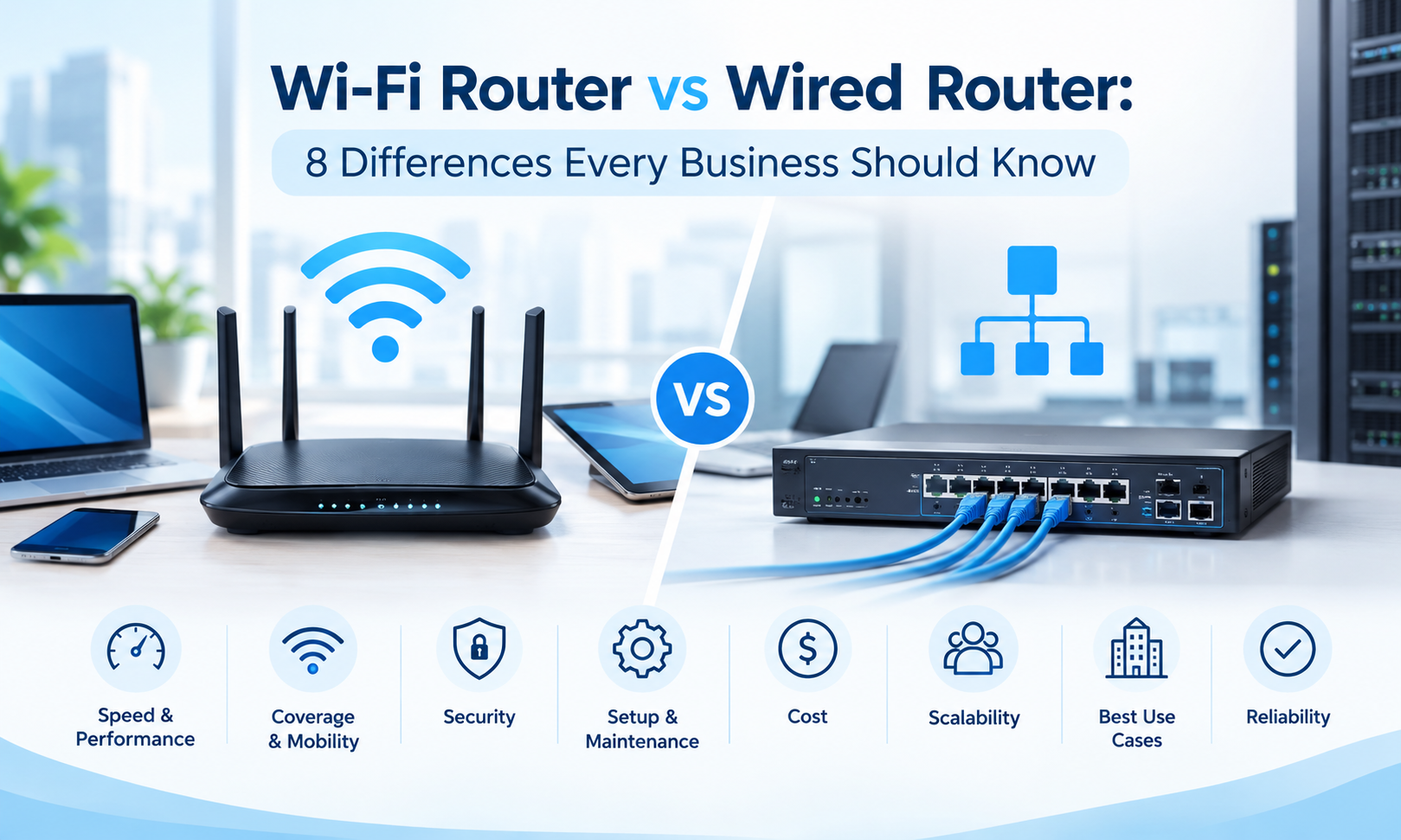
Choosing the right networking equipment is an important decision for any business. As organizations become increasingly dependent on cloud applications, online communication, remote access, video conferencing, and connected devices, the network needs to provide reliable and consistent connectivity.
One of the most common decisions businesses face is whether to rely primarily on wireless connectivity or wired network connections. Understanding the difference between a Wi-Fi Router vs Wired Router can help organizations determine which approach is more suitable for their users, devices, performance requirements, and future growth.
Wi-Fi networking provides flexibility and mobility, while wired connectivity can offer greater consistency and stability for many business applications. In many professional environments, the best approach may involve using both technologies as part of a carefully designed network infrastructure.
In this guide, we will explore 8 important differences between Wi-Fi Router vs Wired Router, including connection type, performance, reliability, security, mobility, installation, scalability, and business use cases.
Explore professional networking hardware from SAS Points to build a connectivity infrastructure that supports your business requirements.
1. Connection Type
The most obvious difference in a Wi-Fi Router vs Wired Router comparison is how devices connect to the network.
A Wi-Fi router uses wireless signals to connect devices without requiring a physical Ethernet connection. This makes it convenient for laptops, smartphones, tablets, wireless printers, and other mobile devices.
A wired router, on the other hand, relies on physical network connections. Devices typically connect through Ethernet cables, often with switches used to expand the number of available wired connections.
Wi-Fi Router
Wi-Fi routers provide wireless connectivity within a defined coverage area. Users can connect their devices without being physically attached to a network cable.
This makes Wi-Fi particularly useful in offices where employees frequently move between meeting rooms, workstations, and shared spaces.
Wireless connectivity can also simplify access for visitors and temporary users because devices can join the network without requiring physical cabling.
Wired Router
Wired networking uses physical Ethernet connections between network devices.
A wired connection can provide a direct communication path between a device and the network infrastructure. This is particularly useful for devices that remain in fixed locations and require consistent connectivity.
Examples include:
- Desktop computers
- Servers
- Network switches
- Storage systems
- IP phones
- Network appliances
- Security systems
For business environments, wired connections are often used for critical infrastructure while Wi-Fi supports mobile and less stationary devices.
Build a flexible business network with the right combination of wired and wireless networking hardware from SAS Points.

2. Performance and Speed
Performance is another major consideration when comparing a Wi-Fi Router vs Wired Router.
Both wired and wireless technologies can provide high-speed connectivity, but their real-world performance can vary depending on network design, hardware capabilities, interference, distance, cabling, and the number of connected devices.
Wi-Fi Performance
Wi-Fi provides the advantage of convenience and mobility, but wireless performance can be affected by environmental conditions.
Factors such as walls, distance from the access point, interference from other wireless devices, and network congestion can influence connection quality.
When many users share the same wireless environment, available bandwidth is also distributed among connected devices.
This means that a wireless network may require careful planning to maintain consistent performance in busy business environments.
Wired Performance
Wired connections generally provide a more consistent communication path because devices are directly connected through network cables.
This can make wired networking particularly suitable for bandwidth-intensive business activities such as:
- Large file transfers
- Server access
- Cloud applications
- Video conferencing
- Data backup
- Network storage
- Business-critical systems
For devices that require stable and predictable connectivity, a wired connection can be an effective choice.
Improve network performance with reliable networking hardware selected around your business’s bandwidth and connectivity requirements.
3. Reliability and Connection Stability
Reliability is especially important for businesses that depend on their network throughout the working day.
In a Wi-Fi Router vs Wired Router comparison, wired connections are often preferred for fixed devices that require a stable and predictable connection.
Wireless Reliability
Wi-Fi technology has improved significantly, but wireless connections can still be affected by interference and physical obstacles.
For example, multiple wireless networks operating nearby can contribute to congestion. Physical barriers such as walls and floors can also affect wireless signal strength.
A properly designed wireless network can minimize many of these challenges through appropriate access point placement, channel planning, and network configuration.
Wired Reliability
A wired connection is less affected by wireless interference because communication takes place through a physical cable.
This makes wired connectivity particularly valuable for infrastructure that should remain connected continuously.
Servers, network switches, storage systems, and fixed workstations can benefit from a wired connection because they typically do not require mobility.
Protect business continuity with networking infrastructure designed to provide stable and dependable connectivity.
4. Security
Security is another important factor when comparing a Wi-Fi Router vs Wired Router.
Both wireless and wired networks can be secured effectively, but they have different security considerations.
Wi-Fi Security
Wireless networks transmit data through radio signals, which means the network can potentially be accessed by devices within the wireless coverage area.
For this reason, businesses should use appropriate wireless security measures and carefully control who can access the network.
Important considerations may include:
- Strong authentication
- Secure encryption
- Guest network separation
- Access control
- Regular password management
- Network segmentation
Businesses should also avoid treating the wireless network as a single shared environment when different groups of users require different levels of access.
Wired Security
Wired networks provide a physical connection between devices and the network infrastructure.
Although physical access to network ports should still be controlled, wired connectivity can provide an additional layer of physical control because a device generally needs access to a network cable or network port.
Businesses can also use VLANs, access control policies, and other network security mechanisms to segment and manage traffic.
Strengthen your network foundation with professional networking hardware that supports effective security and access management.

5. Mobility and Flexibility
Mobility is one of the biggest advantages of Wi-Fi networking.
When comparing a Wi-Fi Router vs Wired Router, businesses should consider how employees use their devices throughout the workday.
Why Wi-Fi Is Useful for Mobile Employees
Employees may use laptops, tablets, smartphones, and other mobile devices in different areas of an office.
Wireless connectivity allows users to move without disconnecting and reconnecting network cables.
This can be especially useful in:
- Open offices
- Meeting rooms
- Training areas
- Reception areas
- Collaborative workspaces
- Warehouses
- Retail environments
Wi-Fi can also make it easier to connect temporary devices without installing a dedicated Ethernet connection for every user.
When Wired Connectivity Is Better
Not every device needs mobility.
A desktop workstation that remains at the same desk all day may benefit more from a wired connection.
The same applies to servers, storage devices, network appliances, and other infrastructure components.
A practical business network can therefore combine both approaches: wireless connectivity for mobility and wired connectivity for fixed or critical devices.
Create a flexible network environment with networking solutions that support both mobile users and fixed business infrastructure.
6. Installation and Infrastructure Requirements
Installation requirements can also influence the decision between Wi-Fi and wired networking.
A wireless network generally requires fewer physical connections to individual user devices. Once suitable wireless coverage is available, users can connect without additional Ethernet cables running to every workstation.
However, businesses still need to plan the wireless infrastructure carefully.
Access point placement, network coverage, interference, user density, and available bandwidth should all be considered during deployment.
Wired Installation
Wired networking requires physical cabling between network devices and infrastructure.
This may involve:
- Ethernet cables
- Patch panels
- Network switches
- Network outlets
- Cable management
- Rack infrastructure
Although wired deployment can require more planning during installation, structured cabling can provide a long-term foundation for business connectivity.
Choosing the Right Approach
The right approach depends on the building, number of users, device types, and business requirements.
A new office may be able to plan structured cabling from the beginning, while an existing office may need to balance installation costs with operational requirements.
Plan your networking infrastructure efficiently with professional IT hardware and connectivity solutions from SAS Points.
7. Scalability and Business Growth
Scalability is an important consideration for any organization planning its networking infrastructure.
In a Wi-Fi Router vs Wired Router comparison, businesses should consider not only how many devices are connected today but also how the network may change in the future.
Scaling a Wi-Fi Network
As the number of wireless users increases, businesses may need additional access points or upgraded wireless hardware.
Simply adding more users to the same wireless network does not always guarantee good performance.
High-density environments may require careful planning to distribute users across multiple access points and maintain adequate capacity.
Scaling a Wired Network
Wired networks can also be expanded as the organization grows.
Additional switches can provide more Ethernet ports, while structured cabling can support new workstations and devices.
For larger organizations, network design should consider:
- Number of users
- Number of devices
- Available network ports
- Bandwidth requirements
- Server infrastructure
- Storage requirements
- Future office expansion
Planning for growth from the beginning can reduce the need for major infrastructure changes later.
Prepare your network for future expansion with scalable networking hardware available from SAS Points.
8. Business Use Cases
The final difference in a Wi-Fi Router vs Wired Router comparison is how each option fits different business use cases.
There is no universal solution that works perfectly for every organization. The best approach depends on what the network needs to support.
Wi-Fi Is Suitable for:
Wi-Fi is particularly useful when mobility and convenience are important.
Common use cases include:
- Employee laptops
- Smartphones
- Tablets
- Guest access
- Meeting rooms
- Mobile workstations
- Temporary devices
- Collaborative workspaces
Wireless connectivity can improve flexibility and make it easier for employees to stay connected while moving around the workplace.
Wired Networking Is Suitable for:
Wired connections are often appropriate for devices that require consistent connectivity.
Examples include:
- Servers
- Storage systems
- Desktop workstations
- Network switches
- IP phones
- Security systems
- Fixed network appliances
These devices often benefit from a stable connection that does not depend on wireless signal conditions.
Combining Both Technologies
For many businesses, the most practical approach is not choosing one technology exclusively.
Instead, organizations can combine wired and wireless networking.
For example, a company may use wired connections for servers, switches, desktop computers, and other fixed infrastructure while using Wi-Fi for laptops, smartphones, tablets, and guest devices.
This hybrid approach can provide both stability and flexibility.
Find the right balance between wired stability and wireless flexibility with networking solutions from SAS Points.
Wi-Fi Router vs Wired Router: Which One Should Your Business Choose?
After reviewing the eight major differences, the right choice depends on your organization’s specific requirements.
A Wi-Fi-focused network may be appropriate when employee mobility and wireless access are major priorities.
A wired network may be more suitable when stable connectivity, predictable performance, and fixed infrastructure are the main requirements.
For many businesses, however, combining both technologies provides the most practical solution.
Choose Wi-Fi When Mobility Is a Priority
Wi-Fi can be a strong choice when employees frequently move around the workplace or use laptops and mobile devices.
It can also simplify connectivity for visitors and temporary users.
However, wireless infrastructure should still be properly planned to ensure sufficient coverage and capacity.
Choose Wired Connectivity for Critical Devices
Fixed infrastructure often benefits from wired connectivity.
Servers, storage systems, network switches, and permanent workstations can use Ethernet connections to achieve stable and consistent network access.
This can be especially important for devices that handle business-critical applications or large volumes of data.
Use a Hybrid Network for Maximum Flexibility
Many modern businesses can benefit from using both wired and wireless connectivity.
A hybrid network allows organizations to assign the appropriate connection type to each device based on its function.
This can create a more flexible infrastructure while maintaining reliable connectivity for critical systems.
Build a balanced networking infrastructure with the right combination of wired and wireless hardware from SAS Points.
Factors to Consider Before Choosing
Before purchasing networking equipment, businesses should evaluate several factors.
Number of Users
Determine how many employees and devices will use the network.
The number of users can influence wireless capacity, switch requirements, bandwidth, and overall infrastructure design.
Type of Devices
Consider whether your organization primarily uses mobile devices, fixed workstations, servers, storage systems, or a combination.
Different devices may benefit from different connectivity methods.
Bandwidth Requirements
Businesses that transfer large amounts of data or rely heavily on cloud applications should carefully evaluate bandwidth requirements.
Video conferencing, cloud platforms, file sharing, backups, and data-intensive applications can all increase network demand.
Office Layout
The physical structure of your workplace can influence wireless coverage and wired installation requirements.
Walls, floors, office size, work areas, and the location of network equipment should all be considered when designing the infrastructure.
Future Expansion
Do not design the network only around today’s requirements.
Consider future employees, additional devices, new applications, additional offices, and increasing bandwidth requirements.
A scalable network can make future upgrades easier and reduce unnecessary replacement costs.
Prepare your infrastructure for long-term growth with scalable networking solutions from SAS Points.
Common Mistakes Businesses Should Avoid
Choosing between a Wi-Fi Router vs Wired Router is not simply a matter of selecting the fastest device available.
Businesses should avoid several common mistakes when planning their network.
Relying Only on Wi-Fi
Using Wi-Fi for every device may seem convenient, but critical infrastructure may benefit from wired connections.
Servers, storage devices, and fixed workstations do not necessarily need wireless connectivity.
Using Wired Connections for Every Device
The opposite approach can also create unnecessary complexity.
Requiring Ethernet cables for every laptop, smartphone, and temporary device can reduce workplace flexibility.
Ignoring Network Capacity
Businesses should not focus only on Internet speed.
The internal network also needs to handle the number of users, devices, applications, and data transfers taking place simultaneously.
Failing to Plan for Growth
A network that works for a small team may not provide the same experience after the organization doubles in size.
Planning for future growth can help businesses avoid expensive infrastructure changes.
Avoid unnecessary networking upgrades by planning your infrastructure around both current requirements and future business growth.
Why the Right Networking Strategy Matters
The choice between Wi-Fi and wired networking affects more than how devices connect to the Internet.
It can influence employee productivity, application performance, network security, troubleshooting, infrastructure costs, and the organization’s ability to scale.
A well-designed network assigns the right connectivity method to the right device.
Mobile employees can benefit from wireless access, while servers and other critical infrastructure can use wired connections for stable communication.
This approach creates a network that is both practical and adaptable.
Build a networking strategy around your business priorities with professional IT hardware solutions from SAS Points.
Why Choose SAS Points for Business Networking Hardware?
Selecting networking equipment requires more than simply comparing product specifications.
Businesses need to consider how different devices will work together and whether the infrastructure can support current operations and future expansion.
At SAS Points, businesses can explore networking hardware suitable for different infrastructure requirements, including routers, switches, access points, and other network devices.
When evaluating networking requirements, organizations should consider:
- Number of users
- Number of connected devices
- Required bandwidth
- Wireless coverage
- Wired connectivity
- Security requirements
- Scalability
- Infrastructure design
- Future growth
Whether you are setting up a new office network or upgrading an existing infrastructure, choosing the right combination of networking hardware can make a significant difference.
Planning a business network upgrade? Explore networking hardware from SAS Points and choose solutions based on your organization’s connectivity requirements.
Frequently Asked Questions
What Is the Main Difference Between a Wi-Fi Router vs Wired Router?
The primary difference is how devices connect to the network. A Wi-Fi router provides wireless connectivity, while wired networking uses physical Ethernet connections. Each approach offers different advantages depending on the device, environment, and business requirements.
Is Wired Internet Faster Than Wi-Fi?
A wired connection can provide more consistent performance because it is less affected by wireless interference and physical obstacles. However, actual performance depends on the networking hardware, cabling, network configuration, and connection speeds involved.
Is Wi-Fi Better for Business Offices?
Wi-Fi can be highly useful for business offices where employees use laptops, smartphones, and other mobile devices. However, critical fixed devices may still benefit from wired connectivity.
Is Wired Networking More Secure Than Wi-Fi?
Wired networking can provide additional physical control because devices generally require access to a physical network connection. However, both wired and wireless networks require proper security configuration, access control, and network management.
Can a Business Use Wi-Fi and Wired Networking Together?
Yes. Many businesses use a combination of wired and wireless connectivity. Wired connections can support servers, storage systems, switches, and fixed workstations, while Wi-Fi can support laptops, smartphones, tablets, and guest devices.
Which Is Better for Servers: Wi-Fi or Wired?
Servers are generally better suited to wired network connections because they typically require stable, consistent, and reliable connectivity rather than mobility.
Do Businesses Need Both Wi-Fi and Wired Connections?
Not every business requires the same network design, but many organizations can benefit from combining both technologies. A hybrid approach allows each device to use the connection method that best fits its role.
What Should I Consider When Choosing Between Wi-Fi and Wired Networking?
Consider the number of users, device types, bandwidth requirements, office layout, security needs, mobility requirements, infrastructure costs, and future growth plans.
Conclusion
Understanding the differences in a Wi-Fi Router vs Wired Router comparison can help businesses make more informed networking decisions.
Wi-Fi provides flexibility, mobility, and convenient access for laptops, smartphones, tablets, and other mobile devices. Wired networking, meanwhile, can provide stable and consistent connectivity for servers, storage systems, desktop workstations, switches, and other fixed infrastructure.
The eight key differences covered in this guide—connection type, performance, reliability, security, mobility, installation requirements, scalability, and business use cases—show why businesses should evaluate their networking requirements carefully before choosing a connectivity strategy.
For many organizations, the best solution is not choosing between wireless and wired networking exclusively. Instead, combining both technologies can create a balanced infrastructure that supports mobile employees while maintaining dependable connectivity for critical systems.
The right networking strategy should be based on the organization’s current requirements as well as its plans for future growth. Factors such as the number of users, connected devices, bandwidth requirements, office layout, security needs, and scalability should all be considered.
With the right combination of networking hardware and infrastructure planning, businesses can create a more reliable, flexible, and efficient network environment.
Understanding the differences between wireless and wired connectivity is only one part of choosing the right networking equipment. For a broader comparison of router types and business networking requirements, read our guide to Business Router vs Home Router: 7 Powerful Differences.
Shop now




















Related posts
Server Scalability Explained: 7 Features That Support Future Growth

Server Scalability Explained: 7 Features That Support Future Growth
Server scalability is essential for businesses that expect th...

8 Server Specifications You Should Understand Before Buying
8 Server Specifications You Should Understand Before Buying
Choosing the right server is an important decision for any business t...

VPN Firewall vs Standard Firewall: 7 Key Differences

Businesses need reliable network security to protect sensitive information, prevent unauthorized access, and maintain secure commu...

Rack Server vs Tower Server: 6 Key Differences Explained
Rack Server vs Tower Server: 6 Key Differences Explained
Choosing between a rack server and a tower server is an important decisi...

SSD vs HDD Storage: 8 Key Differences Every Business Should Know
SSD vs HDD Storage: 8 Key Differences Every Business Should Know
Choosing the right storage technology is essential for businesse...

Router Performance Explained: 7 Factors That Affect Your Internet Speed

Router performance plays a critical role in determining how efficiently a business network handles daily operations. From cloud-ba...

10 Router Security Features That Help Protect Business Networks
Business networks are constantly exposed to security risks, from unauthorized access and malicious traffic to compromised devices ...

Stateful Firewall vs Next-Generation Firewall: 8 Major Differences
Firewalls play a critical role in protecting business networks from unauthorized access, suspicious traffic, and cyber threats. Ho...

7 Firewall NGFW Types Compared for Business Network Security
Choosing the right NGFW firewall is an important part of protecting business networks fro...

11 Server Features Every IT Manager Should Look For
11 Server Features Every IT Manager Should Look For
Choosing the right server is an important decision for any organization. Serv...

Best RAM Options for Performance Workstations
Best RAM Options for Performance Workstations
Modern performance workstations are built for demanding workloads such as 3D render...

Dual-WAN vs Single-WAN Routers: 6 Key Differences Compared
Modern businesses rely heavily on stable Internet connectivity for cloud applications, communication, online platforms, remote acc...
